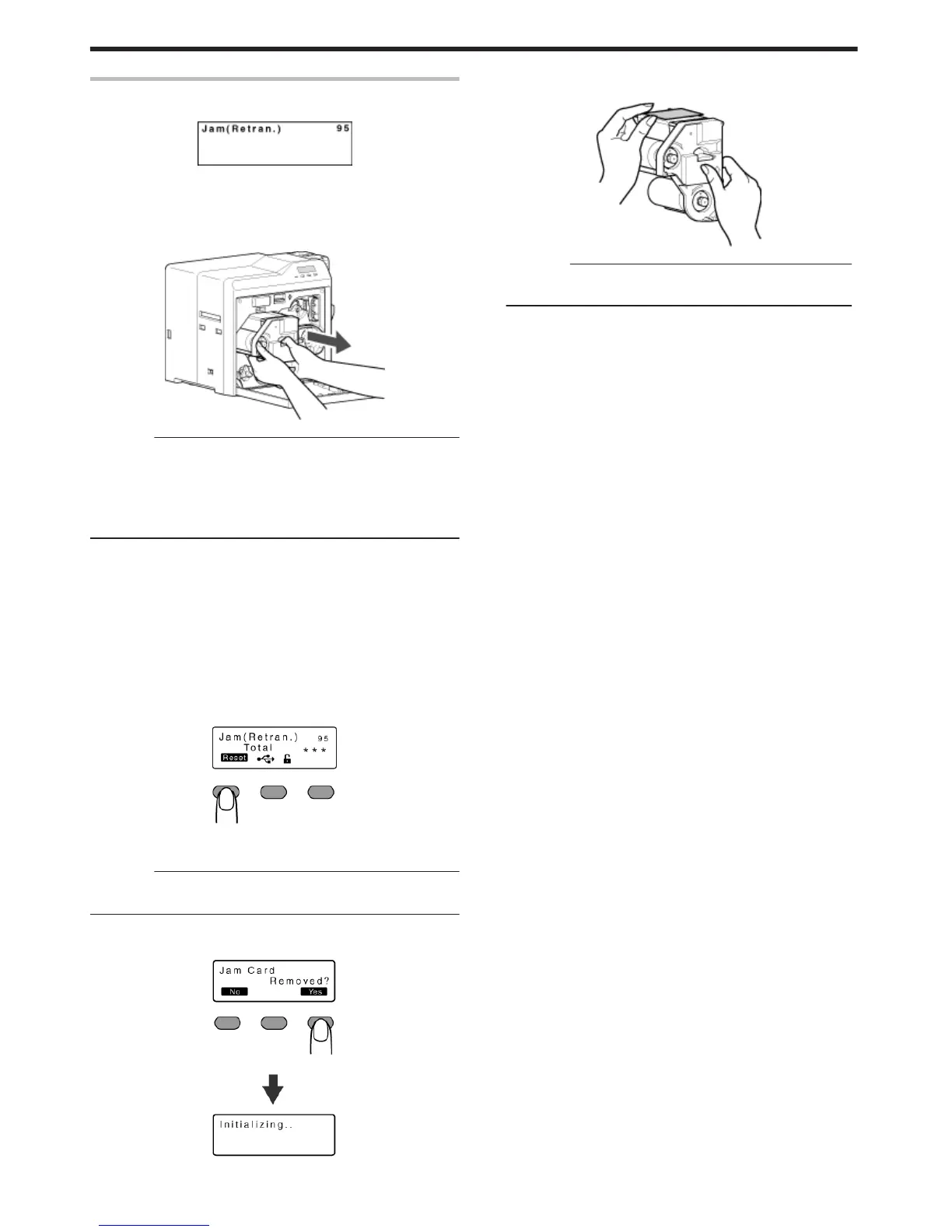
Error Code Jam(Retran.) 95
v
Card jam near the retransfer heating roller.
.
1
Open the printer door
v
A [Please Remove Jam Card!] or [Please Close Door] message
appears.
2
Pull out the retransfer film cassette
.
Cautions:
v
The card may be adhered to the retransfer film. Pull out the
retransfer film while taking care not to jam it.
v
If a [Please Close Door] message is displayed, the retransfer film is
stuck and the retransfer film cassette cannot be removed.
In this case, close the printer door before pulling out the retransfer
film cassette.
3
Remove the jammed card
"If the card is adhered to the retransfer film" (A page 52)
"If the card is inside the printer unit" (A page 53)
"If the card is caught in the card feed roller to the right of the retransfer
heating roller" (A page 53)
"If the card is caught in the card feed roller to the left of the retransfer
heating roller" (A page 54)
4
Install the retransfer film cassette, and close the printer door
5
Press K
v
A [Jam Card Removed?] message appears.
.
6
Press O
Cautions:
v
Initializing the printer without first removing the card will cause the
printer to malfunction. Be sure to remove the card then press O.
v
An [Initializing..] message appears, and initialization of the printer
starts.
.
m
If the card is adhered to the retransfer film
v
Remove the jammed card with a hand.
.
Cautions:
v
The card may be very hot. Be careful not to burn your fingers
when removing the card.
"Go to step 4" (A page 52)
Troubleshooting
52















 To Next Page