5
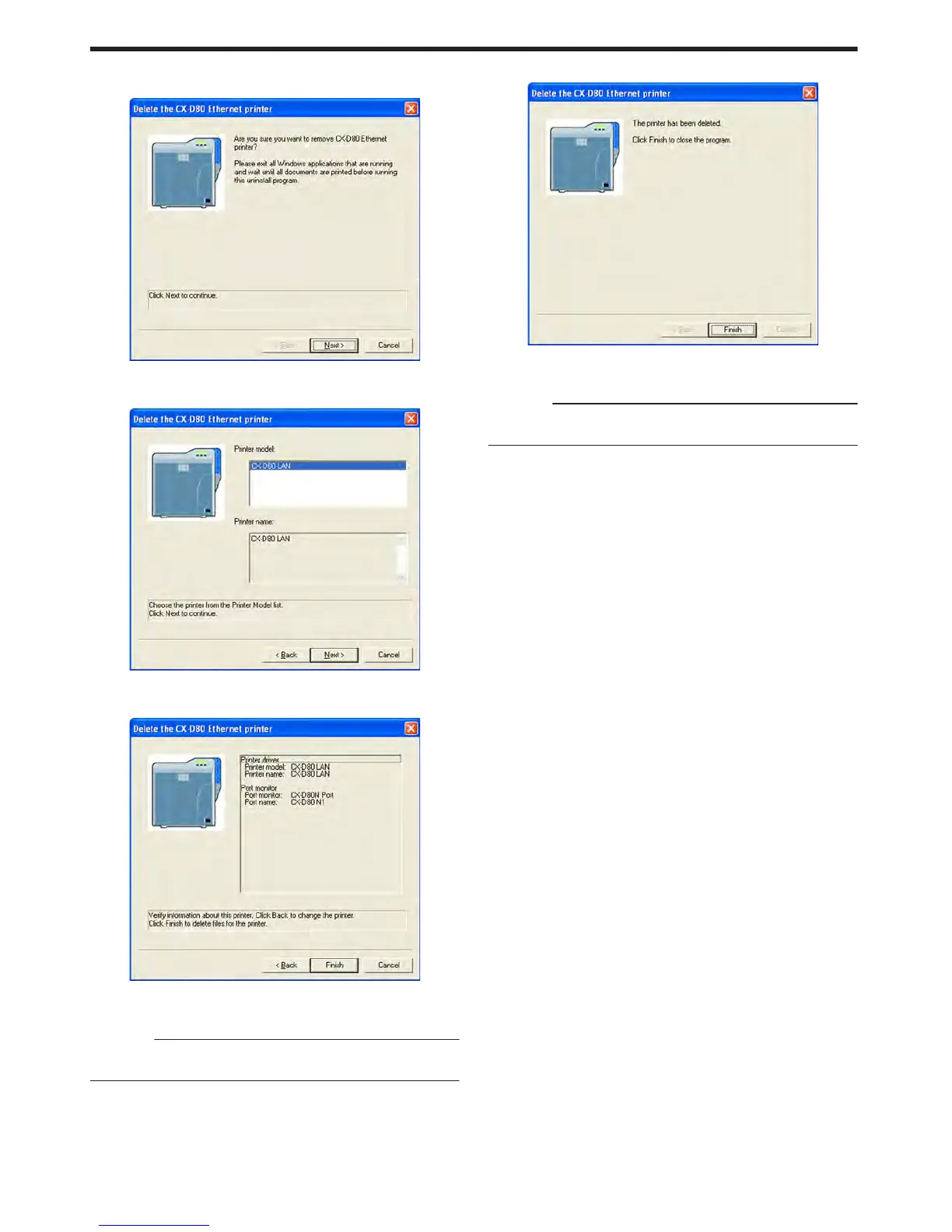
Click [Next]
v
A [Delete the CX-D80 Ethernet printer] screen appears.
.
6
Check the details, followed by clicking [Next]
v
A printer model selection screen appears.
.
7
Select the printer to uninstall, and click [Next]
v
An uninstall information confirmation screen appears.
.
8
Check the details, followed by clicking [Finish]
v
To change a printer, click [Back].
Cautions:
v
In the case where multiple Ethernet (LAN) printer drivers are
installed, the uninstaller deletes all of these printer drivers.
v
An uninstallation complete screen appears.
.
9
Click [Finish]
v
Exits uninstallation.
Cautions:
v
To reinstall the printer driver, perform the installation procedures
after restarting Windows.
Setup
82















 To Next Page