m
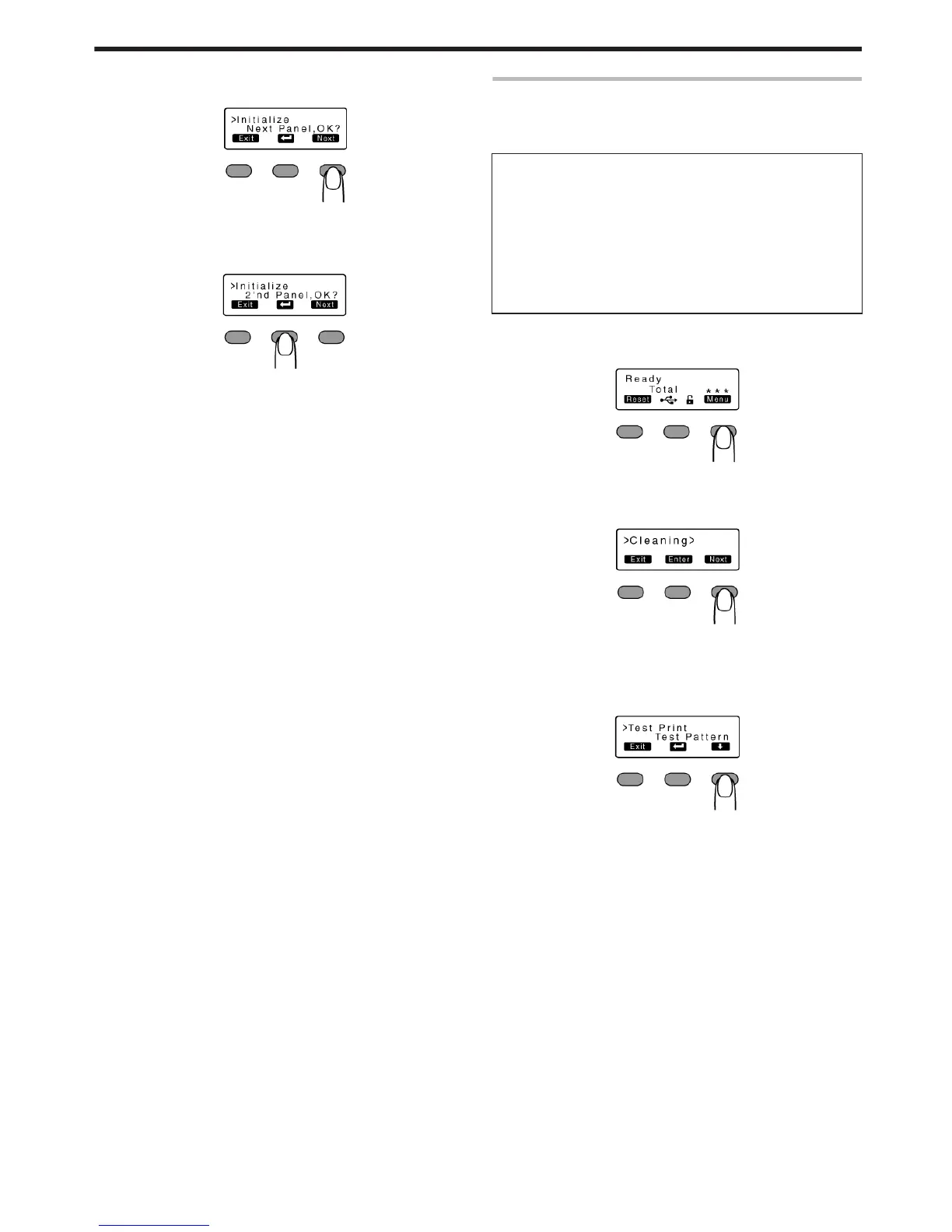
Initializing printer after feeding by two images
A Press J to set to [2'nd Panel, OK?]
.
B Press B
v
An [Initializing..] message appears, and the printer is initialized
after feeding the ink ribbon and retransfer film by two images.
.
Test Print
v
Prints the printer’s built-in test pattern, or the different settings.
v
The printer unit can be made to run alone when a system error
occurs by separating the computer from the printer.
Test Pattern Types
v
Test Pattern:
Prints standard color pattern on a single side of a card.
v
Printer Setting:
Prints the printer settings.
v
Network Setting:
Prints the network settings.
v
Lami Setting:
Prints the laminator settings.
1
Press I
v
A [Cleaning] message appears.
.
2
Press J to set to [Test Print]
v
Pressing it each time displays the next setting item.
.
3
Press F
v
A test pattern selection screen appears.
4
Press A and select a test pattern type
.
5
Press B
v
Test print starts.
Operating the Printer
23















 To Next Page