m
Windows Vista
v
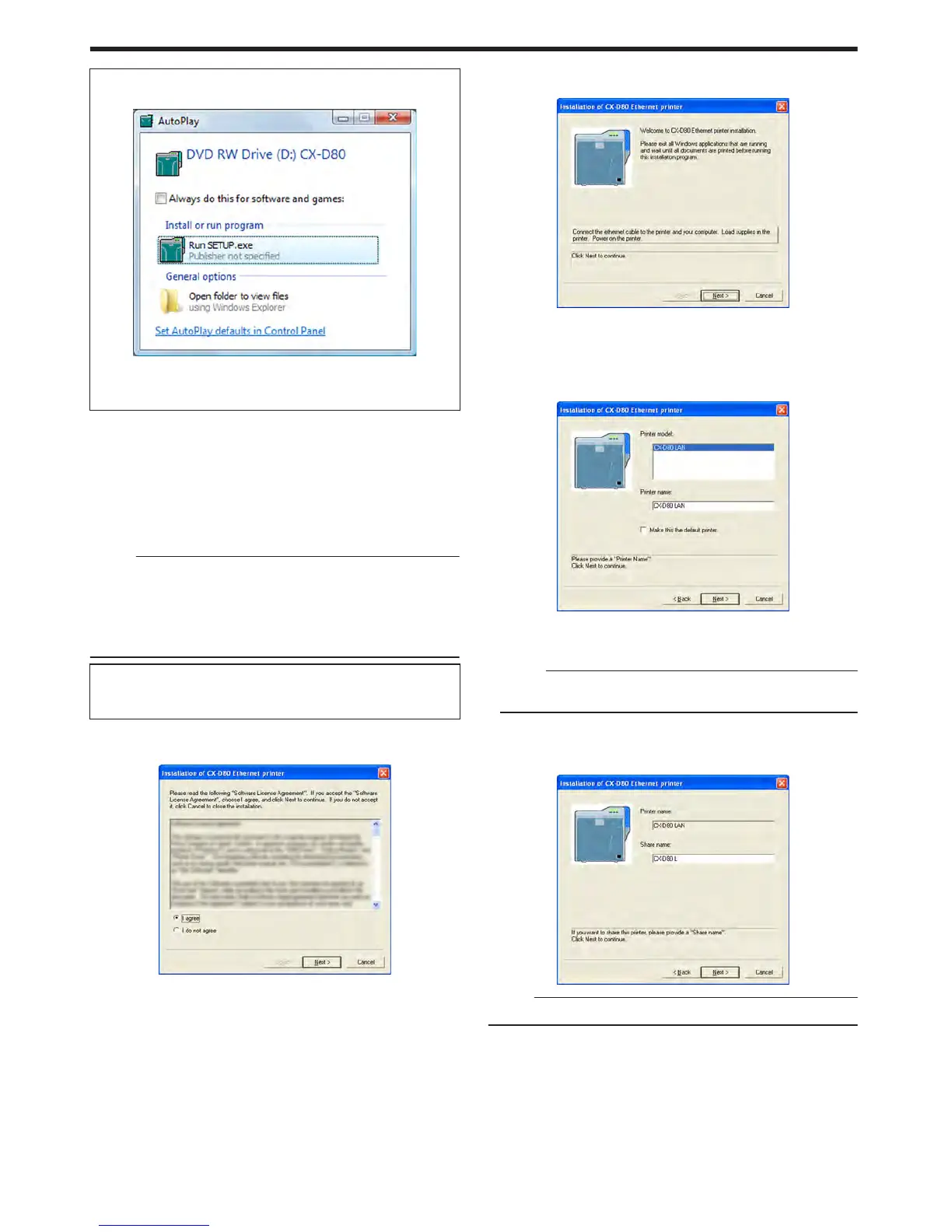
A [AutoPlay] screen appears.
.
v
Clicking [Run SETUP.exe] displays the [User Account Control]
screen.
v
Clicking [Allow] displays the card printer setup screen.
2
Select the [Printer Driver] checkbox on the card printer setup screen
A Select the language to use from the [Language] pull-down menu
v
Selecting [Japanese] switches the program to the Japanese
version.
v
Selecting [English] switches the program to the English version.
B Select [Ethernet connection] from [Interface].
C Select [Install] under [Action], and select the [Printer Driver]
checkbox
Memo:
v
You can select the [Status Monitor] and [Electronic Manual]
checkboxes to install them simultaneously. Selecting all checkboxes
starts installation in the order of the Electronic Manual, status
monitor, and printer driver.
v
The same status monitor can be used for printers connected via
USB and Ethernet.
v
Clicking [Open the Electronic Manual] opens the Electronic
Manual.
v
Clicking [Exit] ends the installation.
3
Click [Next]
v
A [Installation of CX-D80 Ethernet printer] screen appears.
.
4
Read through the “Software License Agreement”
v
If you accept the terms and conditions, select [I agree] to start
installation.
v
If you do not agree, click [Cancel] to stop the installation.
5
Click [Next]
v
A start installation screen appears.
.
6
Connect the printer and computer using a LAN cable
7
Turn on the power of the printer
8
Check the details, followed by clicking [Next]
v
A screen for setting [Printer model] and [Printer name] appears.
.
A Select a [Printer model]
B Enter the [Printer name]
C Select the [Make this the default printer.] checkbox if necessary
Memo:
v
Doing so enables you to set it as a default printer after installation
is complete.
9
Click [Next]
v
A screen for entering the shared name appears.
v
Enter the shared name when you are sharing a printer.
.
Memo:
v
You can also set the shared name after installation is complete.
Setup
70















 To Next Page