3030226 Rev. D 3-9 System Operation
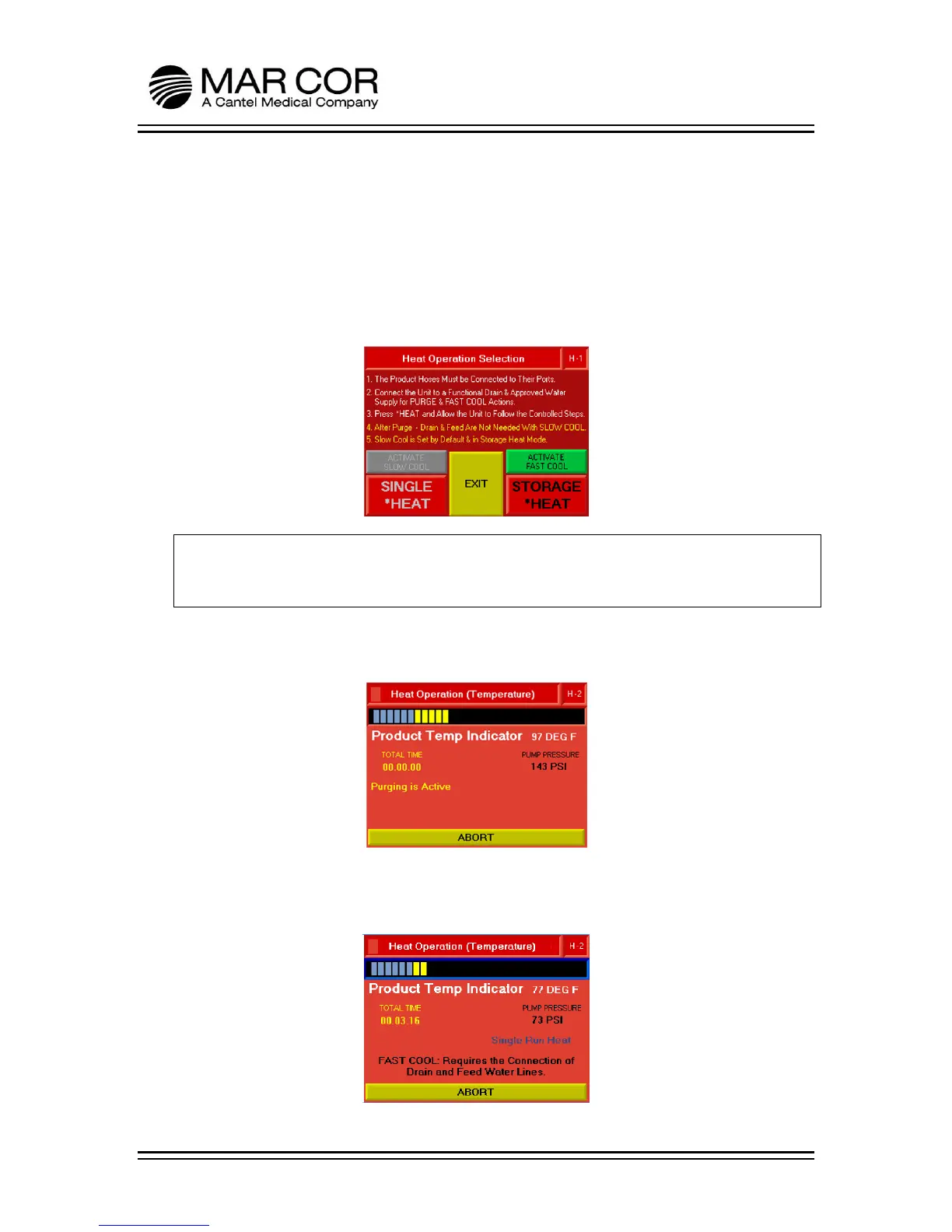
4. Follow the direction on the screen, then press and hold the SINGLE HEAT button.
The ACTIVATE SLOW COOL is grayed out and set by default and the RO will cool
down by convection, in addition it can be disconnected from the RO feed supply
and drain after the completion of the purge step. If ACTIVATE FAST COOL is
pressed the button will turn gray and the RO will introduce small amounts of RO
feed water to cool the RO so it will be required to be connected to the RO feed
supply and drain. A grayed out cooling method button means that the process
will occur when cooling begins.
WARNING:
During heat disinfection, the RO heats the internal water to approximately 176°F
(80°C). To avoid injury, do not touch the RO connections during the heat cycle.
5. The machine starts to purge, filling the internal tank to the proper level with
product quality water.
6. Once the purge is complete, the system starts to heat to 176°F (80°C). The RO
will indicate the heat process selected and the cooling method that was
activated.



 To Next Page