3030226 Rev. D 4-7 Screen Operation And Specifications
4.3 System Operation Controls
The Millenium HX system is controlled by a Programmable Logic Controller (OPLC) with
an integrated operating panel that sends and receives signals to and from various
components and sensors in the system. The user can set and view different parameters
on the Human Machine Interface (HMI) display on the front of the RO. In this section,
an overview of the operation of the OPLC controller is provided to help the user gain
familiarity with the RO and basic system parameters.
MAIN SCREEN
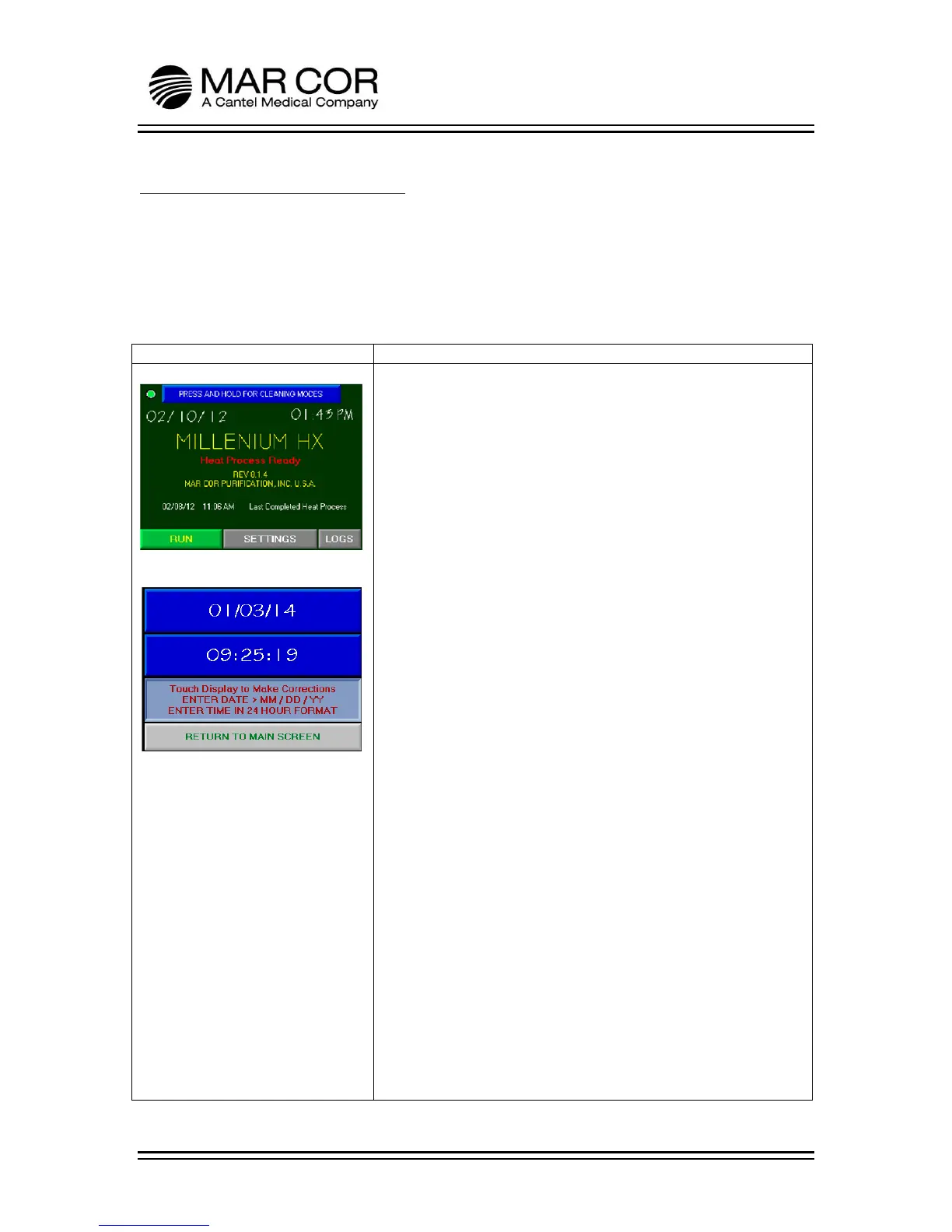
Refer to Figure 1, from this screen, the operator can press RUN,
SETTINGS, LOGS or PRESS AND HOLD FOR CLEANING MODES. If
the RO is set to display in metric units, the letter M will be visible
in the upper right hand corner of the screen.
In addition, this screen displays the current date, time and
date/time of the Last Completed Heat Process. This could
represent a Storage Heat or Single Heat disinfection.
The current date and time may be adjusted by pressing the area of
the time and date and following the on screen instructions to
adjust (Figure 2). The time does not automatically adjust for day
light savings.
PRESS AND HOLD FOR CLEANING MODES
This allows the operator to enter the Chemical or Heating
Operations selection screen.
RUN
Pressing this button will start the RO and produce water for
dialysis.
SETTINGS
Pressing this button will allow an operator to enter the settings
screens with a password. See settings section in this chapter for
more information.
LOGS
Pressing this button will allow the operator to view the events that
have taken place as part of the logging system. For a list of logged
events, refer to page 4-10 in this chapter.
ETHERNET
There is an indicator located in the upper left corner of the screen.
When the indicator is green, the RO is connected to an operable
Ethernet connection. If the indicator is red, the RO is not
connected to the network. Ethernet connection is not required to
operate the RO.



 To Next Page