10.2 Retrofitting a Mark-10 single column extension (optional)
If a single column extension is ordered upfront, it is pre-installed at the factory and shipped assembled.
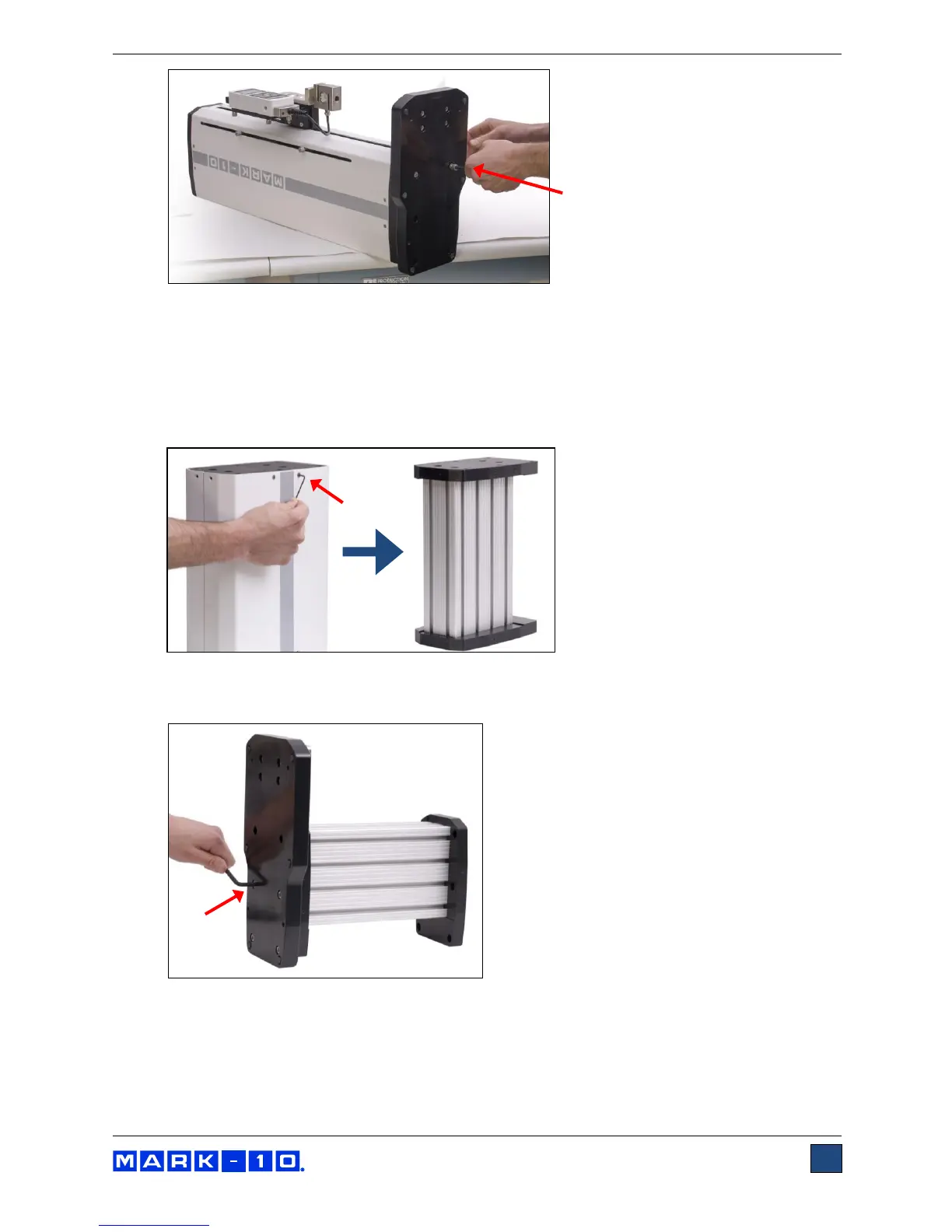
It may also be retrofitted in the field. Follow these instructions:
1. Remove the two sheet metal covers from the column extensions by loosening the 16 screws, as
identified in the images below.
2. Using the 6 screws removed from the test stand base, reinstall the base onto the lower flange of
the column extension, as shown in the image below:
3. Attach the top flange to the bottom of the test stand column utilizing the 6 supplied screws, as
shown in the image below:



 To Next Page