Matrox Extio 3 Series – User Guide 49
4 Authenticate the devices found
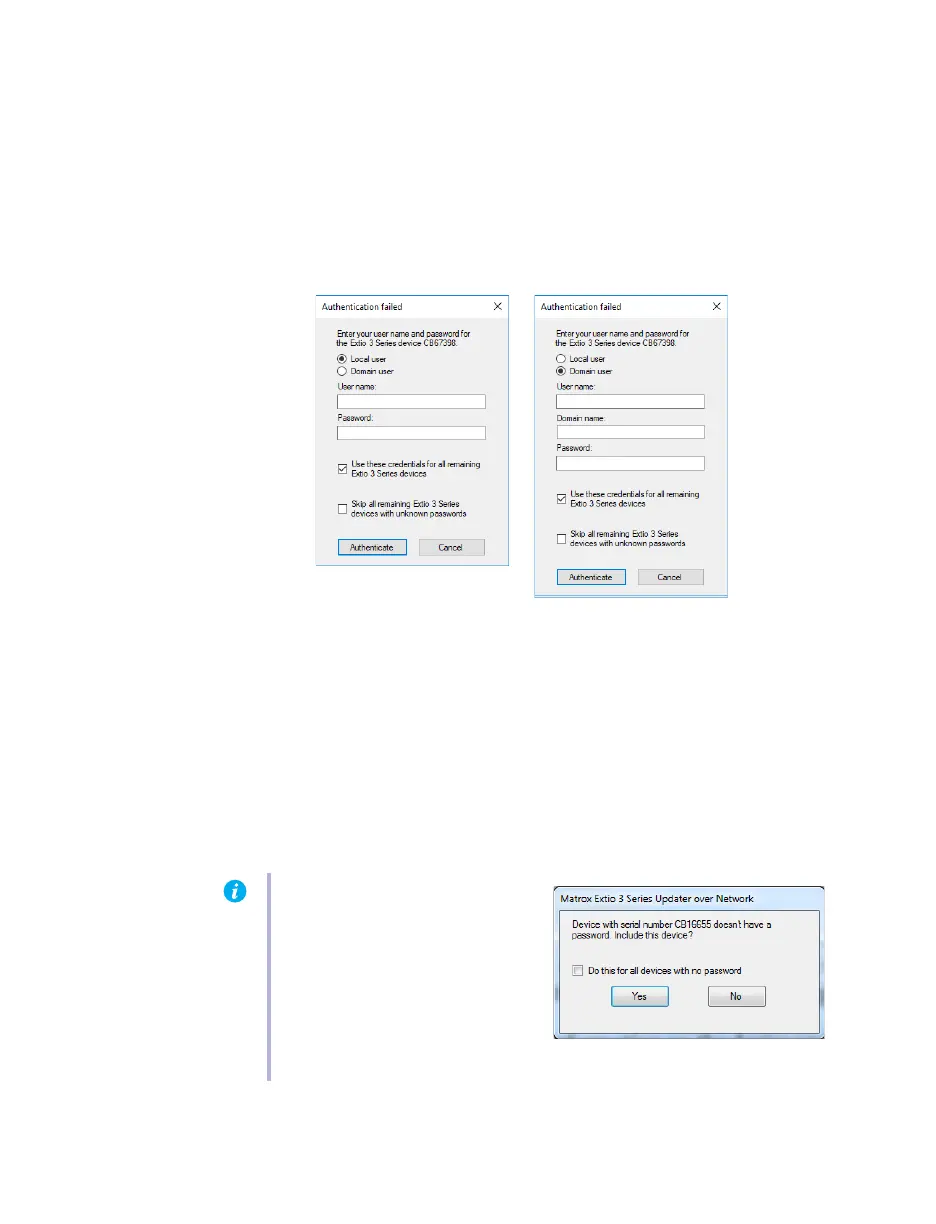
If you provided a password for your Extio 3 Series devices, you may be prompted to
authenticate the devices found.
If you’re prompted, enter your credentials for the Extio 3 Series devices found:
Local user
– Enter your user name and password.
Domain user
– Enter your user name, the domain name of the server, and your
network password.
If you’re updating multiple Extio devices, enable the
Use these credentials for all
remaining Extio 3 Series devices
check box.
If you don’t know the password of some of the Extio devices on your network, enable
Skip all remaining Extio 3 Series devices with unknown passwords
. Enabling this option
ignores the Extio devices that don’t use any of the passwords already entered. Any
skipped devices won’t be available for update.
When you’re done, click
Authenticate
.
Note:
If a configuration reset of the
Extio device was performed, the
device password was also reset. The
device will be detected as having no
password. In this case, you’ll be
prompted to add that device to the
list of devices to update. When
prompted, click
Yes
.



 To Next Page