68 Matrox Extio 3 Series – User Guide
Details
Provides information (such as the model, serial number, firmware package version, and the
minimum, current, and maximum internal temperature of the receiver) on your Extio 3 device and
the connection status and IP address of the device (connected through
LAN1
or
LAN2
).
Aggregator mode
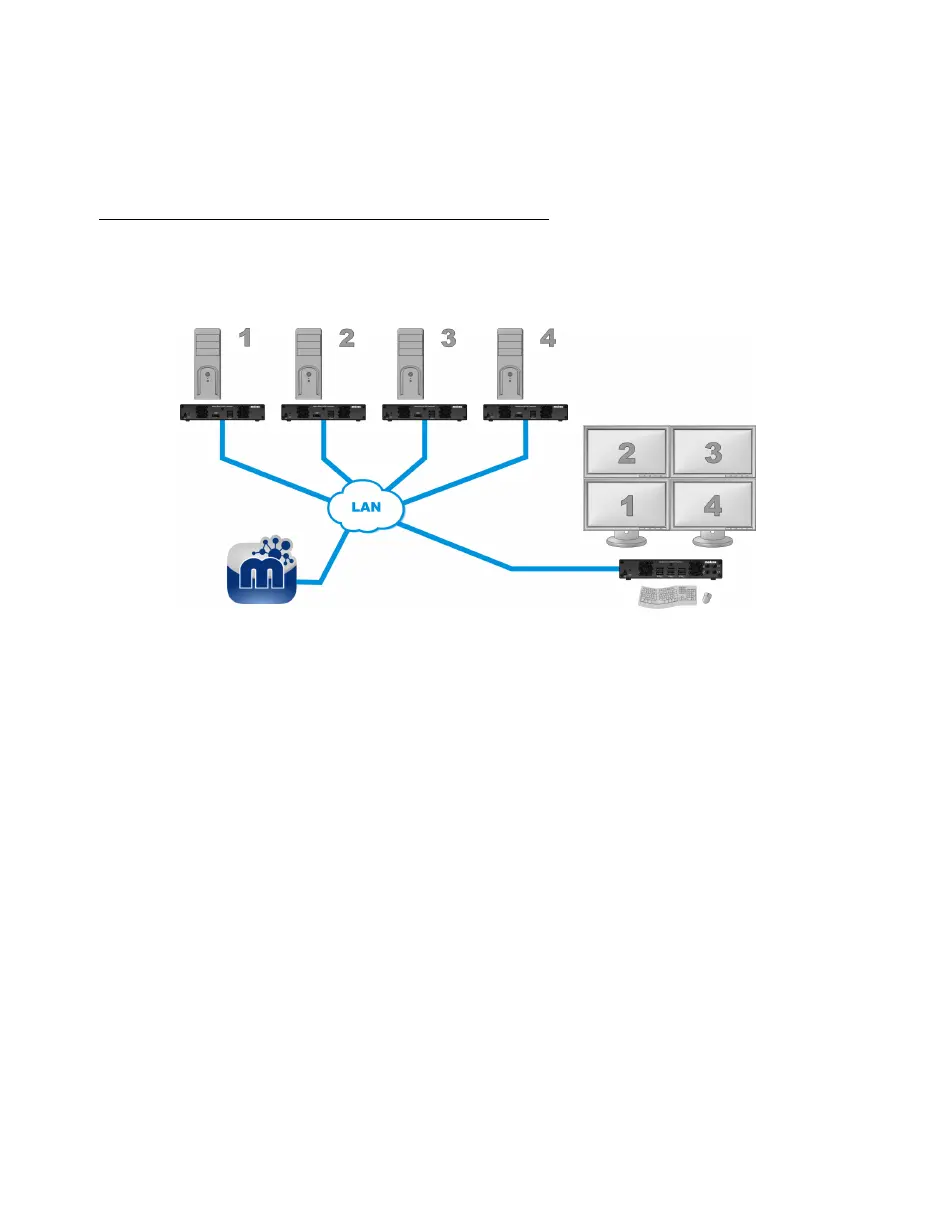
With aggregator mode, your Extio 3 receiver unit can gather video streams from multiple Extio 3
transmitter units into a single layout.
Before you begin
Make sure the
Fixed EDID
option is enabled. Aggregator mode is supported only with
Fixed EDID
.
Audio configuration
– Review your system’s Windows® audio settings to know which
DisplayPort output is configured to use audio. Depending on your audio configuration,
we also recommend you review the following:
Digital audio to displays with speakers
– Make sure the host systems are using the
video output of the graphics card as the destination for the sound.
Digital audio to analog
(
Headphone
or
Line Out
) – In Extio Central Manager, select
a Receiver, then go to the
Audio
page. Make sure you select the proper
Headphone
audio source
and
Line Out audio source
for the
Video In
of the transmitter unit.
Analog audio
(
Line In
) – Verify where the
Line In
you want is coming from (for
example,
Line In
from the transmitter on monitor 1, 2, 3, or 4), or if you want
Line
In
to follow the mouse position.



 To Next Page