5. Tighten the cap (B) at the end of the operation and replace the copper washer, if necessary.
6. Add new hydraulic oil; refer the table above for the choice of oil.
7. Check the level on the dipstick attached to the filler cap (C).
8. As soon as the correct oil level has been reached (see section 9.6.1), start the engine and
let it run for ten seconds, repeat this operation until the supercharging pressure is reached
on the pumps (20÷22 bar).
9. Turn the engine off again and recheck the oil level.
10. If necessary, top up the oil pressure until the relative level lies between maximum and
minimum.
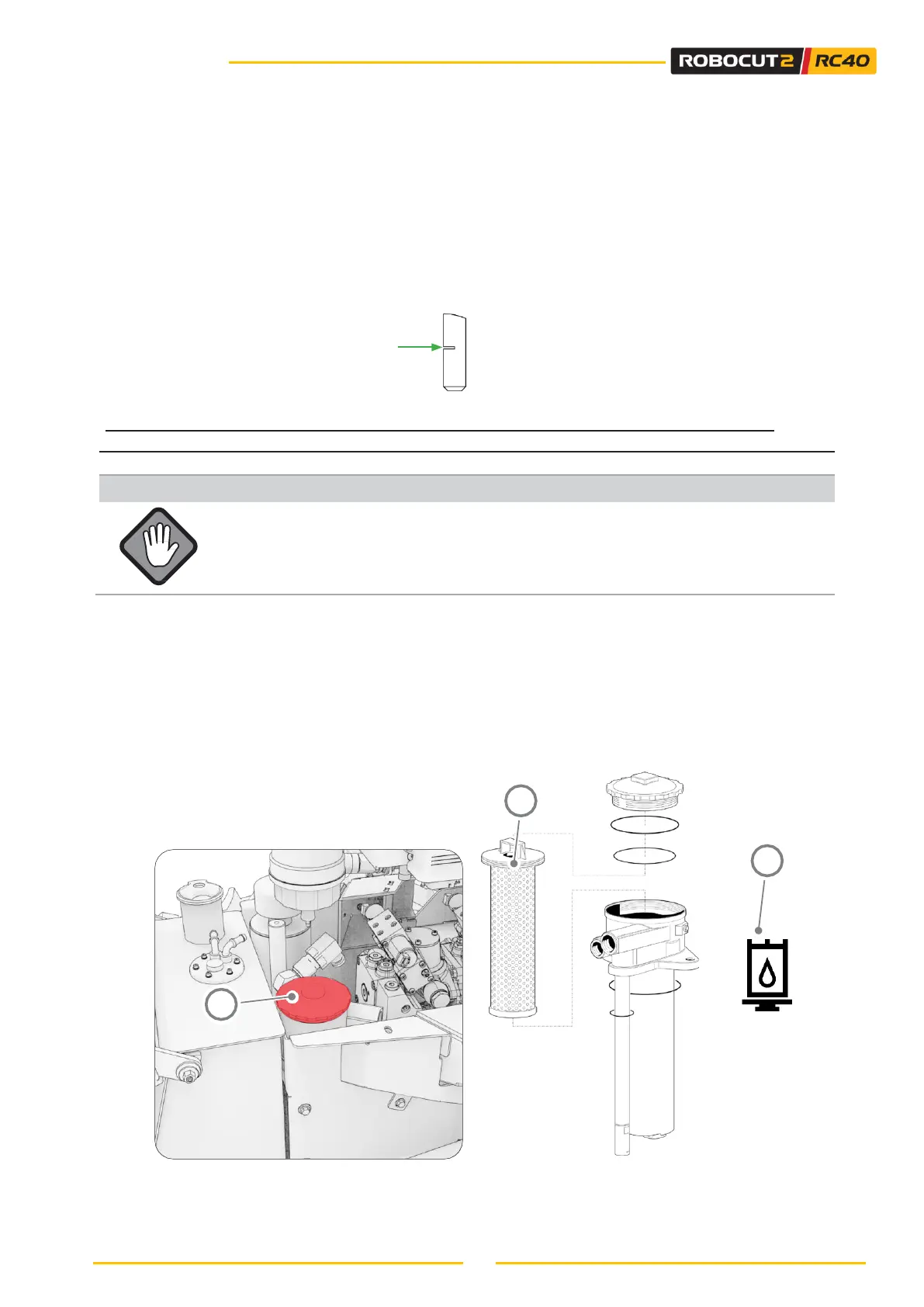
Level OK
9.6.3 - CHANGING THE HYDRAULIC OIL FILTER
The hydraulic oil filter should be replaced every 250 working hours or when the
clogging indicator light (A) is displayed.
To replace it, perform the following operations:
• Unscrew the cap (B) using a 32mm spanner.
• Extract the filtering element (C);
• Filters should only be replaced with original filters and before they become completely clogged.
• Always check the O-ring and seals when a component of the hydraulic circuit is dismounted or is
replaced. If broken or damaged, replace them.
• Close the cap again and tighten it with the spanner with a maximum torque of 20 Nm.



 To Next Page