6.3.14 - STOPPING THE TOOL
To stop the tool, proceed as follows:
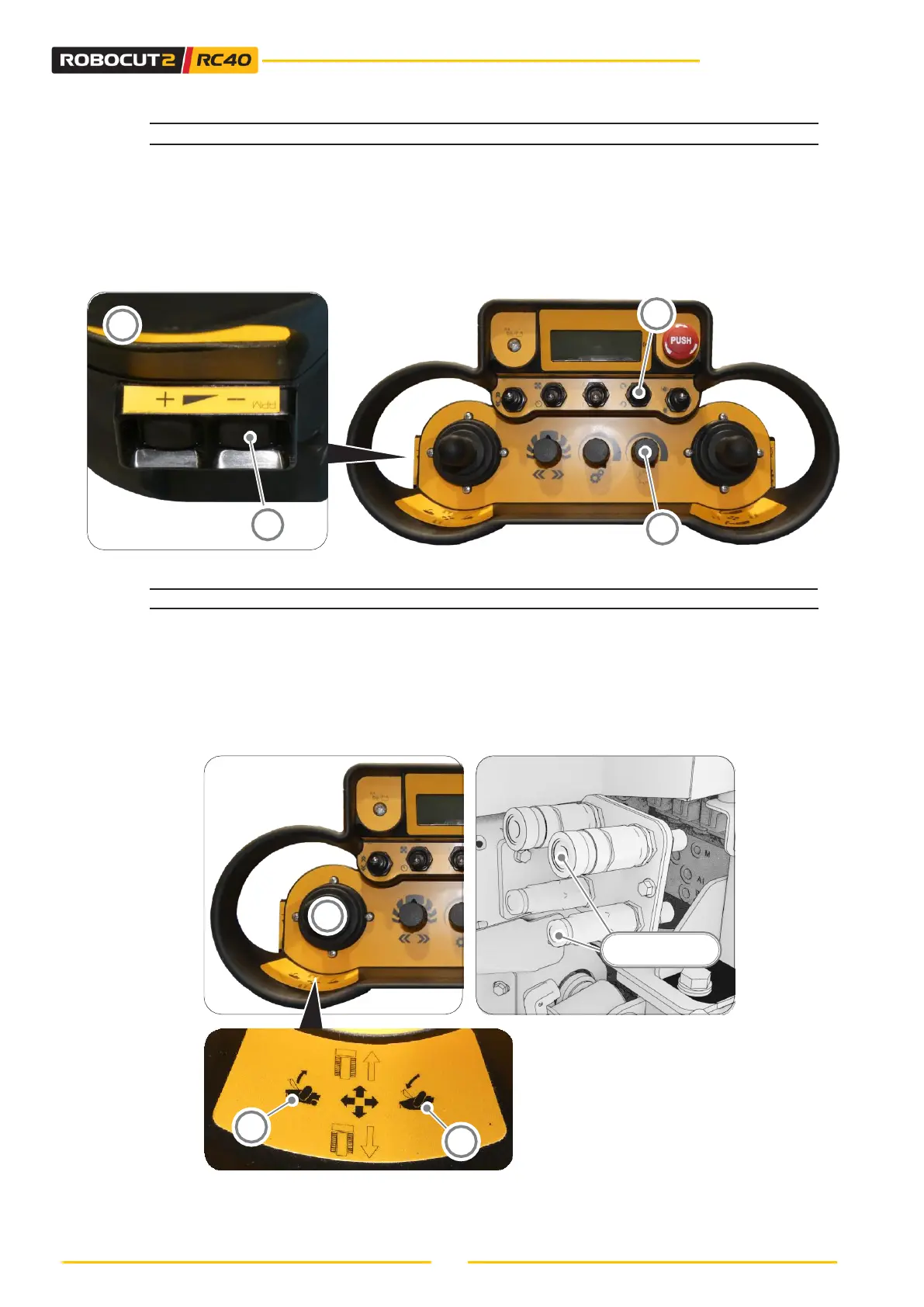
• Decrease the engine rpm by pressing the button (14B) until you reach the minimum
speed.
• Turn the potentiometer anti-clockwise (11) to the minimum setting. The tool’s hydraulic
motor then stops.
• Disable the hydraulic motor by putting the switch (5) in the central position.
6.3.15 - AUXILIARY FUNCTION (AUX 1)
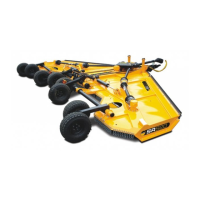
The auxiliary function (AUX 1) is controlled by the left-hand proportional joystick (A).
• The auxiliary function is operated by moving the joystick (A4) to the right.
• The opposite effect of the auxiliary function is obtained by moving the joystick (A3) to the
left.
NOTE: Refer to the use and maintenance manual of the tool connected to the machine for how
to use this function.



 To Next Page