User Manual for the Meca500 Industrial Robot (for rmware 10.1) 9
SAFETY
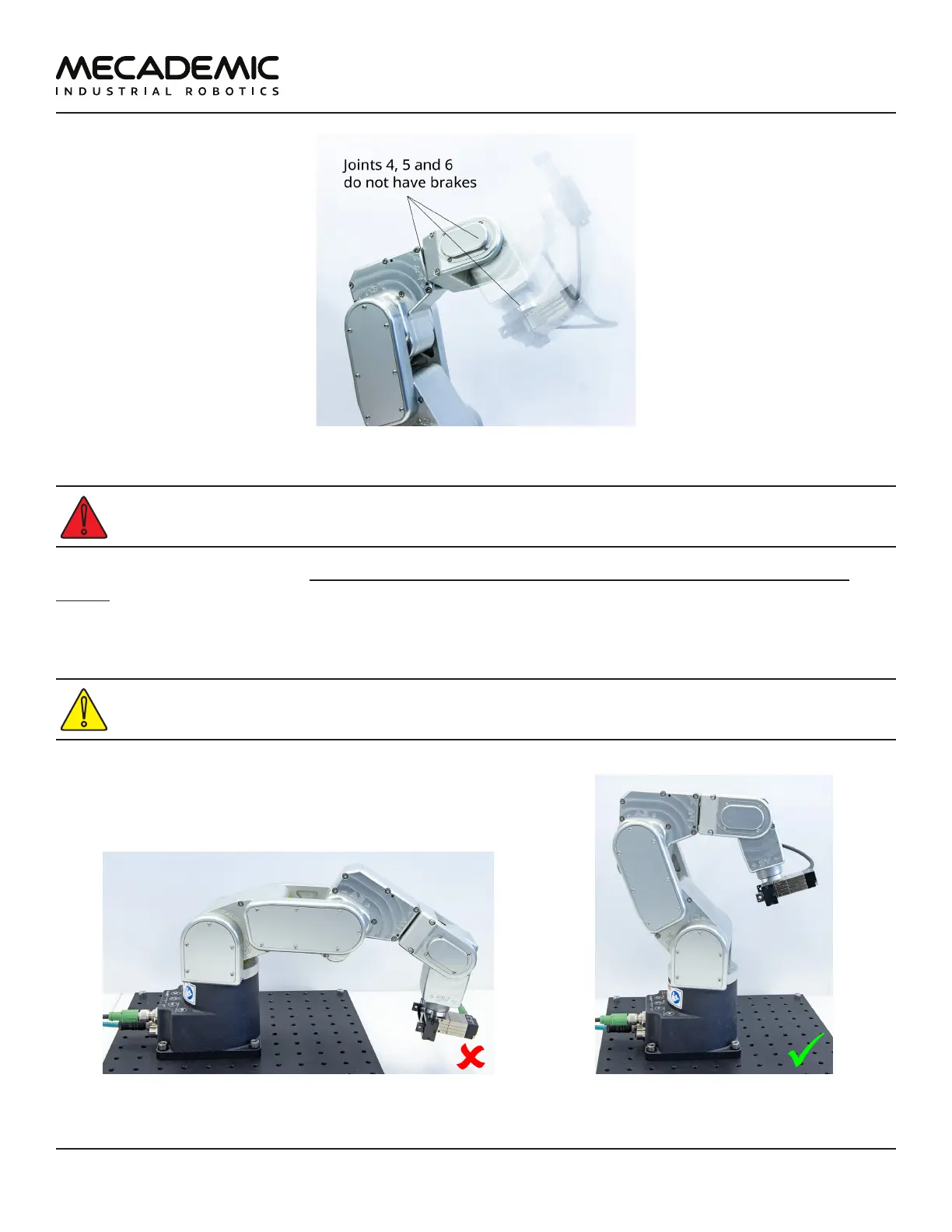
Figure7: When the robot is deactivated, the end-eector will slowly move downwards under the eects of gravity
Beware that the end-effector might slowly move downwards under the effects of gravity or
inertia when you deactivate the robot (e.g., by pressing the E-STOP button).
In addition, remember that the brakes used on joints 1, 2 and 3 are emergency brakes, not locking
brakes. Therefore, if you leave the robot in a configuration where the robot's upper arm and forearm
are nearly horizontal, the robot will slowly fall down under the effects of gravity, especially if you have
the maximum payload. For example, if you deactivate the robot in the configuration shown in Figure8a,
the robot's gripper might eventually collide with the table.
Before leaving the robot deactivated or powered off for an extended period of time, bring it to a
position that minimizes the static torques on joints 1, 2 and 3 (see Figure8).
(a) DO NOT leave the robot deactivated like this (b) DO leave it like this
Figure8: Before leaving the robot for a long period of time, move it to a position that minimizes the joint torques



 To Next Page