Have a question or need assistance?
Call Medicomp’s Patient Support: 877-996-5553
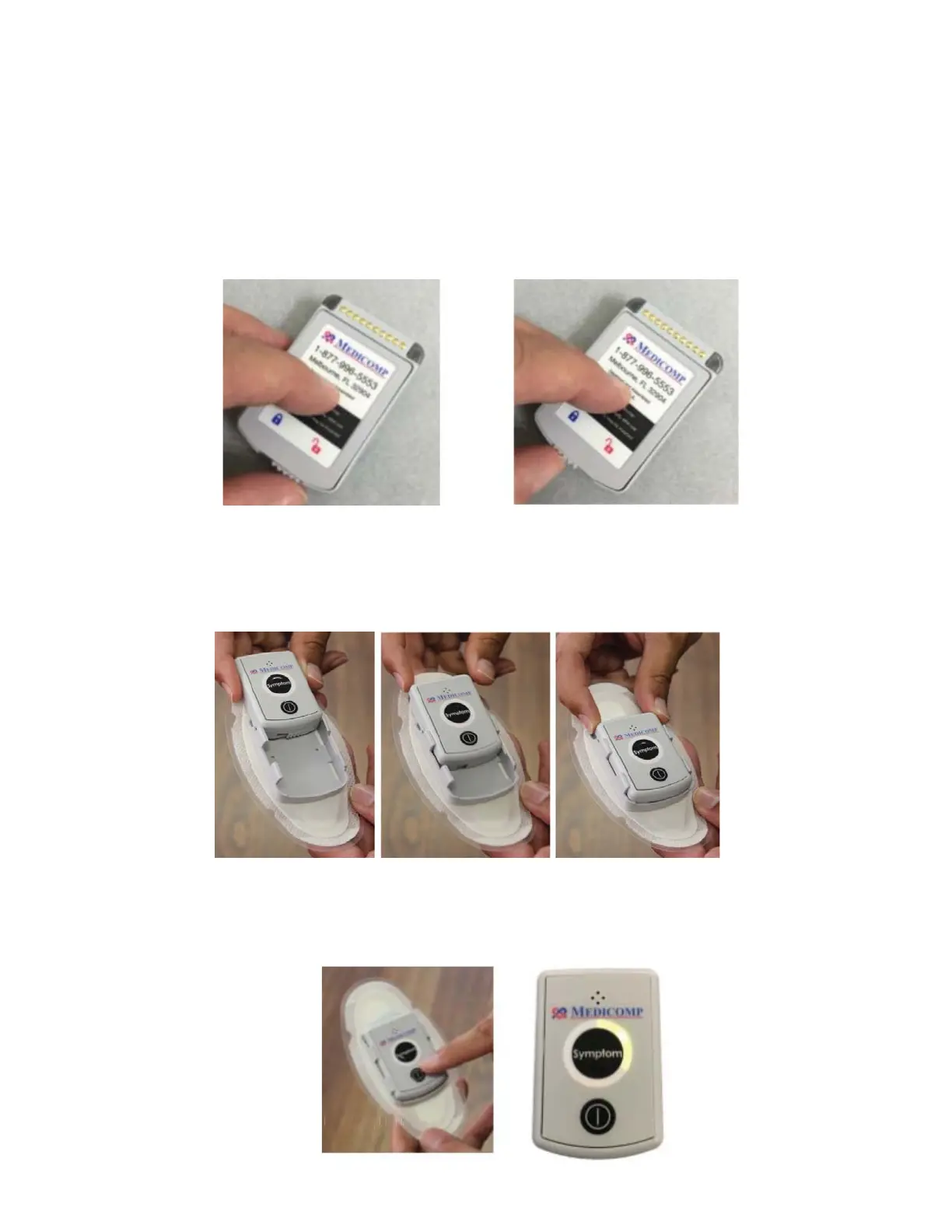
● Slide the latch at the back of the Battery to the left, securing the Battery in place
Battery is NOT secure in Pendant – Unlocked Battery IS secure in Pendant - Locked
● Turn the Pendant over, slide the Pendant into the Electrode Patch Cradle with the lock
facing down into the cradle.
● The Pendant is correctly placed when it clicks into the Electrode Patch Cradle.
Turn the Pendant on:
● Press and hold the power button on the face of the Pendant until the Pendant green
LED flashes.
Tele
Patch™ Cardiac Monitor PM750
USER MANUAL - UTM0000701-05E
| APRIL 4, 2019
36



 To Next Page