medin Medical Innova ons GmbH
Adam-Geisler-Str. 1
82140 Olching, Germany
+49 8142 448 460
info@medin-medical.com
www.medin-medical.com
IFU_medin-NC3 EN
Rev 05 Status as of 28.04.2021
24 of 68
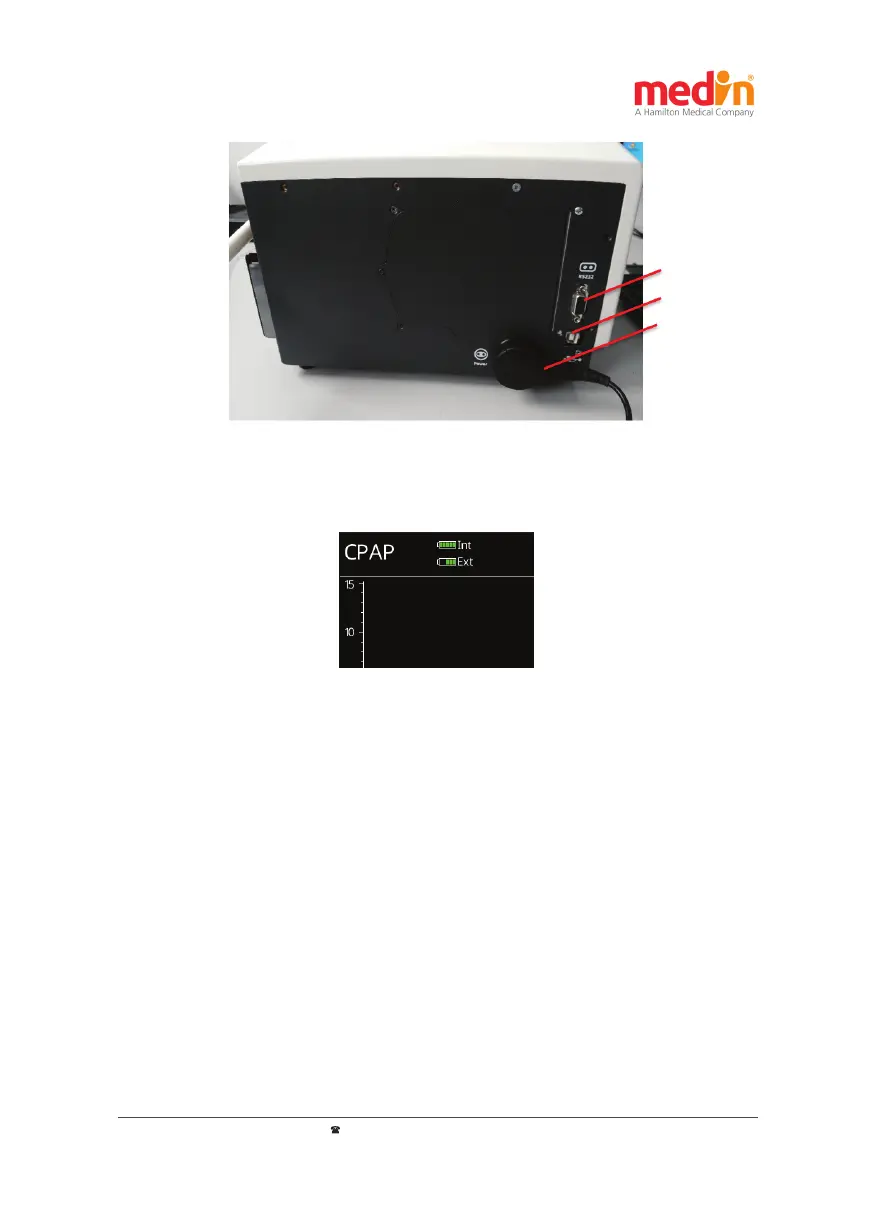
a) RS232
b) USB
c) Power
Figure 4-2: Rear connec ons: a) RS232 interface
b) USB interface c) Power supply (power supply unit)
A en on:
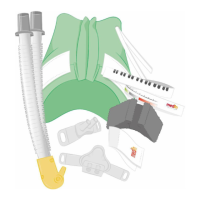
When the medin-NC3® is running on ba ery power, an alarm is sounded when the internal ba ery is low. It must
then be immediately connected to an external power source, as otherwise the medin-NC3® will stop working.
The charge status of the ba eries is displayed in the upper le of the screen of the medin-NC3® as well as on
LEDs on the front.
Figure 4-3: Ba ery charge status displayed in the top le -hand area of the screen
To disconnect the medin-NC3® from the mains, the plug of the power supply unit of the medin-NC3® must be pulled
out of the electrical outlet. Otherwise the medin-NC3® is s ll connected to the mains, even when it is turned o .
Therefore, when se ng up the medin-NC3®, it should be ensured that the plug of the power supply unit is s ll
accessible even when set up and the medin-NC3® can thus be easily disconnected from the mains.
Disconnect the power supply unit from the mains during thunderstorms.
Warning:
The medin-NC3® and its power supply unit are not suitable for use in the direct vicinity of the pa ent. Only the
pa ent tubes, the Nu ow®, the Medijet® and the masks and prongs are used in the direct vicinity of the pa ent.
Since the surface temperature of the power supply unit can become too hot for the pa ent, it should always be
ensured that the power supply unit is not within the pa ent's reach.


 To Next Page