HELIOS LED Processing Platform - USER GUIDE
36
EOTF Adjustments (continued)
If PQ encoded content calls for a level that exceeds the capabilities of the tiles, the limit will be the tile’s maximum
brightness. The Limit brightness to content toggle is available for cases where the content’s brightness information is not
desired. If tiles are being limited by PQ encoded content and a brighter display is needed, turn OFF the toggle. The
HELIOS will ignore the content brightness and allow the tiles to reach their max brightness.
Figure 43: Limit brightness toggle
PQ is currently the only signal which advertises and uses content light levels. HLG uses display max L but ignores content
levels. The numerical elds are not used for SDR + traditional HDR signals. Display max L is always determined by the
connected tiles. Tiles will still respect the Output adjustment → Limit to lowest tile max setting. If it is not set, then tiles
should all be at the same brightness regardless of the EOTF. An image settings popup will notify when the Limit
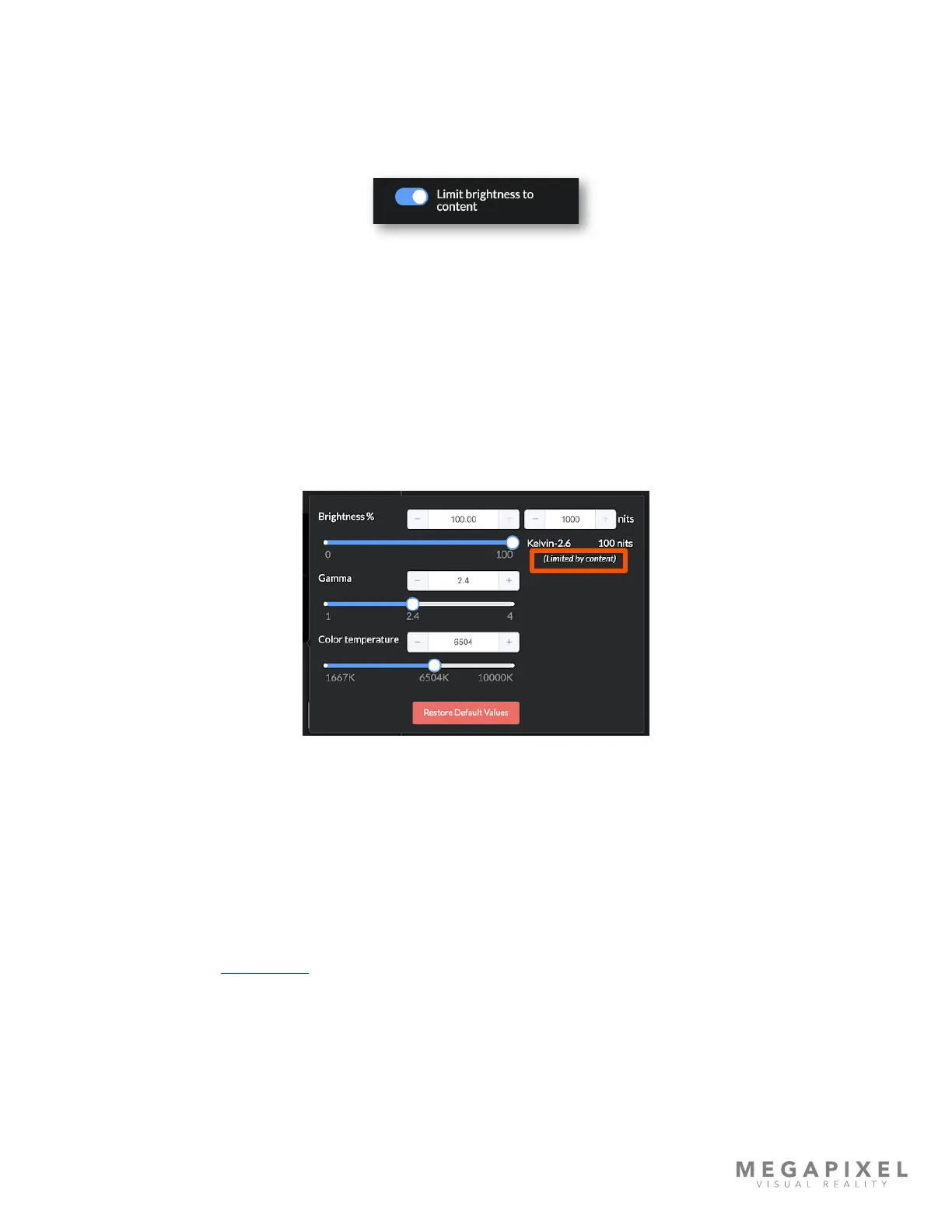
brightness to content or the Limit to lowest tile max is being applied. In a scenario where HELIOS is receiving a PQ signal,
with content max L set to 100 nits, and the tile max L is 500 nits, the Image Settings adds the words (Limited by content)
below the nits value report. If the EOTF is switched to where content max L is no longer used, the input settings message
also goes away.
Figure 44: Limit message
NOTES:
• When the content level is unknown or not advertised, content max L is assumed to be the same as display max L. In other
words, content is assumed to have been mastered for the display.
• In the case of mixed tile types, brightness is restricted to the tile type with the lowest peak brightness. Mixed tile type
systems are not recommended.
Please see the section in Appendix E for more information on ‘Content to Panel Luminance Curves’.



 To Next Page