HELIOS LED Processing Platform - USER GUIDE
46
Ultra Low Latency (Advanced) - (continued)
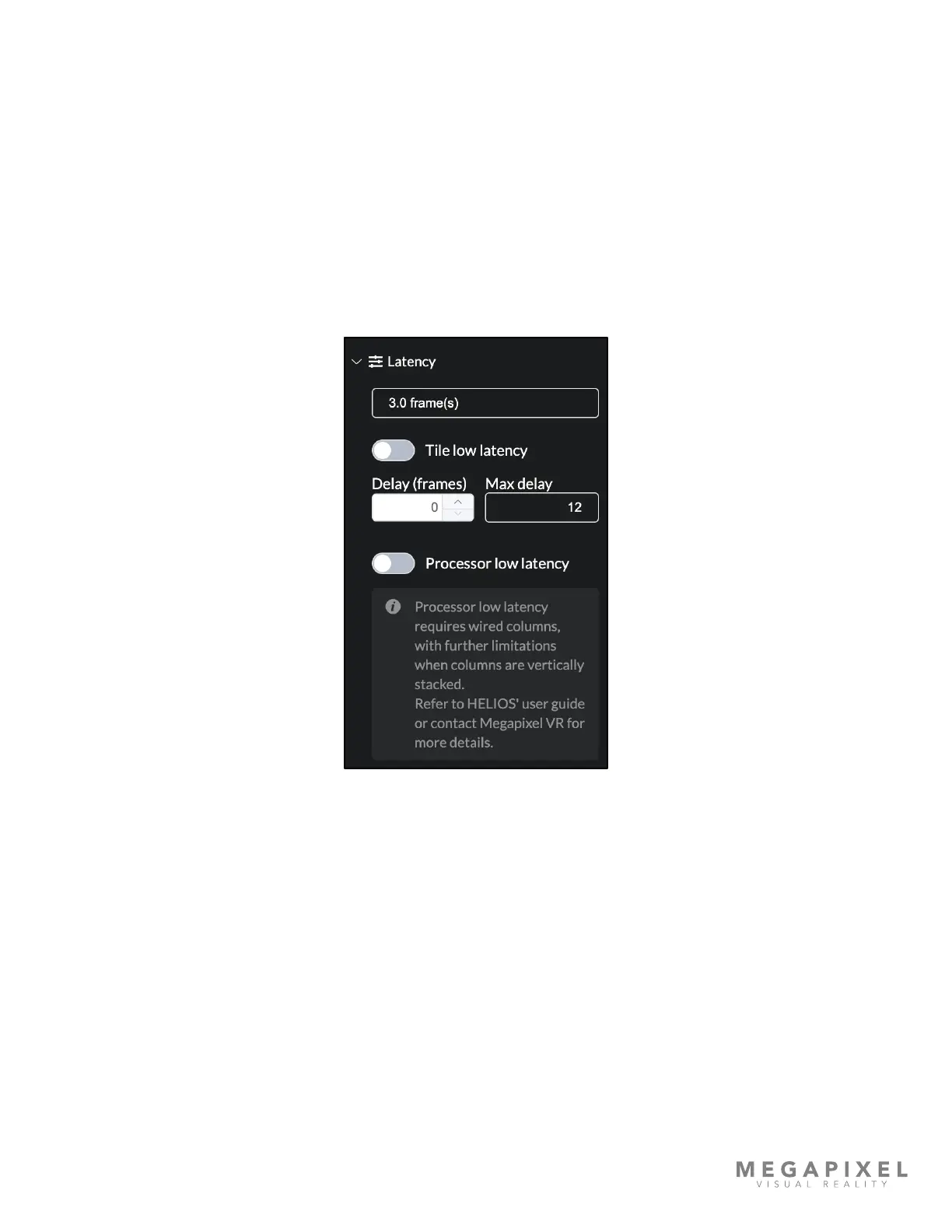
In order to access Ultra Low Latency mode, enable Advanced Mode under Settings → Processor settings → Advanced. A
hidden accordion menu will appear on the Output pane. Enable ULL mode with two toggles; Tile low latency and
Processor Low latency. Tile low latency reduces latency by one (1) frame. Processor low latency independently reduces
latency by one (1) frame. Enabling both reduces latency in the system by two (2) frames. The example interface shown
below reports 3.0 frame(s) of latency in the system. With both latency modes toggled on, latency should report 1.0 frame
of delay.
1. Tiles are put into Ultra Low Latency mode with the Tile low latency toggle. The only restriction here is the tile rmware
must support ULL.
2. The HELIOS processor is put into Ultra low latency with the Processor low latency toggle. Stacked column restrictions
apply.
Figure 60: Ultra Low Latency



 To Next Page