HELIOS LED Processing Platform - USER GUIDE
56
Processor
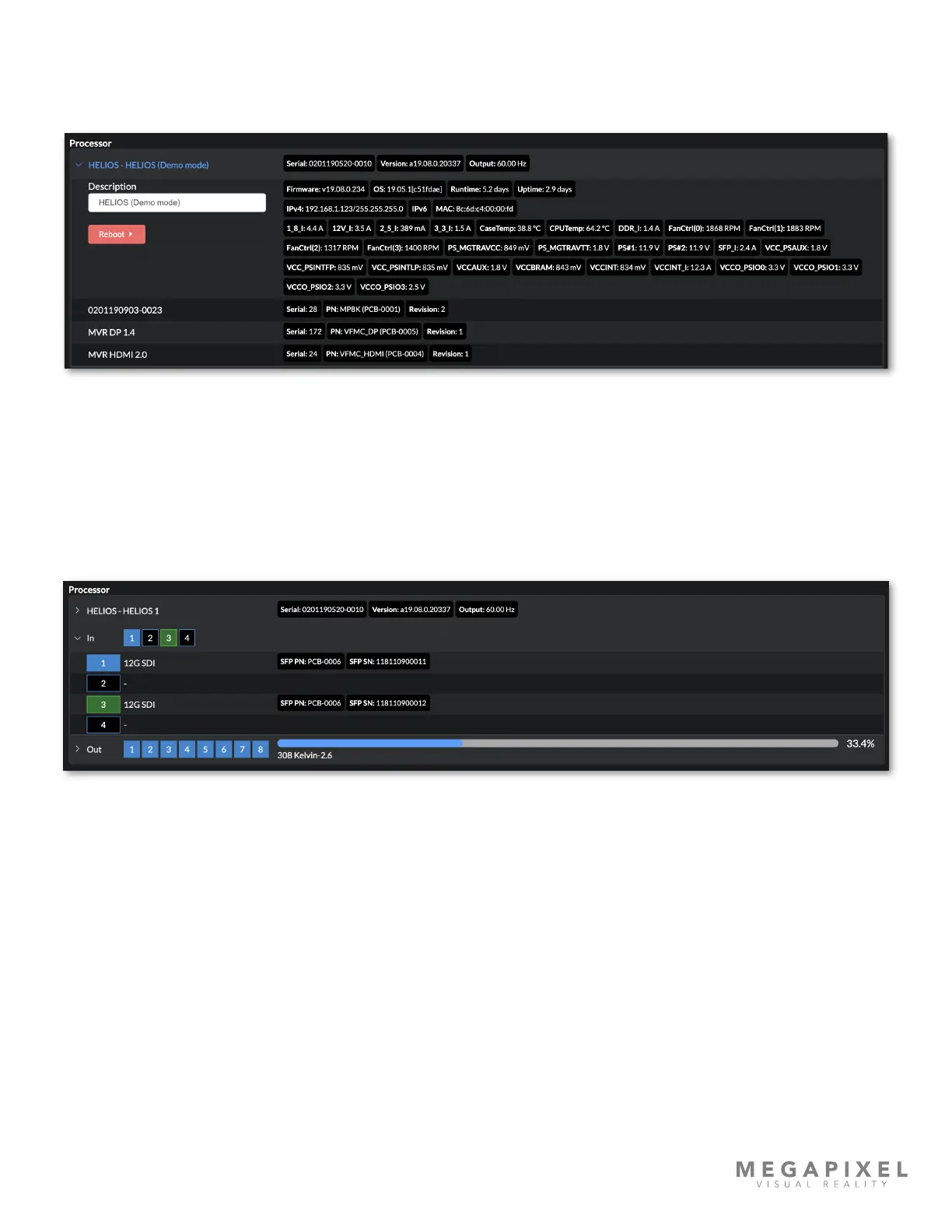
The main device section of the HELIOS Processor displays the full list of tracked parameters. Use the description eld to
name the processor as desired. This is the same as changing the name in Settings > Description.
Figure 72: Devices Pane - HELIOS Parameters.
The In section of the HELIOS Processor displays details about the input SFP+ units. The square icon with the number on it
is the input icon. When this icon is a blue square with white text (input 1 in the example below) the unit is receiving video
through the SFP+. When the HELIOS recognizes the SFP+ but there is no video, the icon will be a dark green (input 3 in
the example below). In both blue and dark green modes the there will be parameters displayed and a label regarding the
type of SFP+ that is in the slot. A black with light blue outline icon (ports 2 and 4 in the example below) indicates that the
HELIOS unit does not recognize any SFP+ in the slot.
Figure 73: Devices Pane - HELIOS Inputs



 To Next Page