HELIOS LED Processing Platform - USER GUIDE
58
Network Switches
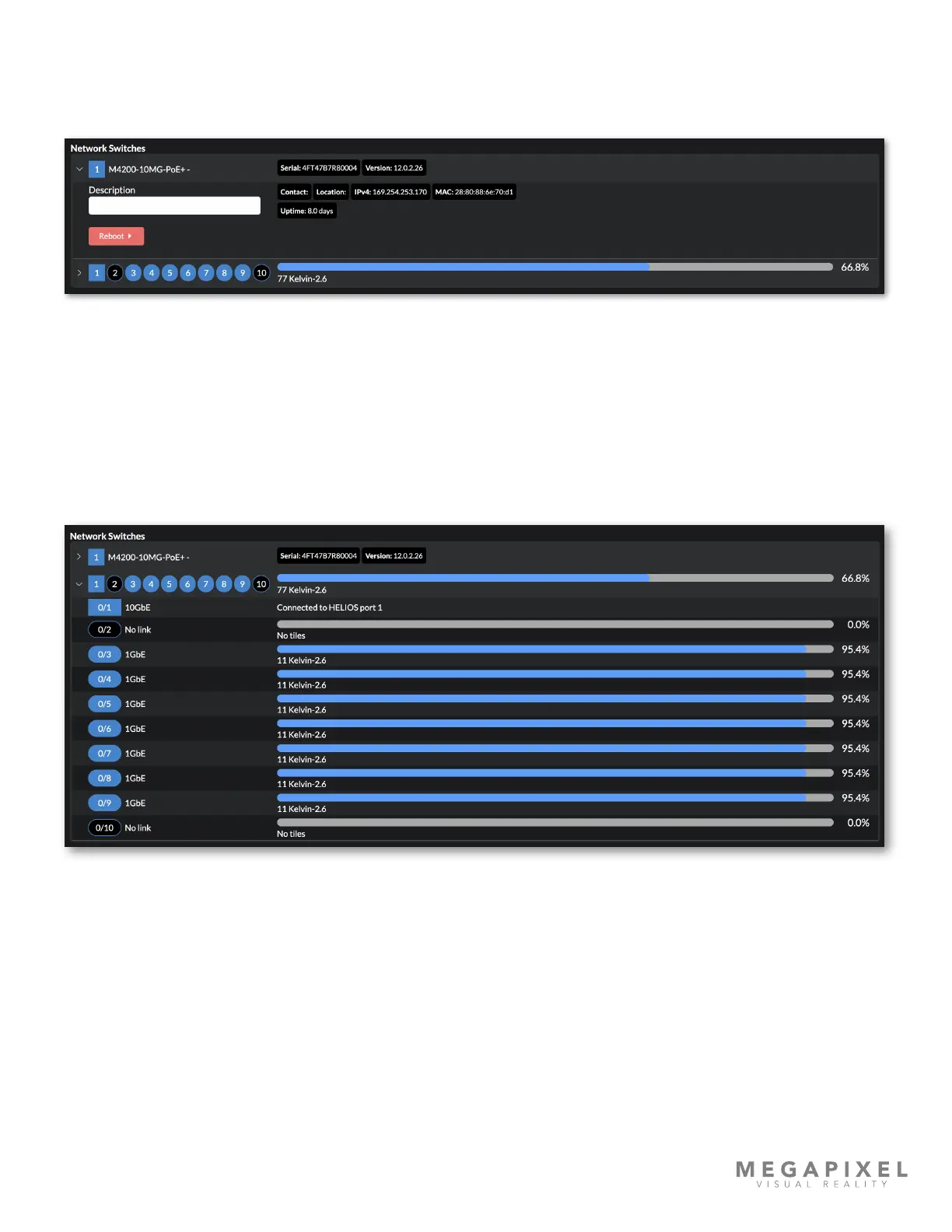
This section displays details for the network switches. Enter a description for the switch if this is helpful for managing the
system. This assigned description is persisted within the switch. A remote reboot switch button can also be found here.
Figure 75: Devices pane - Network Switch Parameters
The ports section displays details about the ports. Here again, the square shape icon indicates that 0/1 is connected to a
processor. Switch port IDs use slot/port nomenclature. On standard size switches, all ports are considered slot 0; port IDs
are numbered 0/1 - 0/9 as shown in the example below. HELIOS also works with larger switches with up to 96 ports. These
switches are divided into 12 slots of 8 ports each. Numbering follows the same schema starting with slot 0.
To the right of each port ID is a percent utilization bar with connected tile quantity and type below.
Figure 76: Devices pane - Network Switches



 To Next Page