Envoy 2 E Series User Guide 20190805-30.docx || © 2019 MegaVoice Ltd. || Page 18 of 68
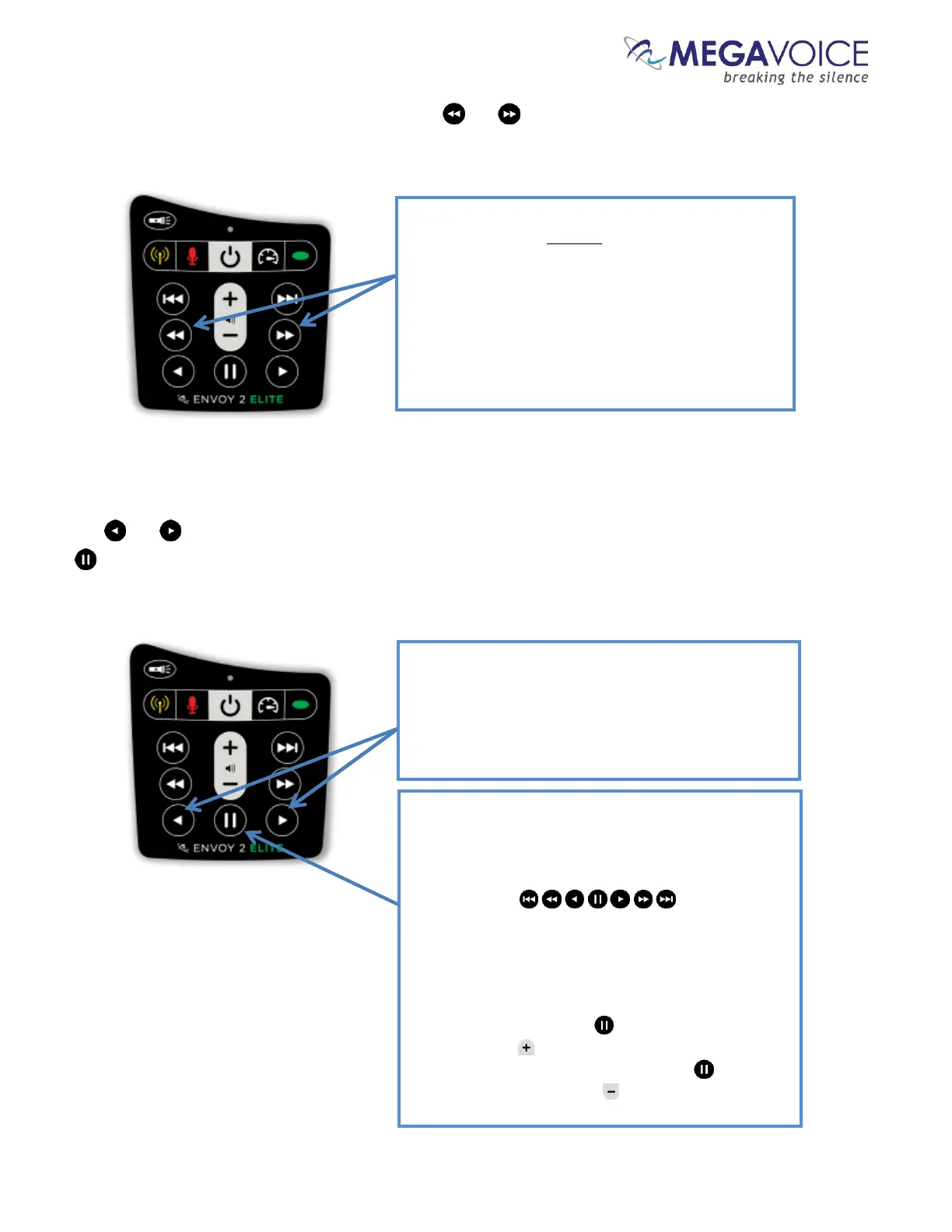
Each Book may contain one or more “Chapters”. The and buttons control reverse/forward navigation
through the Chapters.
The and buttons control rewind/fast-forward navigation through the current audio file (Chapter). The
button allows you to pause and resume audio playback.
A click on one of these buttons will scroll to the
previous/next Chapter in the current Book.
When the first/last Chapter in the current Book is
reached, a click will navigate to the last/first Chapter
in the previous/next Book.
A 2-second press will skip up to 5 Chapters at a time.
Press and hold will skip up to 5 Chapters at a time
until the button is released or the first/last Chapter
in the current Book is reached.
Figure 9: Chapter control buttons
A click on one of these buttons will rewind or fast-
forward through the current audio file (Chapter) in 20-
second* intervals. Press and hold will continue to
rewind/fast-forward until the button is released or
the beginning/end of the file is reached.
*The actual time may vary slightly.
While in audio playback mode, a click on this button
will place the player in pause mode (the LED will
blink intermittently). To resume playback, press any
of the navigation buttons:
A 2-second press will set a bookmark at the current
audio position and place the player in pause mode.
While in pause mode, the following reset operations
may be performed:
Reset the current playback bookmark to the
beginning by pressing and then pressing
volume up until the player beeps.
Reset all default settings by pressing and then
pressing volume down until the player beeps
Figure 10: Buttons for navigating the Current Chapter, the Pause button



 To Next Page