Envoy 2 E Series User Guide 20190805-30.docx || © 2019 MegaVoice Ltd. || Page 23 of 68
The Channel Folders
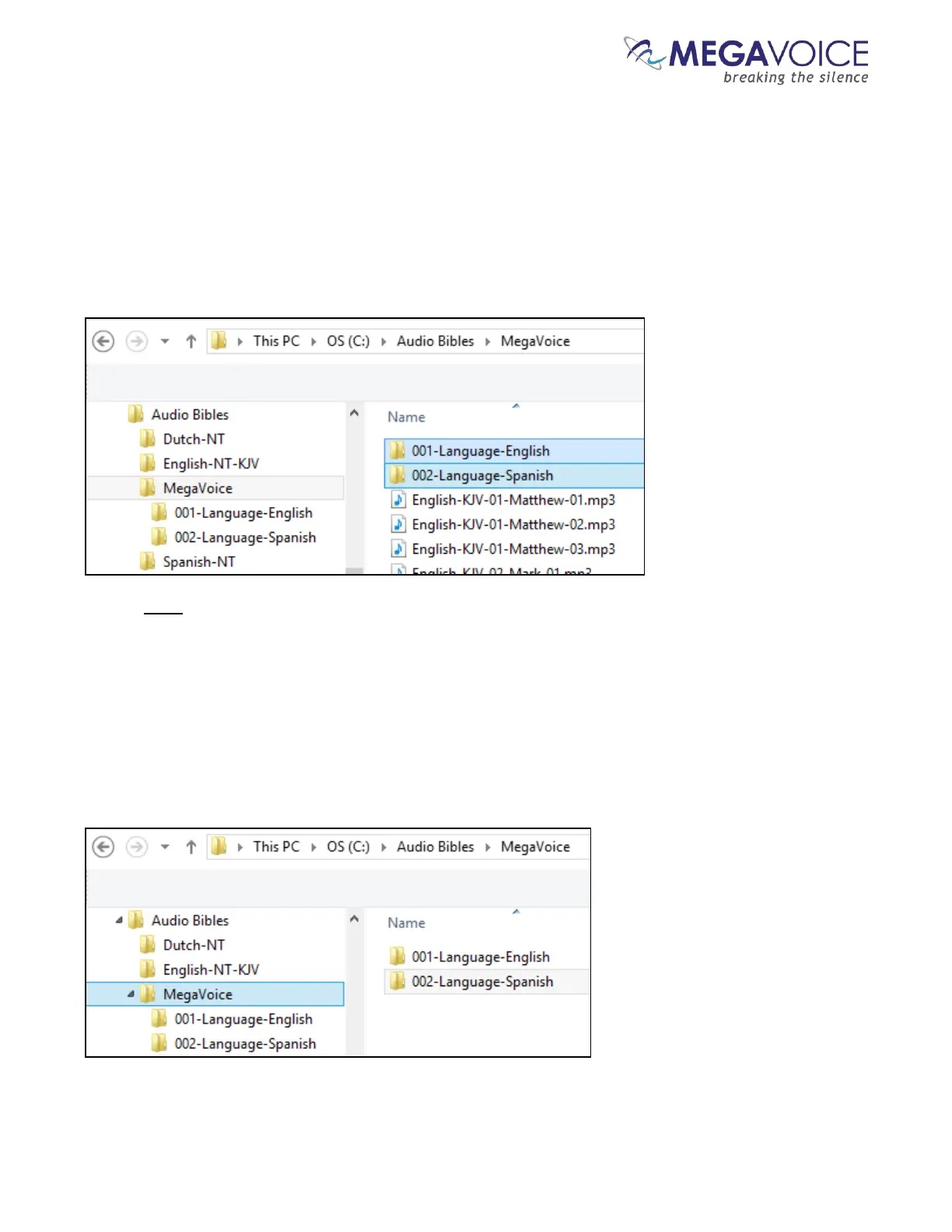
Let’s create the two Channel folders in the MegaVoice folder. The first must have a prefix of “001” with
optional descriptive text. In previous player versions, the folder names could only be 3-digit numbers, creating
lots of duplicate names throughout the audio message and making identification difficult.
The 2 E Series, however, supports descriptive names which makes organizing much easier. Let’s name the
first folder “001-Language-English”. The second will be “002-Language-Spanish”.
Now let’s move all the English-KJV and Spanish audio files into their respective new folders. There are several
ways to accomplish this. Use the method you are most comfortable with.
Highlight the relevant audio files, right-click and choose “Cut”, open the appropriate Channel folder,
right-click and choose “Paste”.
Highlight the relevant audio files, “drag” them to the appropriate Channel folder and “drop” them.
The MegaVoice folder will now contain only the two new Channel folders.



 To Next Page