Envoy 2 E Series User Guide 20190805-30.docx || © 2019 MegaVoice Ltd. || Page 20 of 68
The Audio Project Folder
Let’s use the following example. We have sets of Audio Bibles in different Languages, but the structure is such
that all the audio files for each Bible are together in a single folder. The individual audio files are named such
that they are easily recognizable and they also sort in the order in which they should be played but that is the
extent of the organization. Your audio messages may be organized like this or differently.
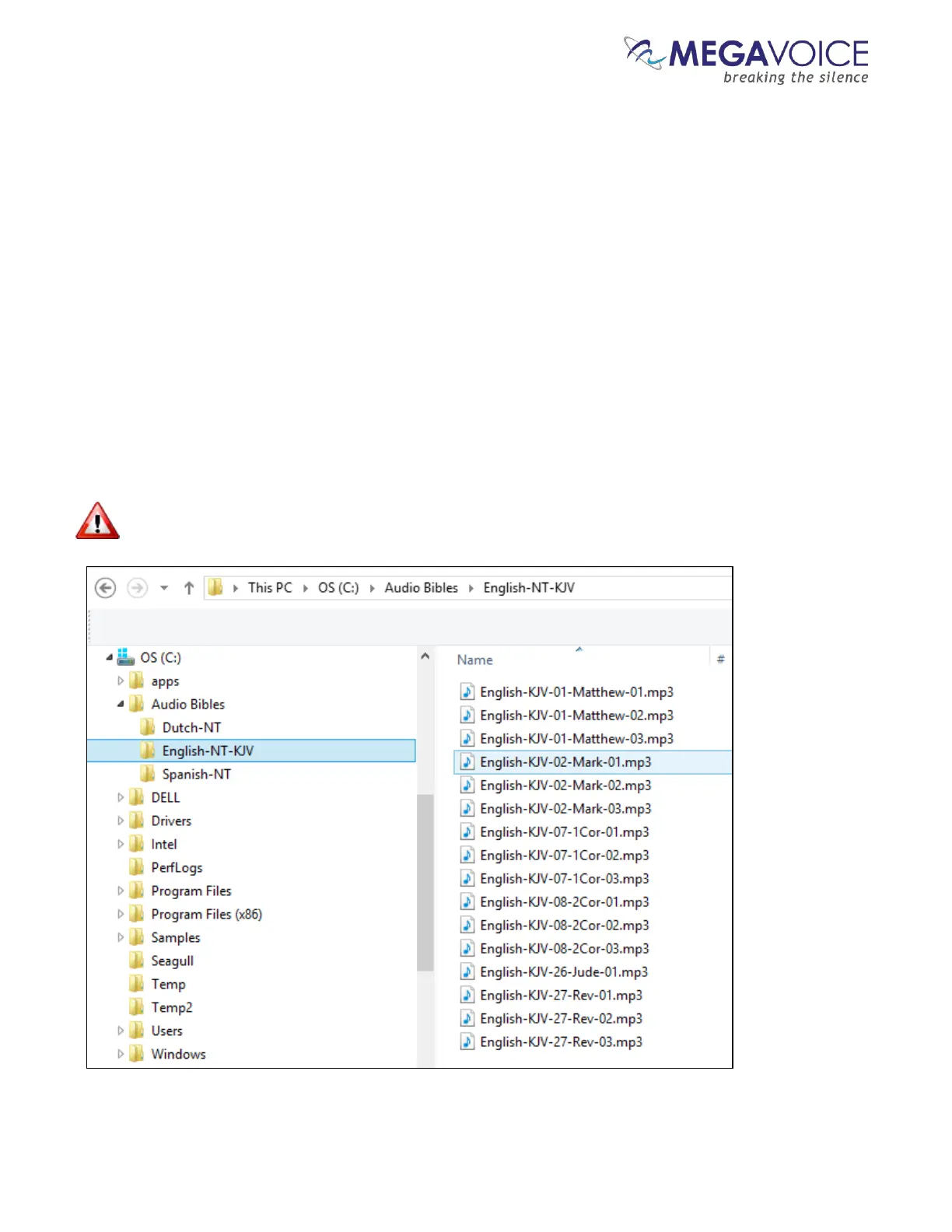
We have a folder named “Audio Bibles”. Within that folder we have 3 Bibles each in a folder of its own: a Dutch
New Testament (Dutch-NT), an English New Testament of the KJV translation (English-NT-KJV) and a Spanish
New Testament (Spanish-NT).
Within each Bible folder are all the relevant audio files (MP3, etc.), which are Chapters of the various Books. To
keep the files ordered within the single folder, our naming convention is:
BibleName-BookNumber-BookName-ChapterNumber
Let’s take the English-NT-KJV audio message and Spanish-NT and prepare them for the Envoy 2 E Series. We
have the first 3 Chapters of the Books Matthew, Mark, 1 Corinthians, 2 Corinthians, Jude and Revelation.
In order to keep the example simple, please note that only select Book folders and Chapter files appear.



 To Next Page