Envoy 2 E Series User Guide 20190805-30.docx || © 2019 MegaVoice Ltd. || Page 39 of 68
Listen to the message
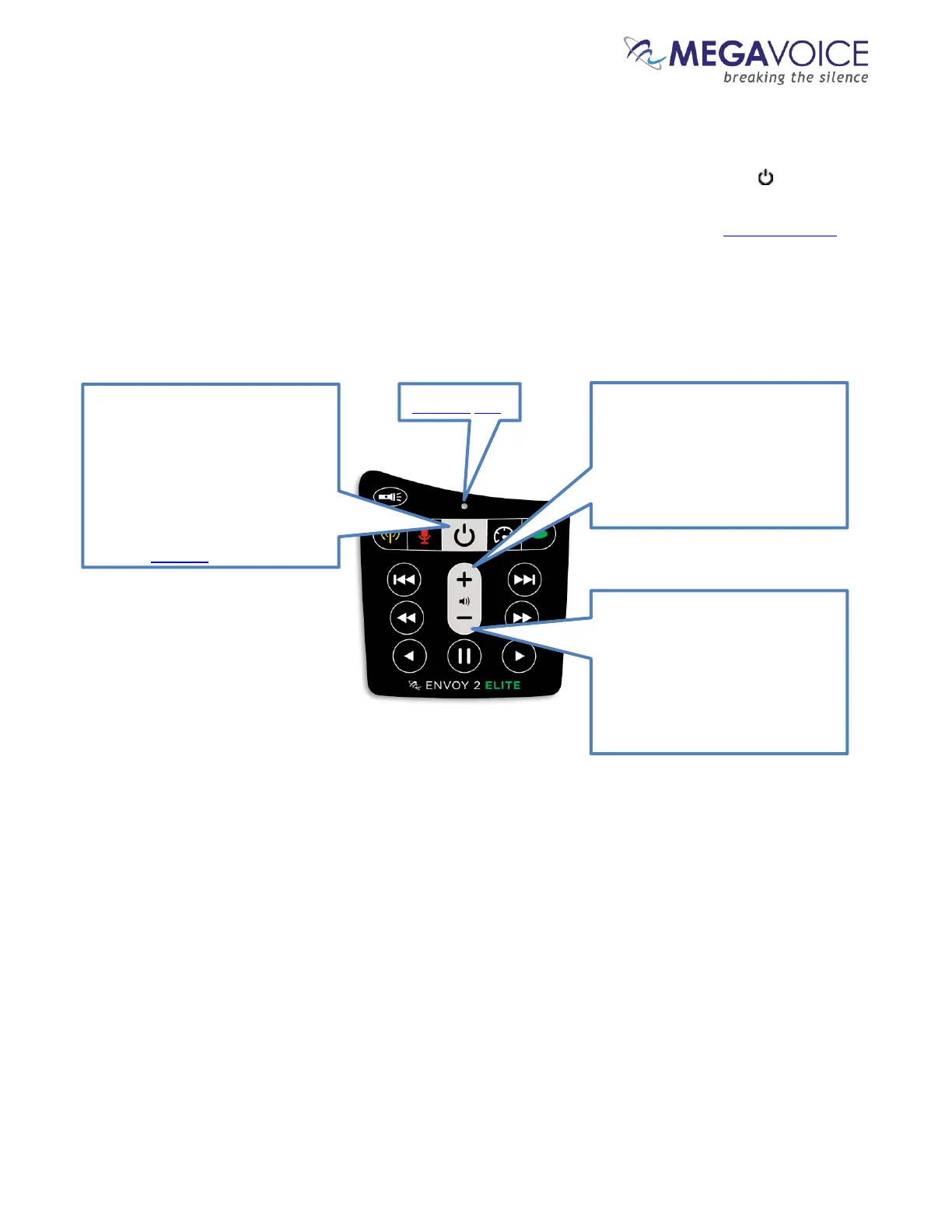
After disconnecting each player, you can listen to the message by holding down the power button on the
keypad for about 2 seconds until the LED lights up (in yellow). The player will beep once, the LED will change to
green and your message should begin to play automatically. If it does not, see the Section on Troubleshooting
at the end of this document.
The Power button. Press and hold
this button for 2 seconds to turn
the player on or off.
A click on this button during
operation will perform a battery
test. The LED will blink green,
yellow or red according to the
A click on this button will increase
the volume 1 level. Press and hold
will increase the volume until the
button is released or the
maximum level is reached.
A click on this button will
decrease the volume 1 level.
Press and hold will decrease the
volume until the button is
released or the minimum level is
reached.
Figure 12: Power and Volume buttons



 To Next Page