Envoy 2 E Series User Guide 20190805-30.docx || © 2019 MegaVoice Ltd. || Page 50 of 68
The microSD card reader
All standard* 2 E Series models can also play content from a properly formatted microSD card. You may
load up to 8 Channel folders to a single microSD card, effectively increasing the capacity from 2 Channels
(onboard memory) to 10 Channels total. MegaVoice has successfully tested cards up to 64GB in size.
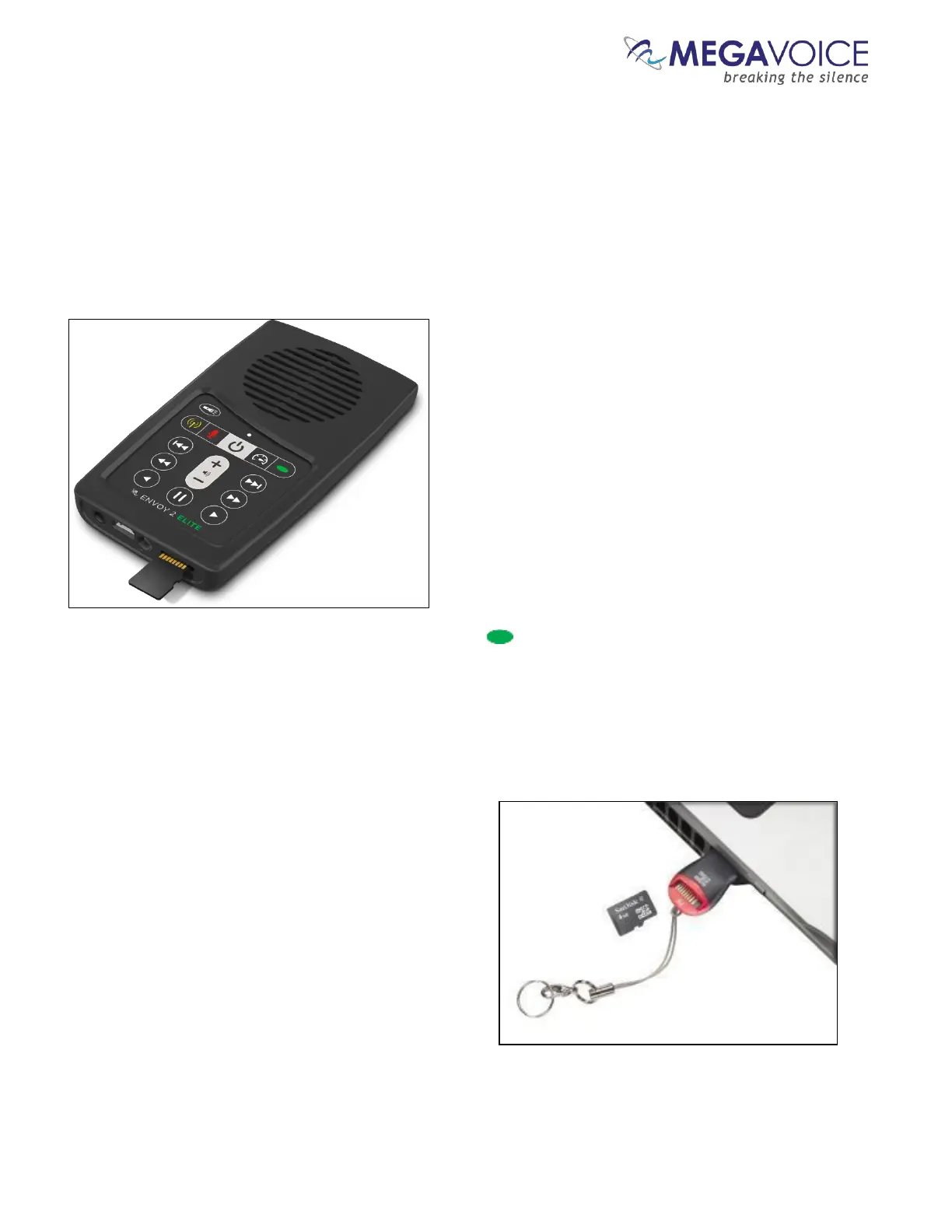
With the player facing you, insert a card into the reader with the brass contacts showing until it locks in place.
Once the microSD card is loaded, press the Channel button for 2 seconds repetitively until the player
beeps once. Playback will now begin from the card. The LED will show as green.
To remove the microSD card, gently push it in. The reader will unlock and push the card out so you can remove it.
If the player was in playback mode from the card when removed, it will beep twice and revert to the onboard
memory. If any other function was active, the function will continue with no interruption.
You can view, format and prepare a microSD card while
loaded in the player’s card reader when it is connected to
a Computer using a USB to micro-USB cable. You may also
do the same with the card loaded in a microSD adaptor
(shown at right) connected to a Computer.
If the player is turned off while playing from an SD card
and turned on later with the card still loaded, the player
will default to the card; otherwise, the player always
defaults to the onboard memory.
*Some versions of the Envoy 2 E do not include the microSD card reader



 To Next Page