Envoy 2 E Series User Guide 20190805-30.docx || © 2019 MegaVoice Ltd. || Page 26 of 68
The Book Folders and Chapter Files
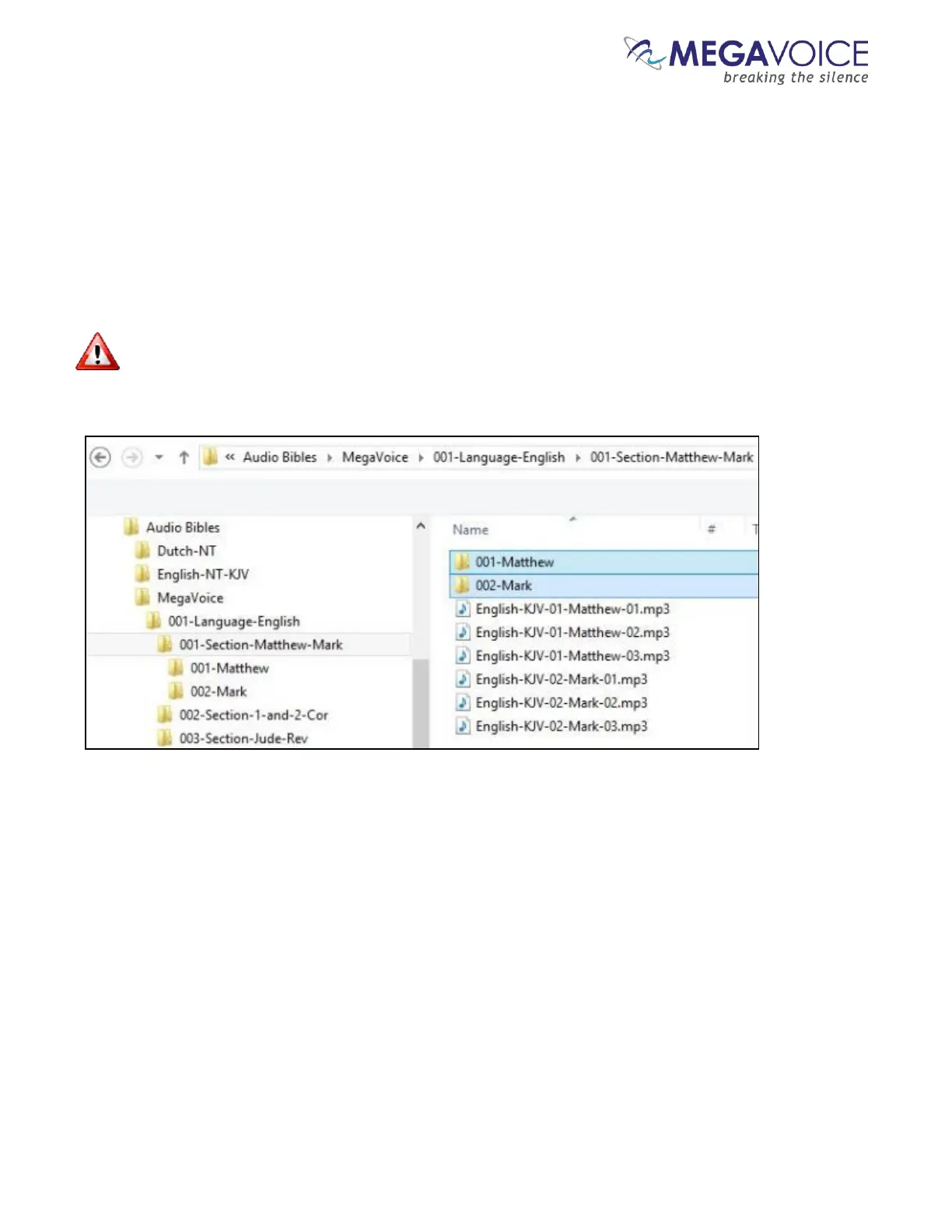
Now we will create “Book” folders in each of the three Section folders. We’ll begin with the first Channel folder
“001-Language-English”. This entire process will be repeated for the “002-Language-Spanish” folder later.
Open the first Section folder, “001-Section-Matthew-Mark”. Since Matthew is the first Book, create a folder
named “001-Matthew”. Mark, being the second Book, will need a folder named “002-Mark”.
For Book folders, the numeric prefix is optional but recommended. It will help ensure correct copy and
playback operation.



 To Next Page