Envoy 2 E Series User Guide 20190805-30.docx || © 2019 MegaVoice Ltd. || Page 32 of 68
Verifying the Final Folder Structure
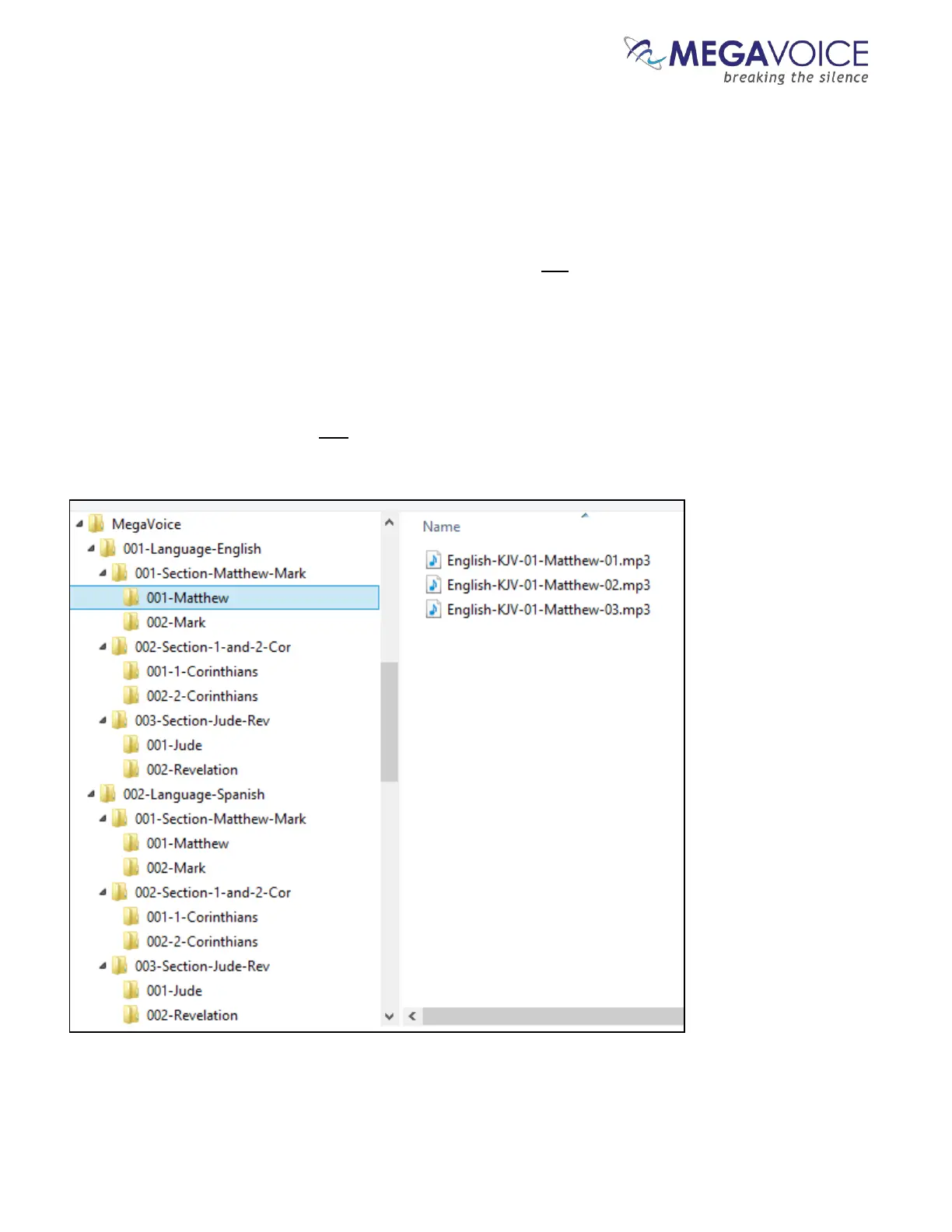
Let’s verify what we have so far in our example. Using names that were a combination of a 3-digit sequence
number and a meaningful name should make this easy. Start with the MegaVoice audio project folder and click
on each folder to verify the contents.
Within our Audio Project Folder “MegaVoice” we should only have two folders which are our Channel folders.
Within each Channel folder we should only have three Section folders.
Within each Section folder, we should only have two Book folders and they should be the Books relevant to that
particular Section.
Within each Book folder we should have the relevant Chapter (audio) files for that Book. For a four-level
structure, the Book folders are the only place in the Audio Project Folder where audio files may be present.



 To Next Page