Envoy 2 E Series User Guide 20190805-30.docx || © 2019 MegaVoice Ltd. || Page 33 of 68
Loading audio files to the Envoy 2 E Series
Connecting the players for programming
To load your audio files to the Envoy 2 E Series, it is recommended to use the SaberCopy software program
(provided by MegaVoice)
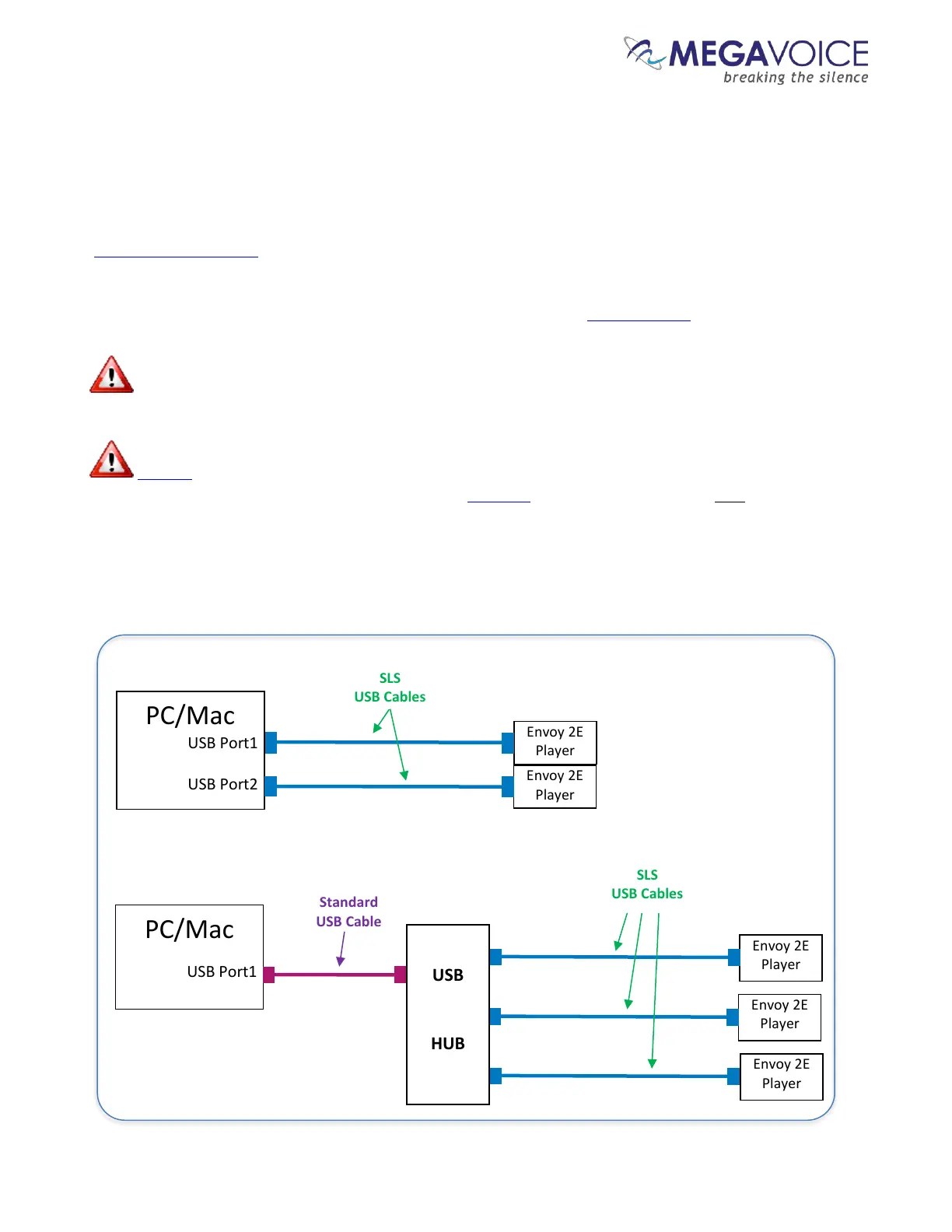
You may program multiple players at a time, using either multiple USB ports on your PC/Mac or by using a
USB expansion HUB. MegaVoice recommends using USB 2.0 (or higher) powered HUBs, each directly
connected to the computer.
The optimal number of hubs and/or players per hub that can be processed simultaneously with
maximum throughput will vary per your specific hardware.
SLS USB cables must be used to connect the players to the PC/Mac. Standard USB to micro-USB
cables will not work. When connecting players using a USB HUB each player must have its own SLS USB
cable.
See illustration below:



 To Next Page