EasyManua.ls Logo

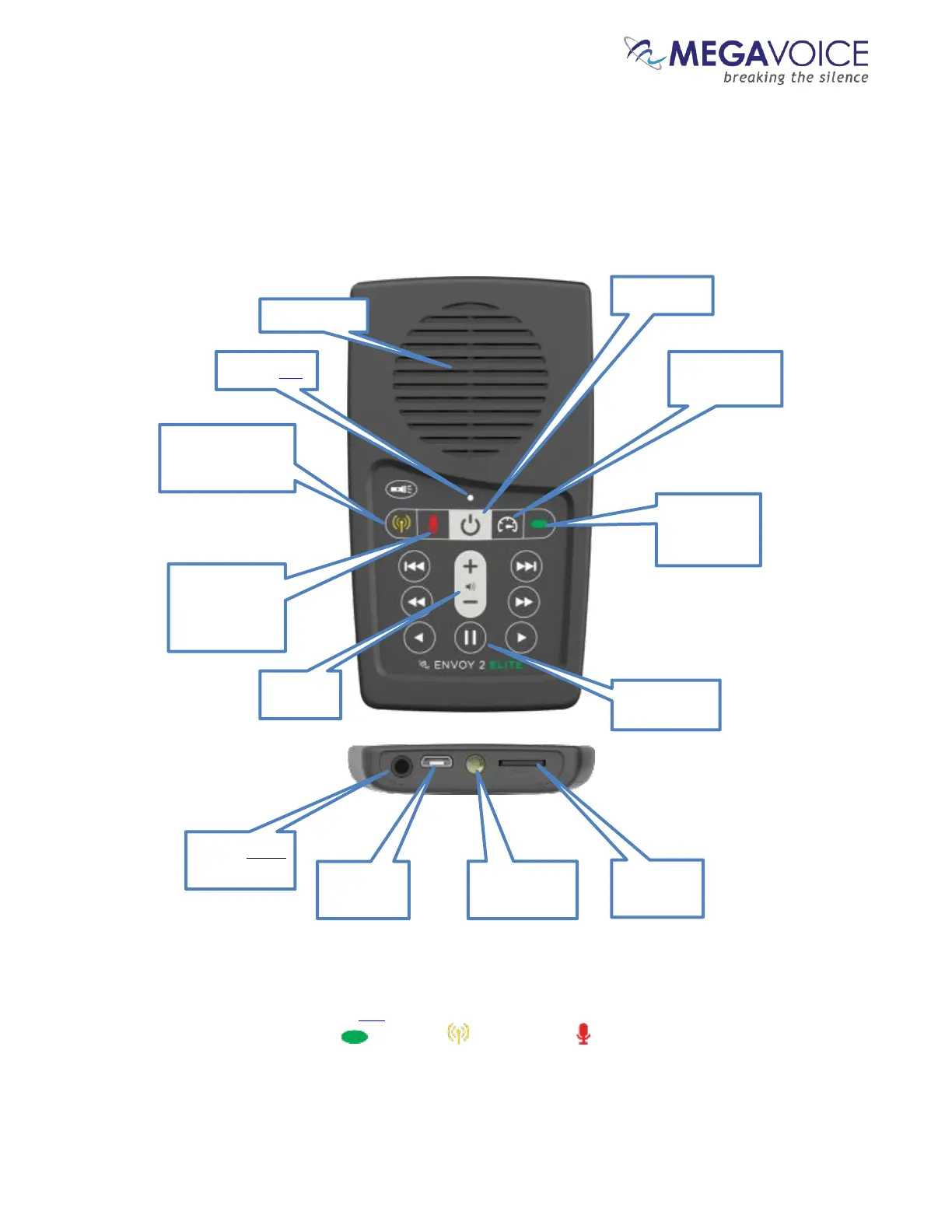
Megavoice Envoy 2 E Series - Figure 1: Overview of the Envoy 2 Elite; Getting to Know the Exterior of the 2 E Series

Megavoice Envoy 2 E Series
68 pages
Print Icon
To Next Page IconTo Next Page
To Previous Page IconTo Previous Page
Loading...
Envoy 2 E Series User Guide 20190805-30.docx || © 2019 MegaVoice Ltd. || Page 8 of 68
Getting to know the exterior of the 2 E Series
*During player operation, the color of the LED when executing any of the 3 primary functions matches the color of its
corresponding button: Audio Playback , FM Radio and Recording .
Figure 1: Overview of the Envoy 2 Elite
Channel
and Section
Navigation
Switch to Speed
Control mode
Power Button
Switch to FM
Radio mode (Elite
and Equip only)
Switch to
Recording
mode (Elite
and Echo only)
3.5 mm stereo
audio jack
micro USB
connector
LED flashlight
microSD card
reader
Tri-color LED*
Switch to
Pause mode
Speaker baffle

Table of Contents

Related product manuals