Envoy 2 E Series User Guide 20190805-30.docx || © 2019 MegaVoice Ltd. || Page 48 of 68
Speed control for audio playback
All standard* models of the 2 E Series come with the ability to adjust the speed of audio playback. Speed control
allows you to slow down or speed up the playback of audio from the onboard memory or microSD cards.
Speed Control may also be used for listening to recordings you made but it does not affect the actual recording
speed. (Elite and Echo models only)
While in Speed Control mode, audio playback continues to the end of the current audio file so that you can hear
the altered speed.
Once a player is turned off, or any other mode is used like the FM Radio (Elite and Equip only), playback speed
automatically returns to normal.
*Some versions of the Envoy 2 E do not include the Speed Control feature
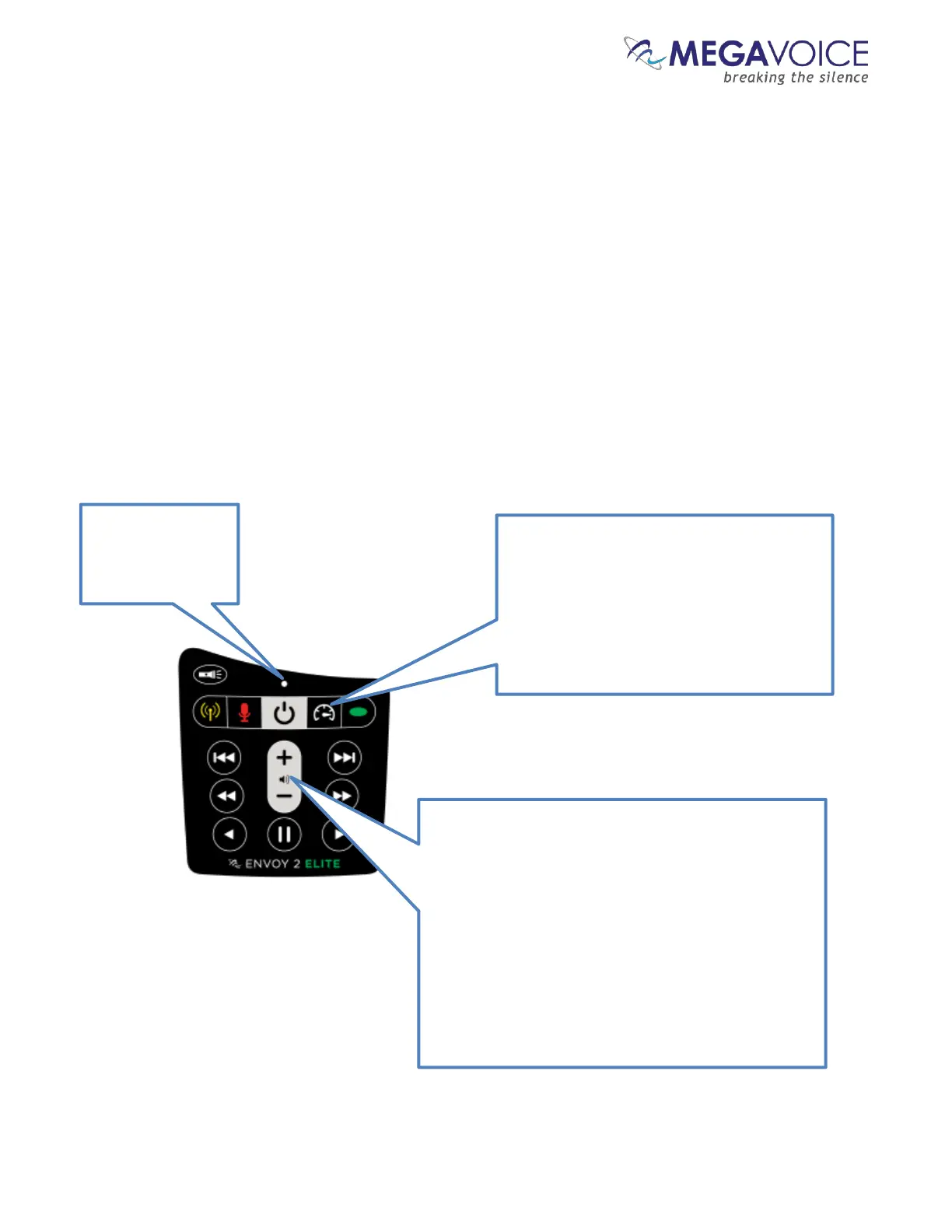
Figure 16: Button functionality while in Speed Control
While in Speed
Control mode, the
LED will alternate
While in audio playback mode (or Recording
playback mode) a 2-second press on the
Speed Control button will place the player in
To reset the speed back to normal, enter
Speed Control mode and then press this
button again for 2 seconds.
While in Speed Control mode, pressing volume down
or up will gradually decrease/increase the playback
speed. A continuous press will decrease/increase the
playback speed until the minimum/maximum speed is
reached.
The rate of the LED blink will change as you adjust the
rate of Speed Control.
Once the speed is at the desired setting, a brief press
on the Speed Control button, or any navigation
button, will exit Speed Control mode (the LED will
stop alternating colors).



 To Next Page