Envoy 2 E Series User Guide 20190805-30.docx || © 2019 MegaVoice Ltd. || Page 40 of 68
FM Radio (Elite and Equip models only)
Using the FM radio
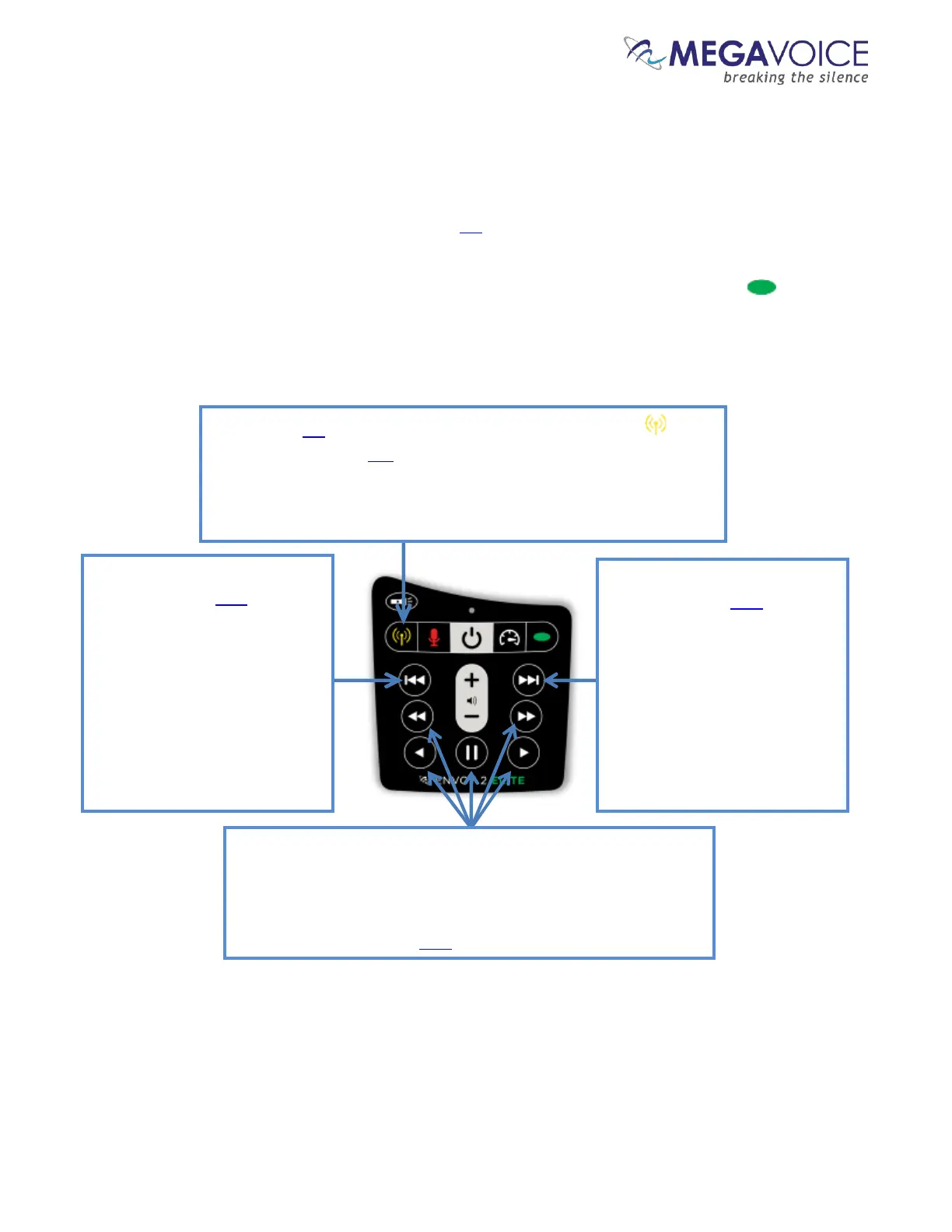
The Elite and Equip models of the 2 E Series provide an FM radio receiver. Details on how to turn the radio
on, navigate station frequency and use the preset station buttons are all described in the diagram below.
To turn the radio off, either change to audio playback mode (a long press on the Channel button ) or turn
the player completely off. The player will remember the last station accessed the next time the radio is used.
Each click will decrement the
frequency by 0.1 MHz. A 2-
second press will scan for the
previous FM station (the LED
will blink). When the lowest
frequency is reached, the scan
will stop and beep. An
additional 2-second press will
loop and continue to scan from
108.0 MHz.
Each click will increment the
frequency by 0.1 MHz. A 2-
second press will scan for the
next FM station (the LED will
blink). When the highest
frequency is reached, the scan
will stop and beep. An
additional 2-second press will
loop and continue to scan from
87.0 MHz.
To switch to FM radio mode, press and hold the Radio button until
the player beeps. The LED will turn yellow and the last station listened
to will be played. If the player is in Audio Playback when switching
modes, a bookmark will automatically be set so that playback will
resume from that place when returning to Audio Playback.
These five buttons are the programmable “preset” stations. A click
tunes to the frequency currently stored for the specific button. A
2-second press will set (or reset) the button to the current
frequency and beep to confirm the change. The frequency range
is from 87.0 MHz to 108.0 MHz.
Figure 13: Button functionality while in FM Radio mode



 To Next Page