Envoy 2 E Series User Guide 20190805-30.docx || © 2019 MegaVoice Ltd. || Page 25 of 68
If we are using the same Section groupings for both Channels (not required) we could simply copy these empty
Section folders and paste them into the “002-Language-Spanish” folder.
Alternatively, we could wait until the first Channel folder is complete and manually create them when working
on the second Channel folder.
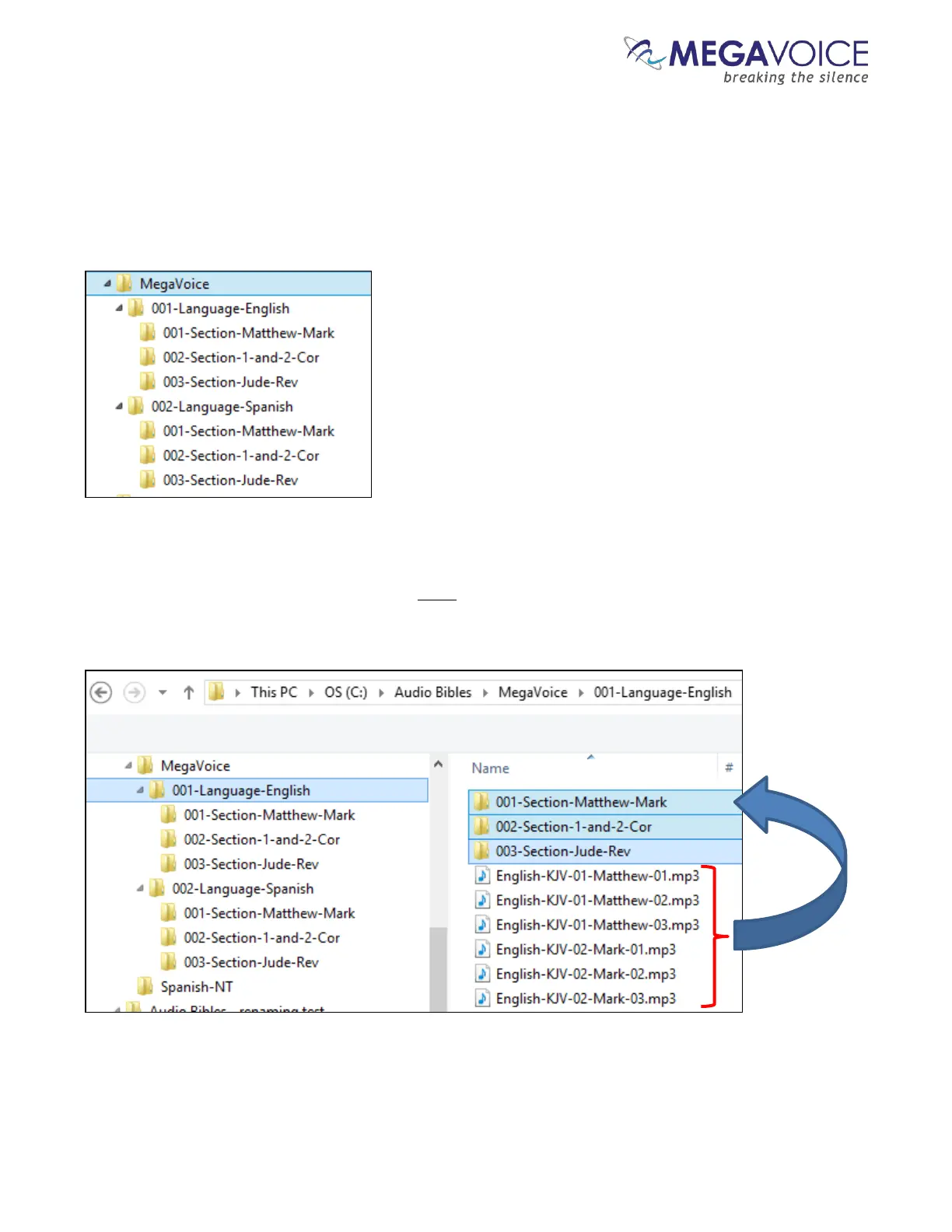
When done with this step, we should have the following folder structure in the MegaVoice audio folder:
Once our Section folders are created, let’s move corresponding audio files to their respective Section folder. In
the first Channel folder, “001-Language-English”, move all the Chapter (audio) files for Matthew and Mark to
the “001-Section-Matthew-Mark” folder. Move all the Chapter files for 1 and 2 Corinthians to ”002-Section-1-
and-2-Cor”. Move all the Chapter files for Jude and Revelation to “003-Section-Jude-Rev”.



 To Next Page