A timer setup link is available on this screen. Also the Timer Setup configuration is displayed for
convenience. The status of the relay contact will be displayed on the screen real time along with
the value of the test quantities. After the test is completed, the current amplitude will be read out
from the screen or stored in the memory.
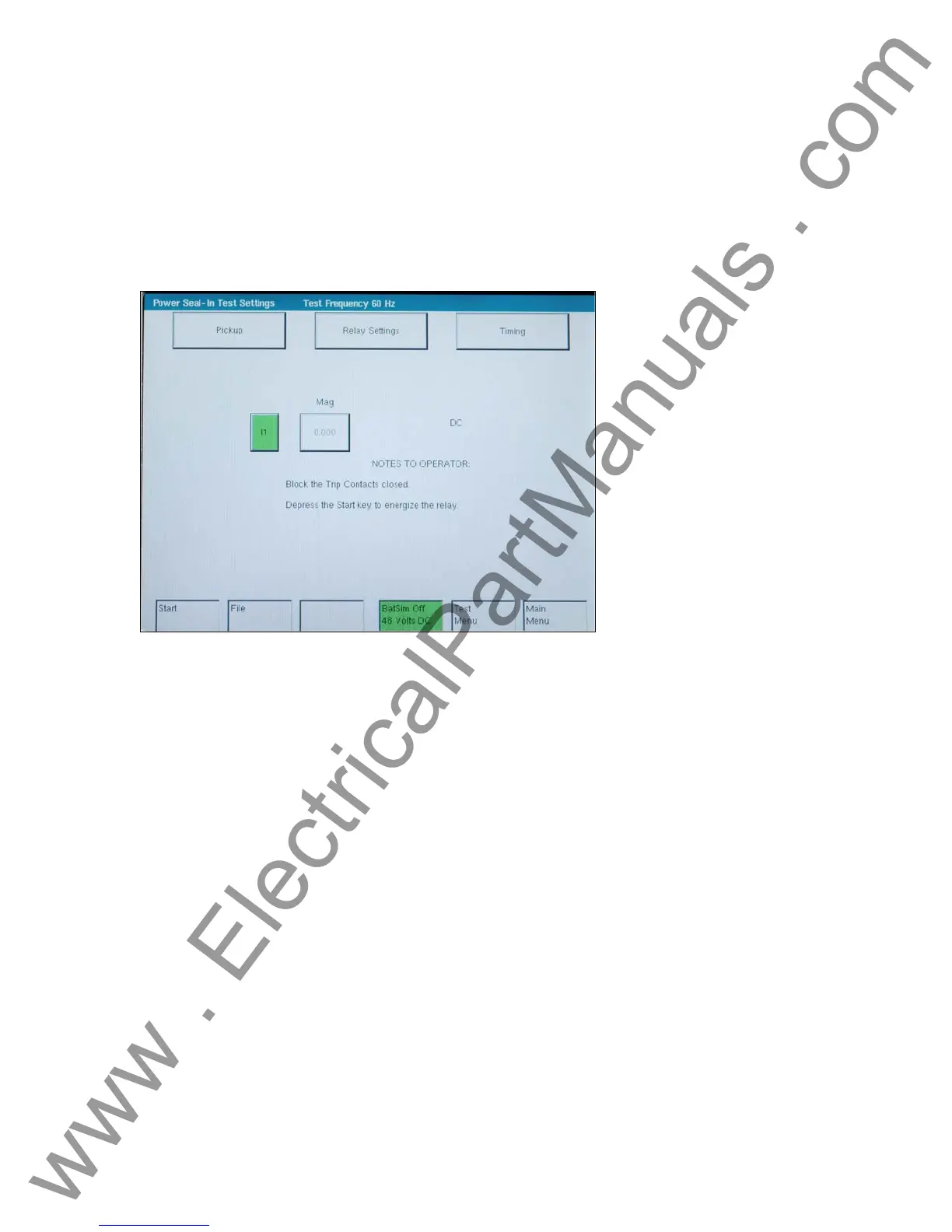
3.8.7.3 Power Relay Target & Seal-In Test and Results
This screen displays the results upon test completion. No data may be entered in this screen.
Figure 72 Power Relay Target and Seal-in Test
The Timing and Pickup test screens may be entered to change test settings.
The bottom of the screen has common buttons.
File: This selection will take the user to the File
Manager.
Batt Sim Off / Batt Sim On: This selection will turn the Battery Simulator On
and Off.
Test Menu: This selection will return the controller to the
Test Menu Screen.
Main Menu: This selection will return the controller to the
Main Menu:
Start / Stop: This selection will apply the set quantities
displayed and begin the test. After Start is
pressed this button will turn red and display
Stop. Pressing Stop at any time will stop the
test and turn the outputs off.
.
-
101
www . ElectricalPartManuals . com



 To Next Page