Description: Input a short description of the transducer to be tested. Limited to 36
characters.
Manufacture: Input the name of the transducer manufacturer. Limited to 36 characters.
Model: Enter transducer model number . Limited to 36 charcaters.
Serial Number: Enter the serial number of the transducer. Limited to 36 digits.
3.8.10.4.3 System Default Settings
Some of the system default settings come from the System Defaults Screen, which can
be accessed from the Main Menu.
Frequency: The frequency will automatically default to the system frequency
default set in the System Default Screen. If the device is to be tested at another
frequency, the operator enters the desired frquency by touching the window. A numeric
keypad will appear for the user to enter the desired frequency. If the transducer is a DC
transducer, the operator will enter a value of 0.0. Upon pressing enter, the frequency
window will change to read DC.
Voltage: The voltage value will automatically default to the Voltage
Output default value set in the System Default Screen. If the device to be tested does
not require an AC or DC voltage, the operator may leave it as is or change it to 0.0. To
change the value, press the display window and a numeric keypad will appear.
Depending on the transducer selected in the Select Transducer Type window, the
output may or maynot be automatically selected in the Transducer Test Screen.
Current: The current value will automatically default to the value set in the
System Default Screen. However, it should be noted that if the operator chooses Watt,
VAR or VA in the Select Transducer Type window, a Full Scale current will
automatically be calculated and entered for you. The value will be calculated based on
the defaulted VOLTAGE value and the Max. Watts, VAR or VA value entered in the
Transducer Output section. The current may be increased or decreased from this value
in the Transducer Test Screen.
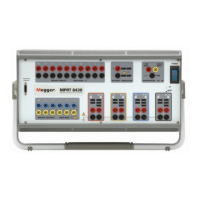
Settling Time: This is the time delay, in milliseconds, the MPRT will wait before
making it's first accuracy calculation and freeze the readings. If the transducer is self
energized, the operator needs to allow enough time for the transducer to stabilize before
making an accuracy calculation. If the transducer needs warmup time prior to testing, the
operator needs to account for this time too. On the other hand, if the transducer is
already warmed and is powered-up, then the operator only needs to allow for the settling
time of the transducer. For example, assume the transducer settling time is 1 second,
then the operator needs to enter a settling time of 1,000 milliseconds. When the test
values are applied, the system will wait 1,000 milliseconds before calculating the % error
deviation. Then, the % error with pass/fail information is displayed and the test values are
frozen. At this point the operator may choose to Stop the test and Save results.
-
136
www . ElectricalPartManuals . com



 To Next Page