3.8.1 Touch View Interface Graphical User Interface
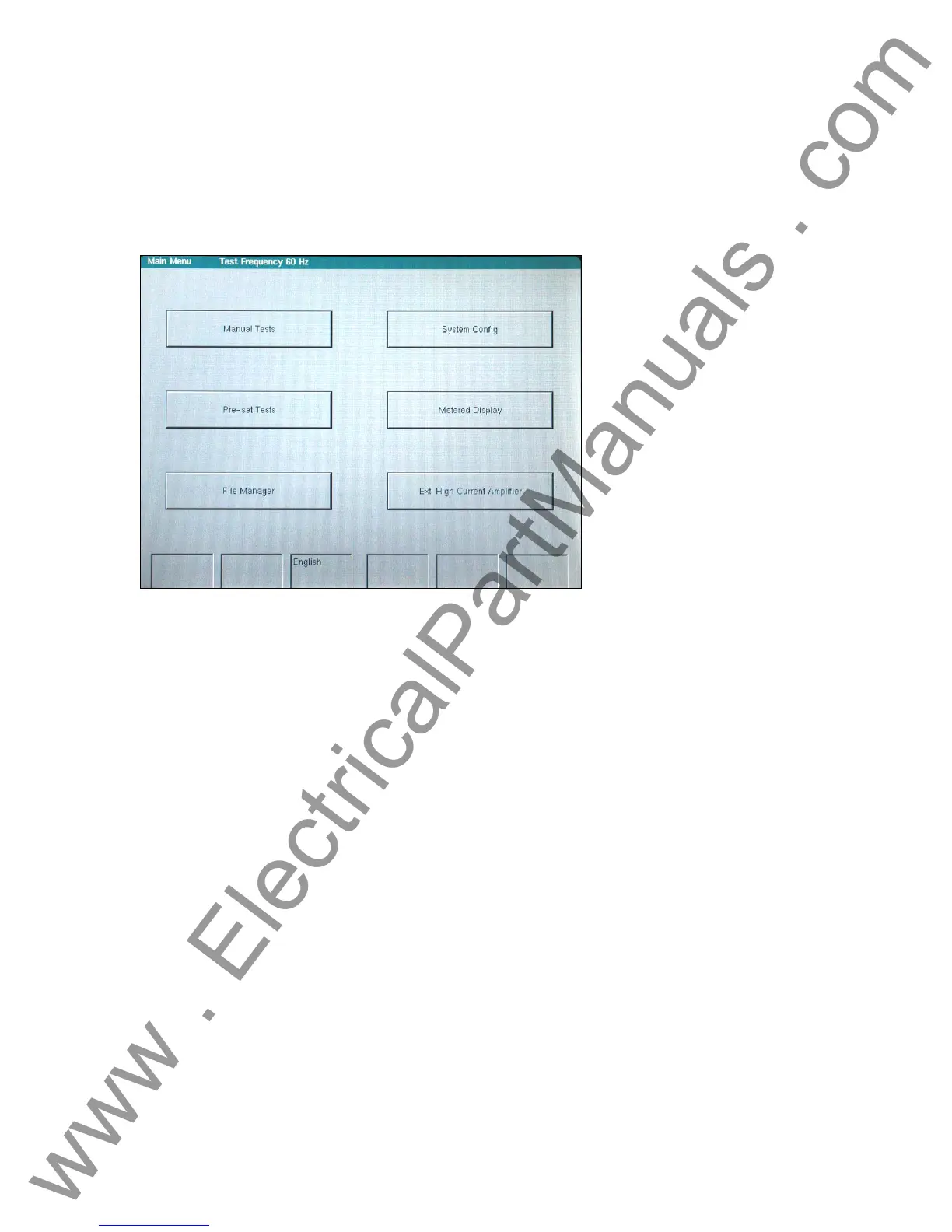
3.8.1.1 Main Menu Screen
The main screen is used to access the four normal operating modes and an optional external
high current amplifier connection, if this option is purchased.
Figure 28 Main Menu Screen
The Manual test screen performs all testing manually.
The Pre-set test screen option provides a variety of preset relay specific test routines.
The File Manager allows access to the stored data files.
The System Config. button allows changes to the system and screen defaults.
The Metered Display allows the viewing of the actual output and input values, as measured by
the unit’s hardware.
The optional External High Current Amplifier connects to an external source such as an EPOCH
II, EPOCH 20, or other system.
48
www . ElectricalPartManuals . com



 To Next Page