182
same as setting a new password, however, you need to input 0000 twice. When the password is successfully cleared,
“P.Clr” is displayed.
Keep the user password properly. There is no user password by default.
Parameter protection setting
This function code determines the protection level of drive parameters, including:
0: All data can be changed.
1: Only main frequency reference digital setting P02.09 and this function code can be changed.
2: Only this function code can be changed.
If you want to change other function parameters, set this function code to 0. After such function parameters are
changed, you can set this function code to the protection level you want.
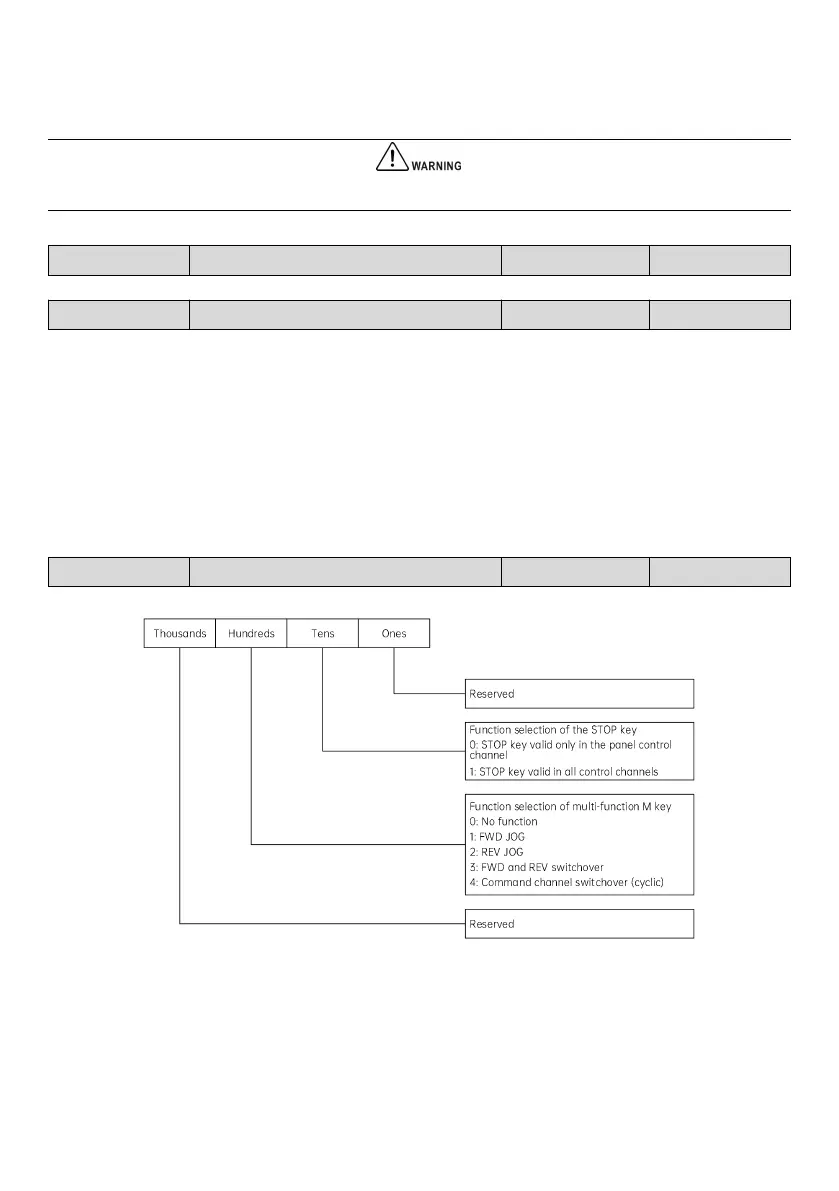
Selection of key functions
Fig. 7-1 Selection of key functions
Ones place: Reserved
Tens place: Function selection of the STOP/RESET key



 To Next Page