87
When you choose the verification menu, only the function codes whose parameter values are different from factory
settings will be displayed. You can rotate “ ” to browse all such function codes, and check which parameters have
been changed.
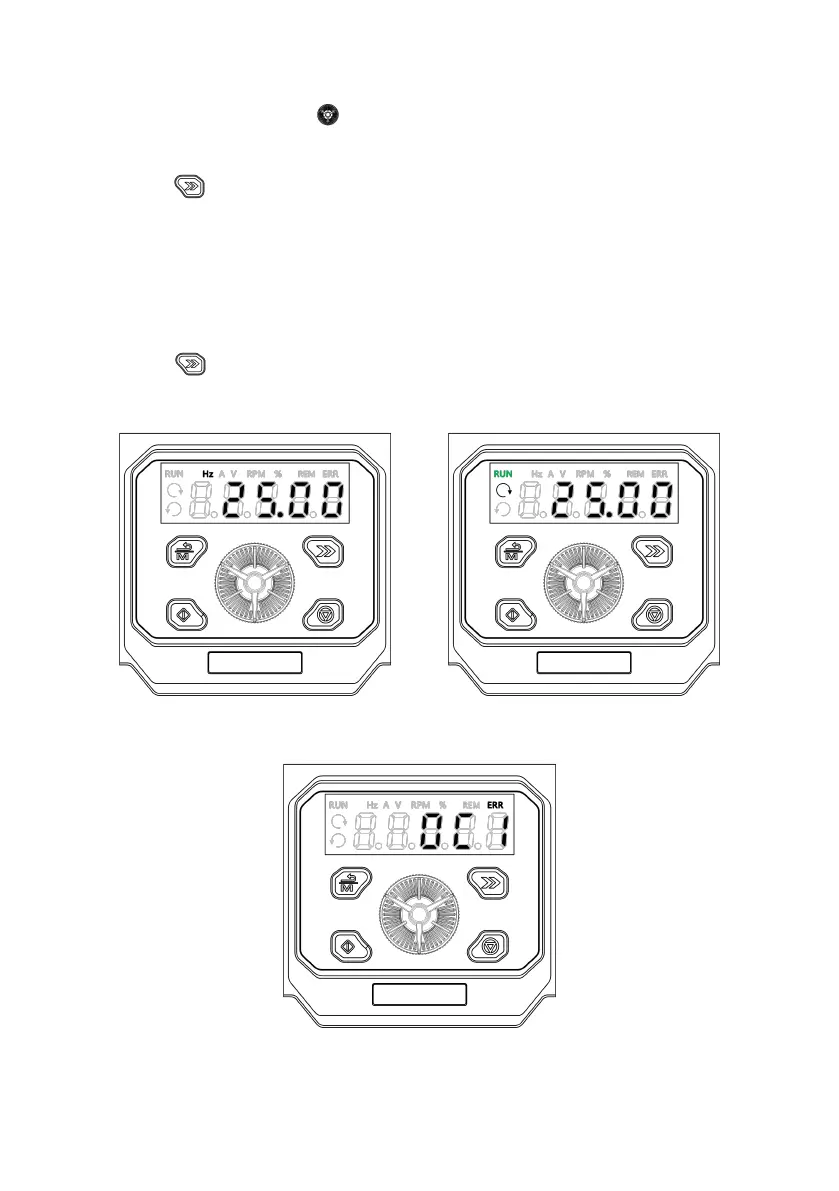
You can press the “ ” key to view different stop status parameters cyclically (defined by the function code P16.03).
(2) Run parameter display status
When the drive receives the valid operation command, it will start to run. The operating panel will display the running
status parameters, and the RUN indicator becomes on. The on/off of forward running or reverse running LED depends
on the current running direction. As shown in Fig. 5-2b, the unit LED indicates the unit of parameters.
You can press the “ ” key to view different running status parameters cyclically (defined by the function codes
P16.00 and P16.01).
a: Stop status display b: Run status display
c: Fault status display
Fig. 5-2 Stop, run and fault display



 To Next Page