4 Description of the device
15
Operating panel
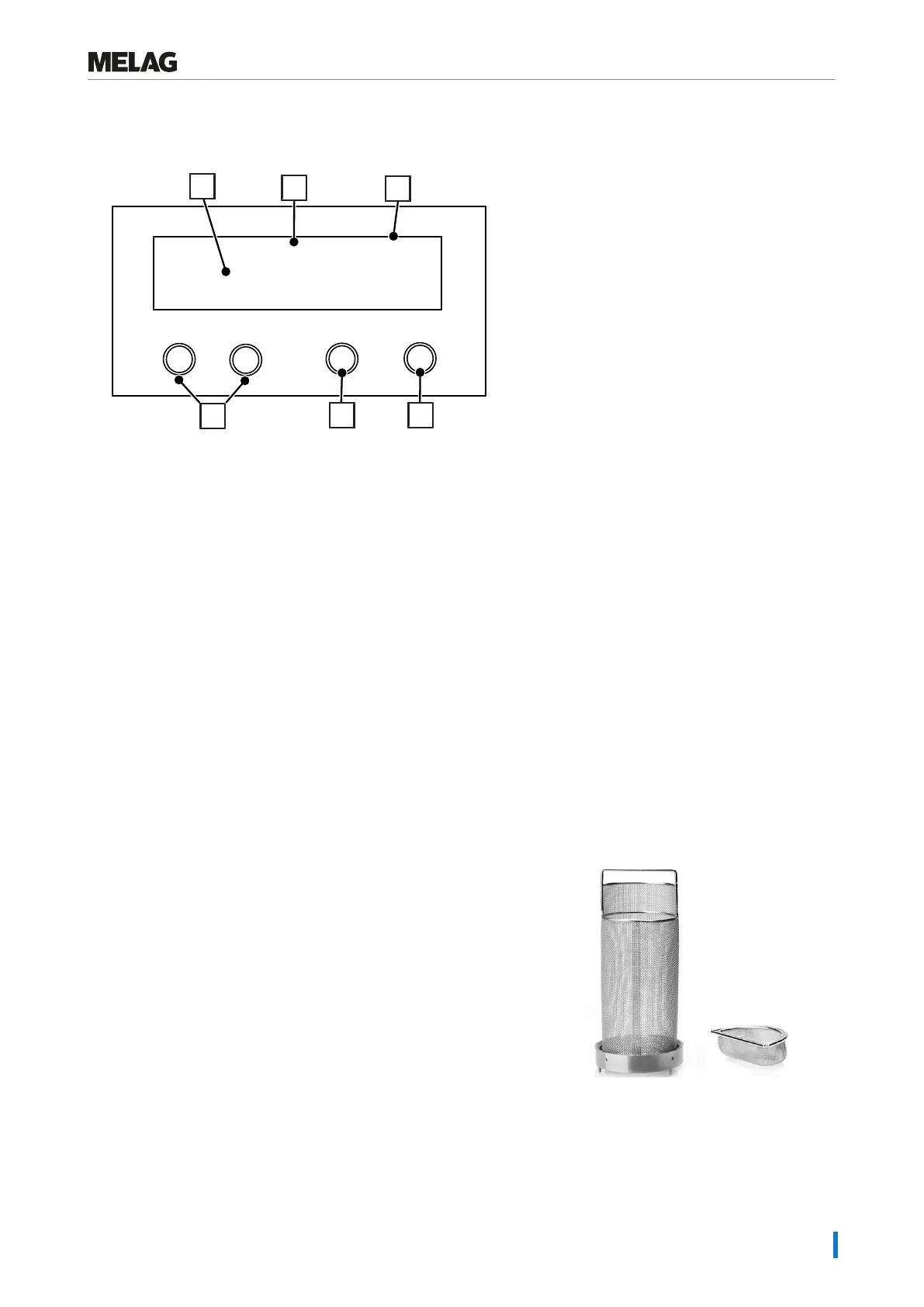
The operating panel consists of a two-row alphanumerical LED display and four membrane keys.
Programm
Start - Stop
-
+
12:27:12
0.02 bar 25 °C
6
4
5
1
2
3
1 Chamber pressure (bar) and (steam) temperature (°C)
2 Time (hh:min:ss)
3 2-row LED display
for displaying the program status and parameters
4 Start – Stop key 'S'
for starting programs, aborting programs / drying and controlling the special functions
5 Program selection key 'P'
for selecting the sterilization program / test program and selection / setting of the options (submenus) of the
special functions
6 Function keys '-' and '+'
for the selection, setting and display of special functions: print, date/time, preheating, total batches, conductivity,
acknowledge malfunction, '+' key for unlocking the door
Initial state
The display switches to the initial state after every activation of the device. It displays the current time, chamber pressure
in bar and the (steam) temperature in °C.
Accessories
The accessories are intended for use outside the patient area.
Universal basket with small part(s) insert
The universal basket is used for holding unwrapped instruments with
a length of up to 20 cm.
The universal basket can be loaded with the small parts insert for
holding endo instruments or dental drills.















 To Next Page