6 First steps
29
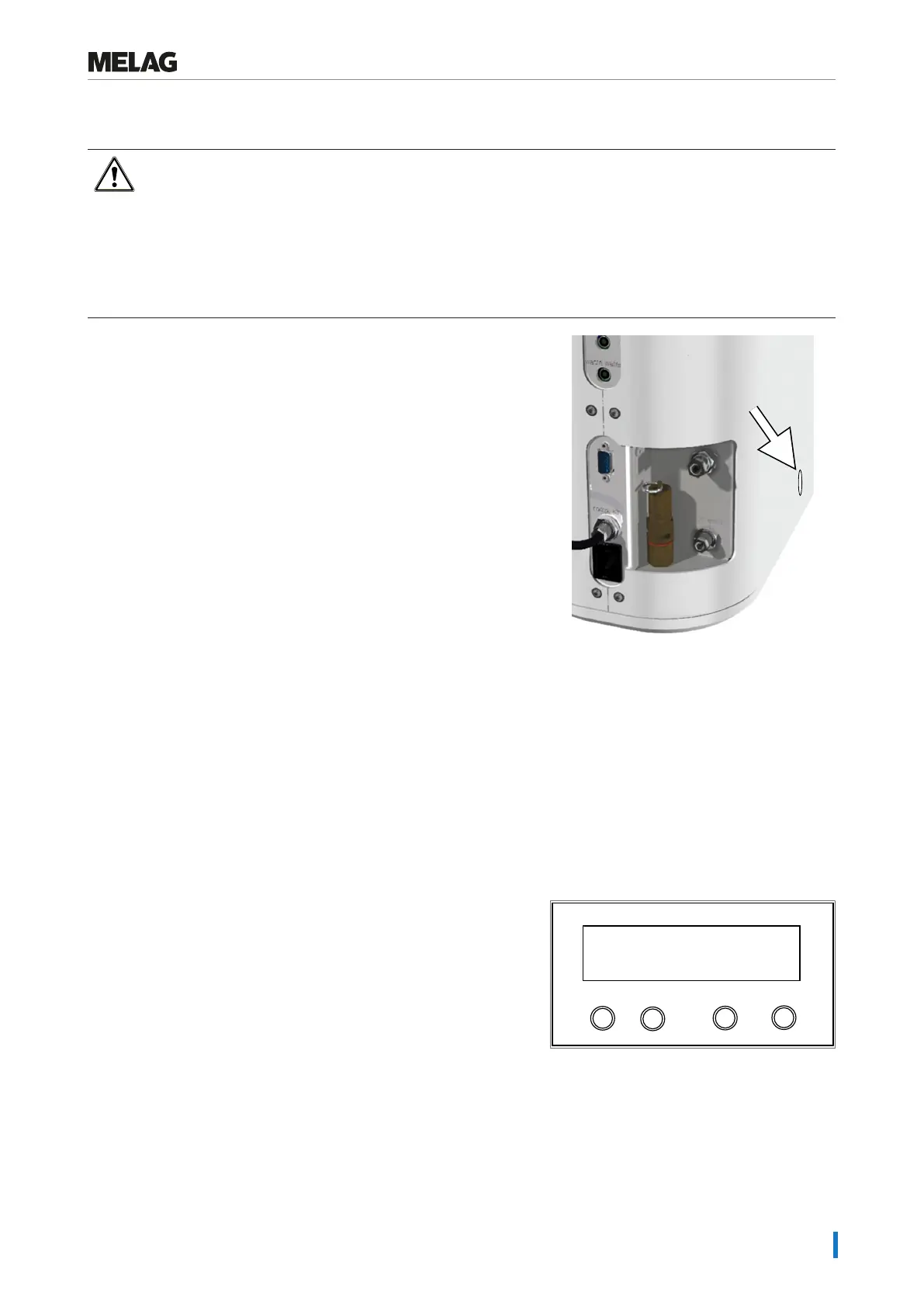
Manual door emergency-opening
WARNING
The steam sterilizer must be completely pressure free.
Failure to observe this provision can result in scalding/injury.
n No steam may be permitted to leave from between the sterile filter and the rear panel of the steam
sterilizer.
n It is imperative that you allow the steam sterilizer to cool. Metal parts such as the door and sterilization
chamber can be hot.
If the door cannot be opened, e.g. due to a power failure, proceed as
described in the following, observing the safety information provided
above.
The following must be fulfilled or present:
ü
The device is completely pressure-free.
1. Switch off the steam sterilizer at the mains and remove the plug
from the socket.
2. Insert a flat rounded object into the sideways slots of the steam
sterilizer and push the object down.
3. Hold the object down and unlock the door at the same time by
turning the twist grip counter-clockwise by 90° and opening the
door towards the back.
Settings
Setting the date and time
Correct batch documentation requires the correct date and time setting on the steam sterilizer. Ensure that you take into
account any clock change, as this is not adjusted automatically. Set the date and time as follows:
1. Select the menu Function by pressing the '+' and '-' keys
simultaneously.
Ê The display will show the messageFunction:Last
batch number.
2. Navigate with the '+' or '-' key in theFunction menu until the
display shows Function: Date / Time
Programm
Start-Stop
-
+
Date / Time
Function:
3. Press the 'P' key to confirm.
Ê The current hour is displayed.
4. Choose one of the following setting possibilities using the '+' or '-'
key: Hour, minute, second, day, month, year.
5. To e.g. adjust the hours parameter, press the 'P' key to confirm.
Ê The current value flashes on the display.















 To Next Page