SECTION 5
DISASSEMBLY AND ASSEMBLY
62
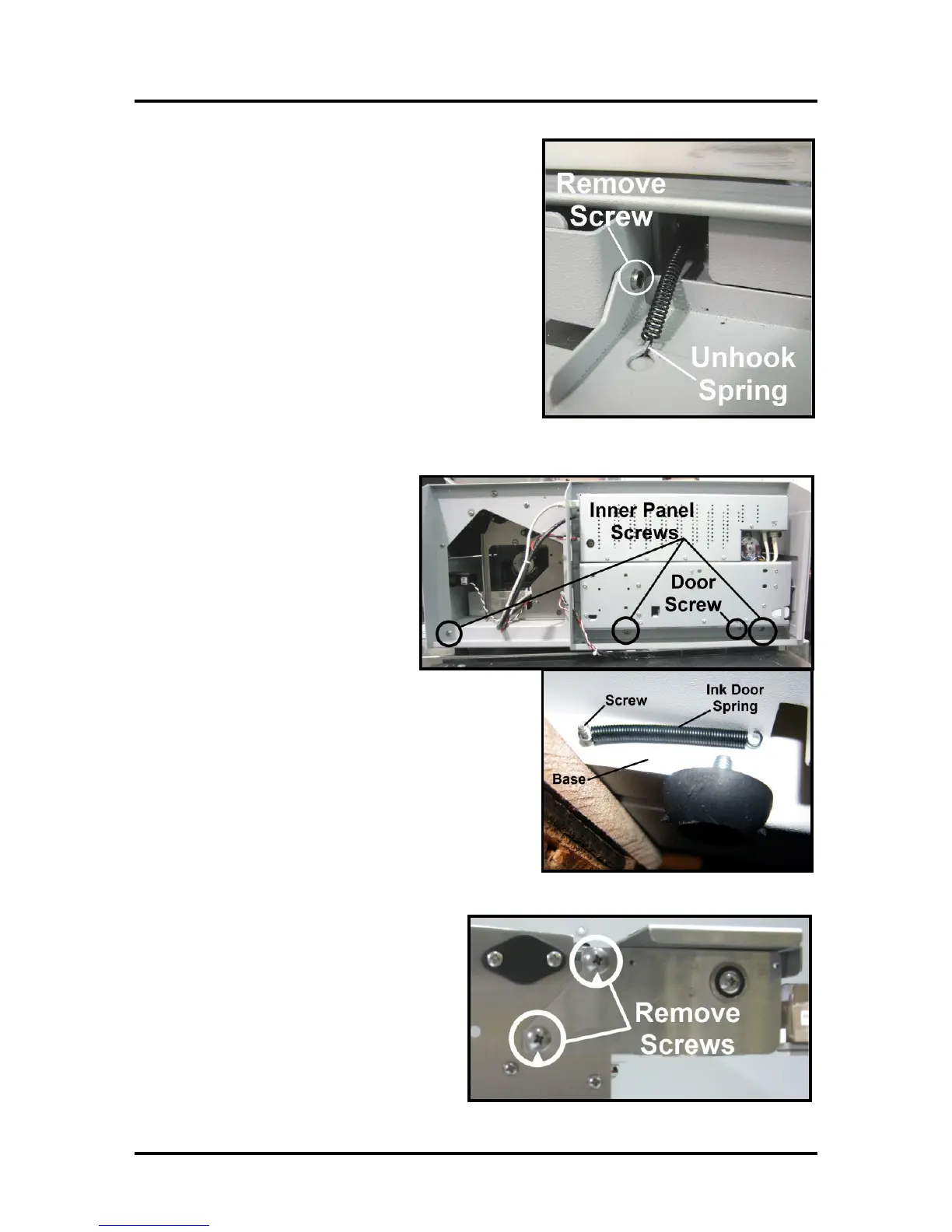
7. Remove Ink Tank Door. Carefully unhook the (2)
springs (one on each side), then remove the
mounting screw from the left-hand side (Control
Panel Side). Remove Door and set aside.
Tip: To save time; you can skip this step. Ink Tank
Door will be released once you remove the operator
side-frame (step 8).
8. Remove Left hand Inner Side
Frame (3 screws). Remove the
Ink Tank Door mounting screw.
First remove the Door Spring
attached to the screw under the
Base Plate. Then remove the
screw. NOTE: Be careful not to
lose the Ink Door Spring.
9. Remove (2) Screws holding Front Center
Plate Assembly to the Intermediate Side
Frame on right hand side.



 To Next Page