93
Chapter 4 Congure the Router in Wireless Router Mode
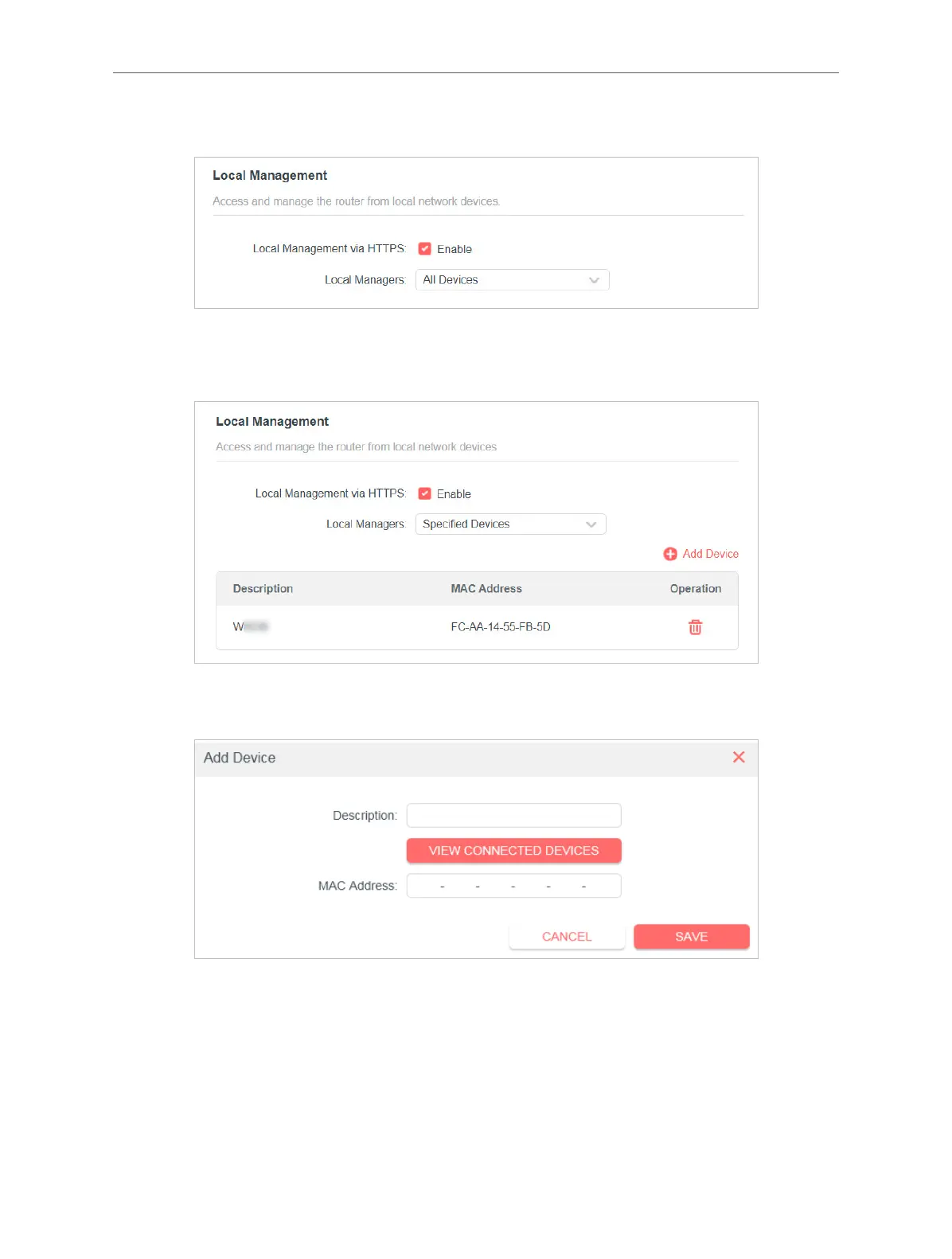
• Allow specic devices to manage the router:
1. Select Specied Devices for Local Managers and click SAVE.
2. Click Add Device.
3. Click VIEW CONNECTED DEVICES and select the device to manage the router
from the Connected Devices list, or enter the MAC address of the device
manually.
4. Specify a Description for this entry.
5. Click SAVE.



 To Next Page