83
Chapter 4 Congure the Router in Wireless Router Mode
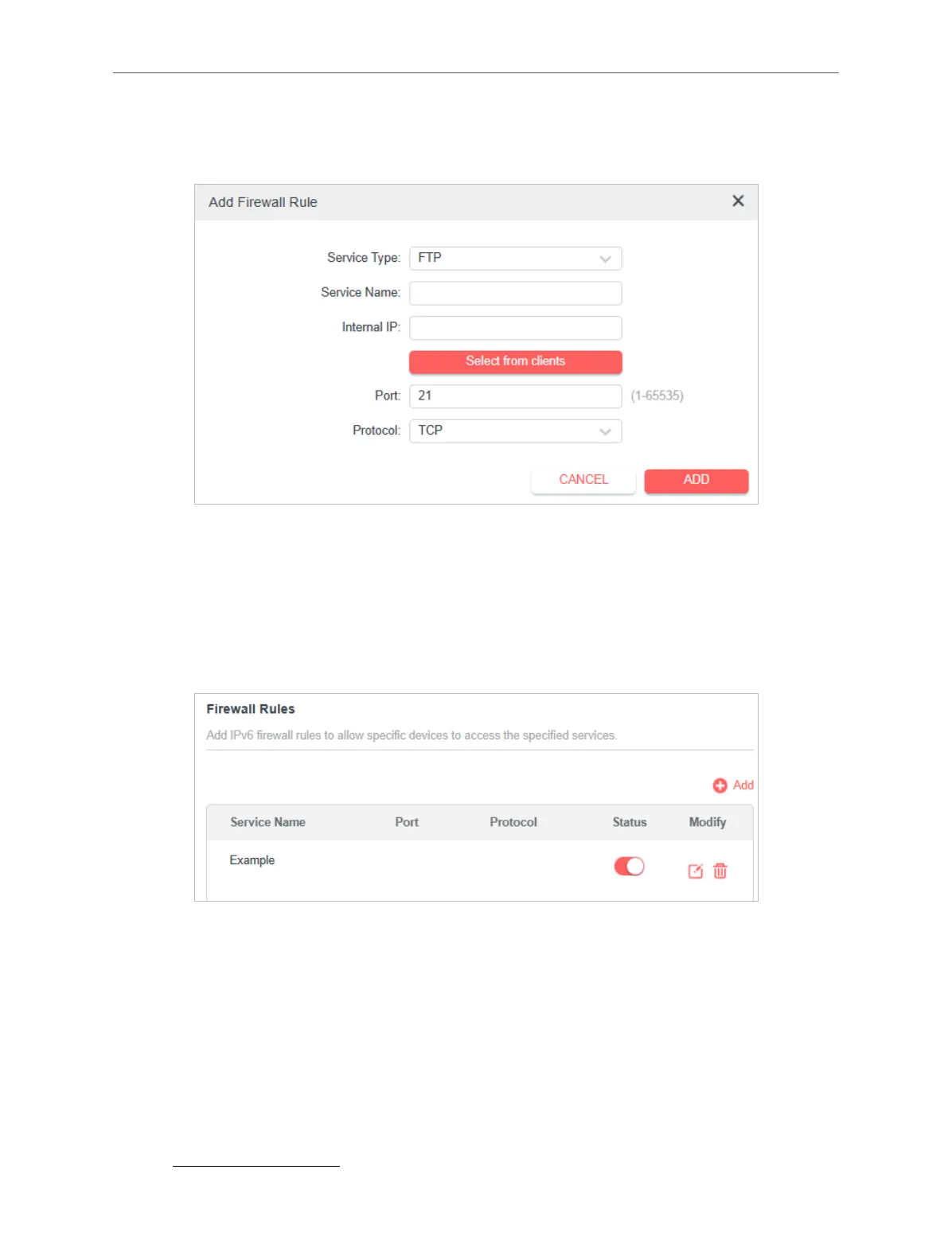
Protocol if you are unsure about which to use. If the service is not listed, please
manually enter the Service Type, and specify the Port and Protocol.
5. Specify a Service Name for the rule.
6. In the Internal IP eld, enter a valid IPv6 address to run the service. You can
click Select from clients, choose a local host device, and its IPv6 address will be
automatically lled in as the Internal IP.
7. Click SAVE, and the newly created IPv6 rewall rule will appear in Firewall Rules.
4. 12. EasyMesh with Seamless Roaming
EasyMesh routers and extenders work together to form one unied Wi-Fi network.
Walk through your home and stay connected with the fastest possible speeds thanks
to EasyMesh’s seamless coverage.
Note: Routers and range extenders must be compatible with EasyMesh. Firmware upgrades may be required.
4. 12. 1. Add a Router as a Satellite Device
1. Visit http://mwlogin.net, and log in with your Mercusys ID or the password you set



 To Next Page