47
Chapter 4 Congure the Router in Wireless Router Mode
I want to:
Make the home PC join the internet online game without port restriction.
For example, due to some port restriction, when playing the online games, you can
log in normally but cannot join a team with other players. To solve this problem, set
your PC as a DMZ host with all ports opened.
How can I do that?
1. Assign a static IP address to your PC, for example 192.168.1.100.
2. Visit http://mwlogin.net, and log in with your Mercusys ID or the password you
set for the router.
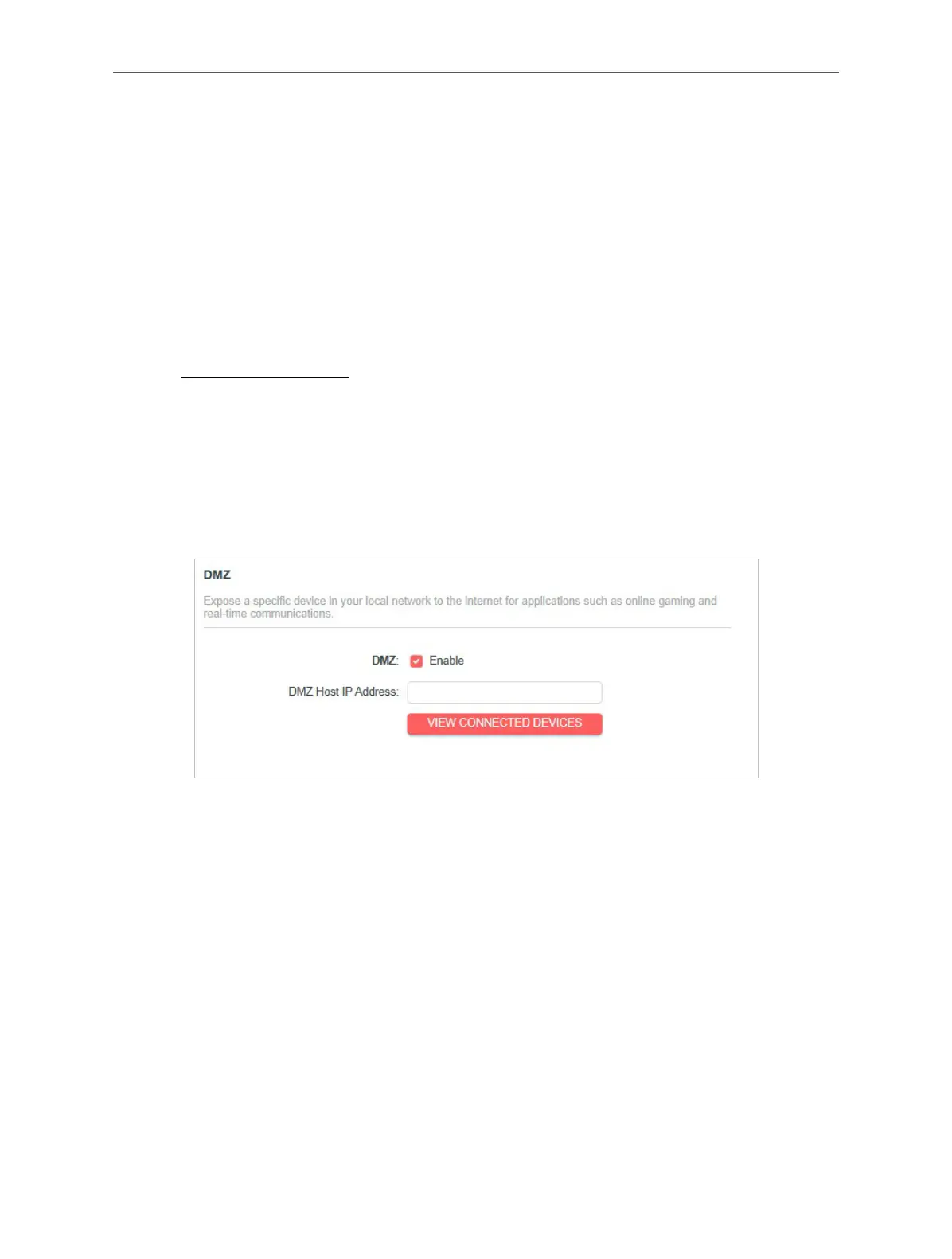
3. Go to Advanced > NAT Forwarding > DMZ and enable DMZ.
4. Click VIEW CONNECTED DEVICES and select your PC. The DMZ Host IP
Address will be automatically lled in. Or enter the PC’s IP address 192.168.1.100
manually in the DMZ Host IP Address eld.
5. Click SAVE.
Done!
You’ve set your PC to a DMZ host and now you can make a team to game with other
players.
4. 7. Parental Controls
Parental Controls allows you to set up unique restrictions on internet access for
each member of your family. You can block inappropriate content, set daily limits for
the total time spent online and restrict internet access to certain times of the day.
I want to:
Block access to inappropriate online content for my child’s devices, restrict internet



 To Next Page