05
Chapter 2
Connect to the Internet
Connect to the Internet
2. 1. Position Your Router
• The product should not be located in a place where it will be exposed to moisture
or excessive heat.
• Place the router in a location where it can be connected to multiple devices as
well as to a power source.
• Make sure the cables and power cord are safely placed out of the way so they do
not create a tripping hazard.
• The router can be placed on a shelf or desktop.
• Keep the router away from devices with strong electromagnetic reference, such
as Bluetooth devices, cordless phones and microwaves.
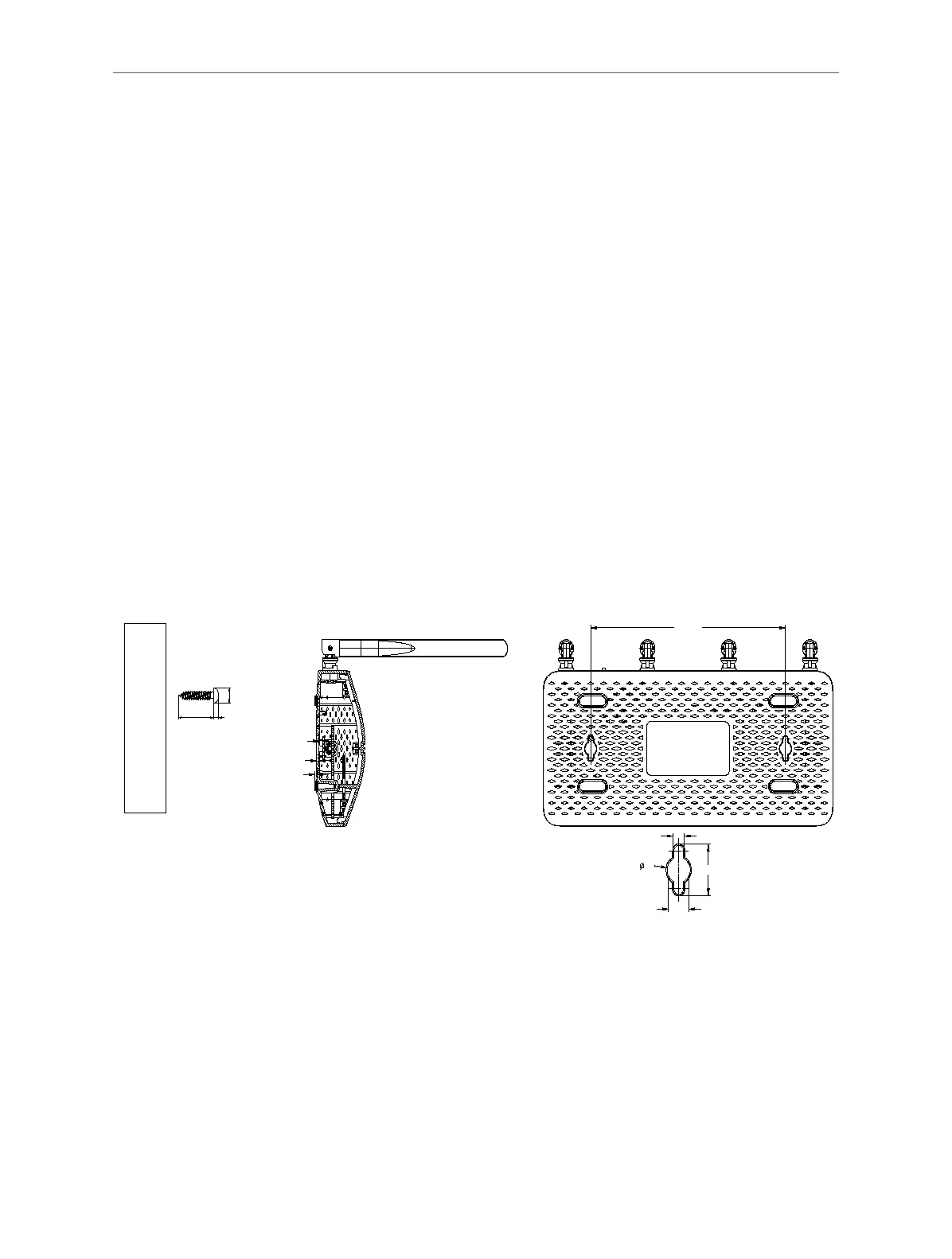
Generally, the router is placed on a horizontal surface, such as on a shelf or desktop.
The device also can be mounted on the wall as shown in the following gure.
*Image may dier from the actual product.
3
1.48
2.06
167.89
5
19
10
∅
D
L2 H
NOTE:
5.5<D<8.3;
H<3;
L2>9.5
8.8
Note:
The diameter of the screw head is 5.5mm<D<8.3mm, and the distance of two screws is 167.89mm. The screw that project from
the wall need around 3mm based, and the length of the screw need to be at least 9.5mm to withstand the weight of the product.
2. 2. Connect the Hardware
1. Follow the steps below to connect your router.
If your Internet connection is through an Ethernet cable from the wall instead of
through a DSL/Cable/Satellite modem, connect the Ethernet cable directly to the



 To Next Page