26
Chapter 4 Congure the Router in Wireless Router Mode
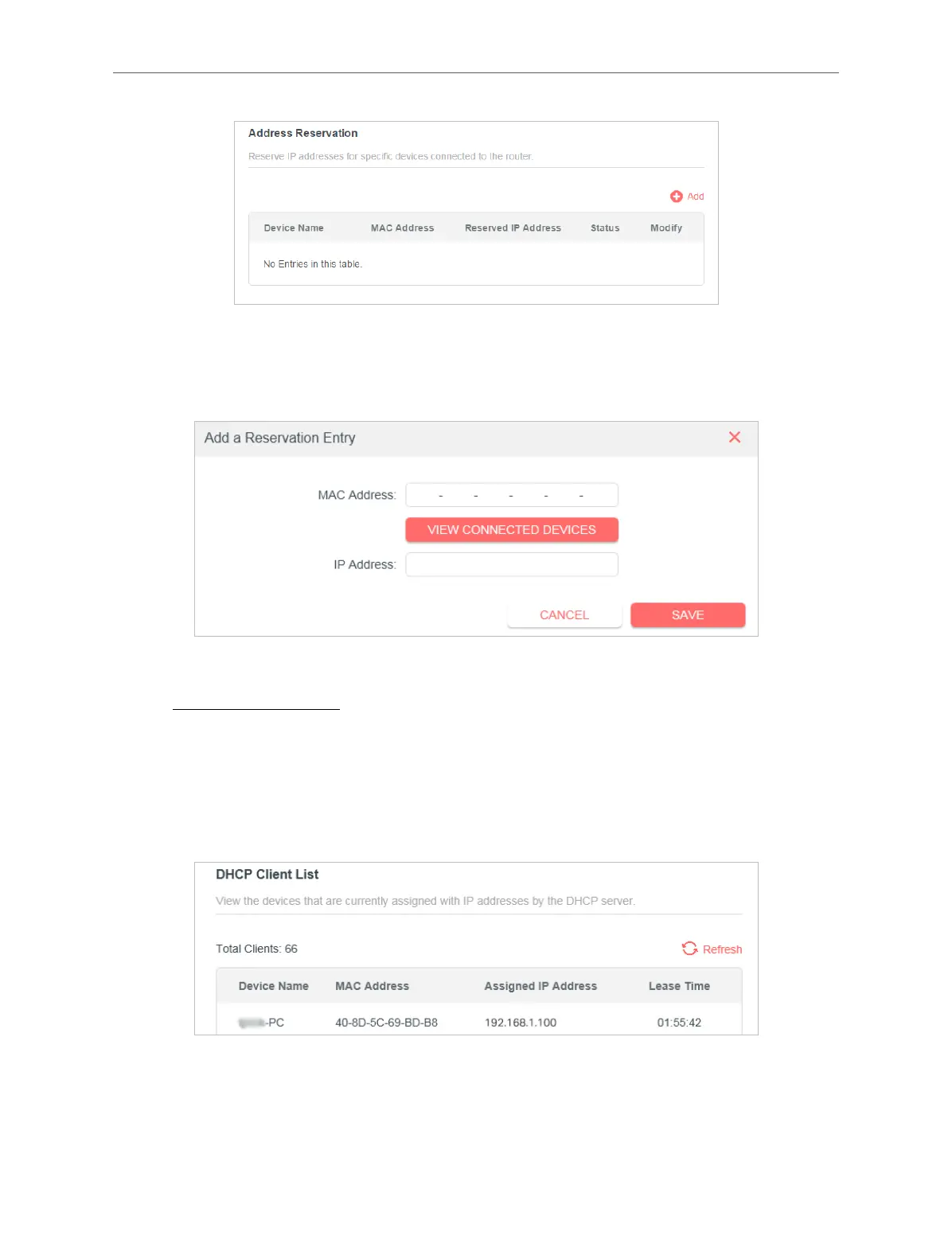
4. Click VIEW CONNECTED DEVICES and select the you device you want to reserve
an IP for. Then the MAC and IP Address will be automatically lled in. You can also
enter the MAC and IP address of the client device.
• To check the DHCP client list:
1. Visit http://mwlogin.net, and log in with your Mercusys ID or the password you set
for the router.
2. Go to Advanced > Network > DHCP Server and locate the DHCP Client List
section. You can see the device information of the list.
3. Click Refresh to see the current attached devices.
4. 3. 10. Dynamic DNS
The router oers the DDNS (Dynamic Domain Name System) feature, which allows
the hosting of a website, FTP server, or e-mail server with a xed domain name



 To Next Page