38
Chapter 4 Congure the Router in Wireless Router Mode
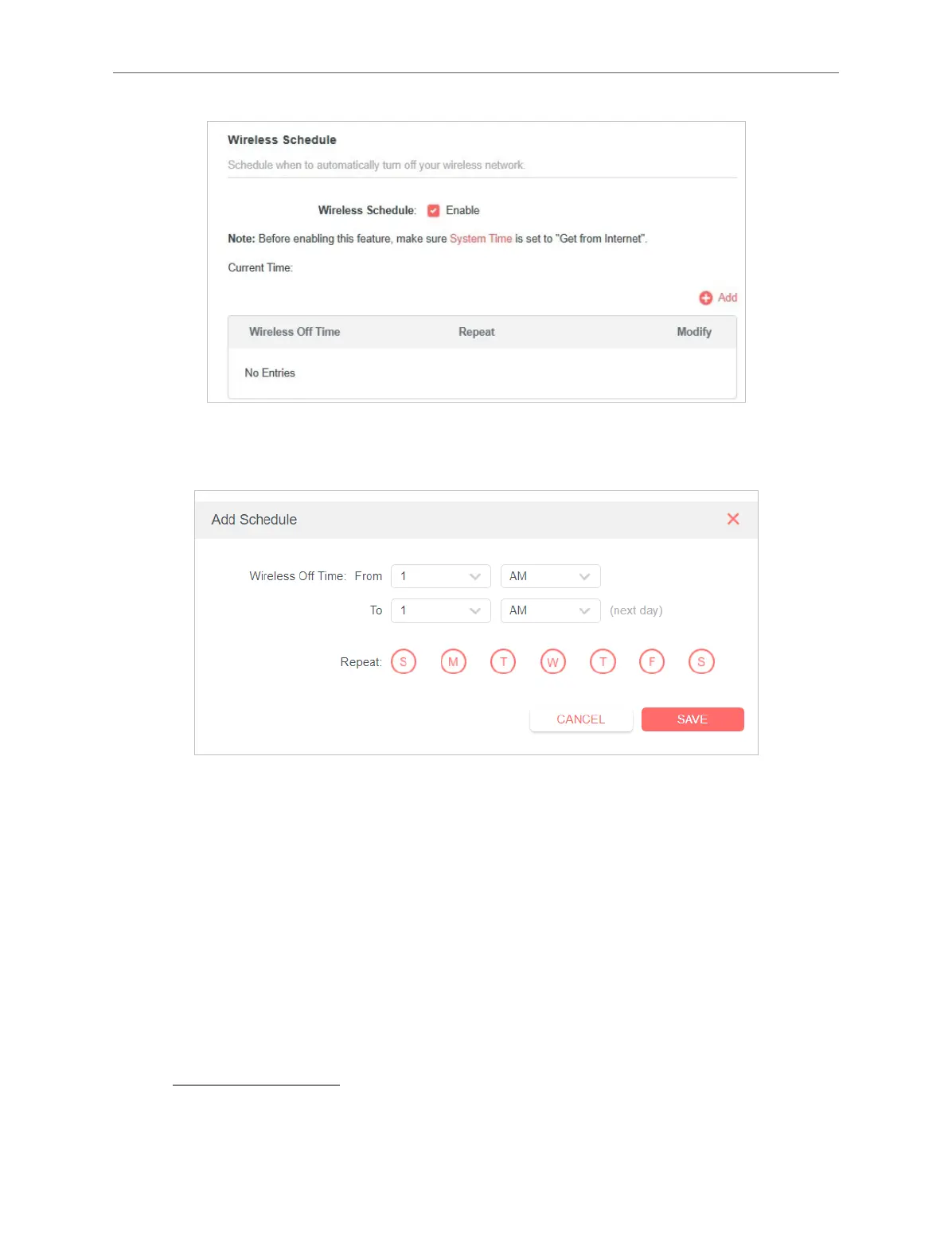
4. Click Add to specify a wireless o period during which you need the wireless o
automatically, and click SAVE.
Note:
• The eective wireless schedule is based on the time of the router. You can go to Advanced > System > Time to modify the
time.
• The wireless network will be automatically turned on after the time period you set.
4. 5. 6. WPS
WPS (Wi-Fi Protected Setup) can help you to quickly and securely connect to a
network. This section will guide you to add a new wireless device to your router’s
network quickly via WPS.
Note:
The WPS function cannot be congured if the wireless function of the router is disabled. Please make sure the wireless
function is enabled before conguration.
1. Visit http://mwlogin.net, and log in with your Mercusys ID or the password you set
for the router.
2. Go to Advanced > Wireless > WPS.



 To Next Page