95
Chapter 4 Congure the Router in Wireless Router Mode
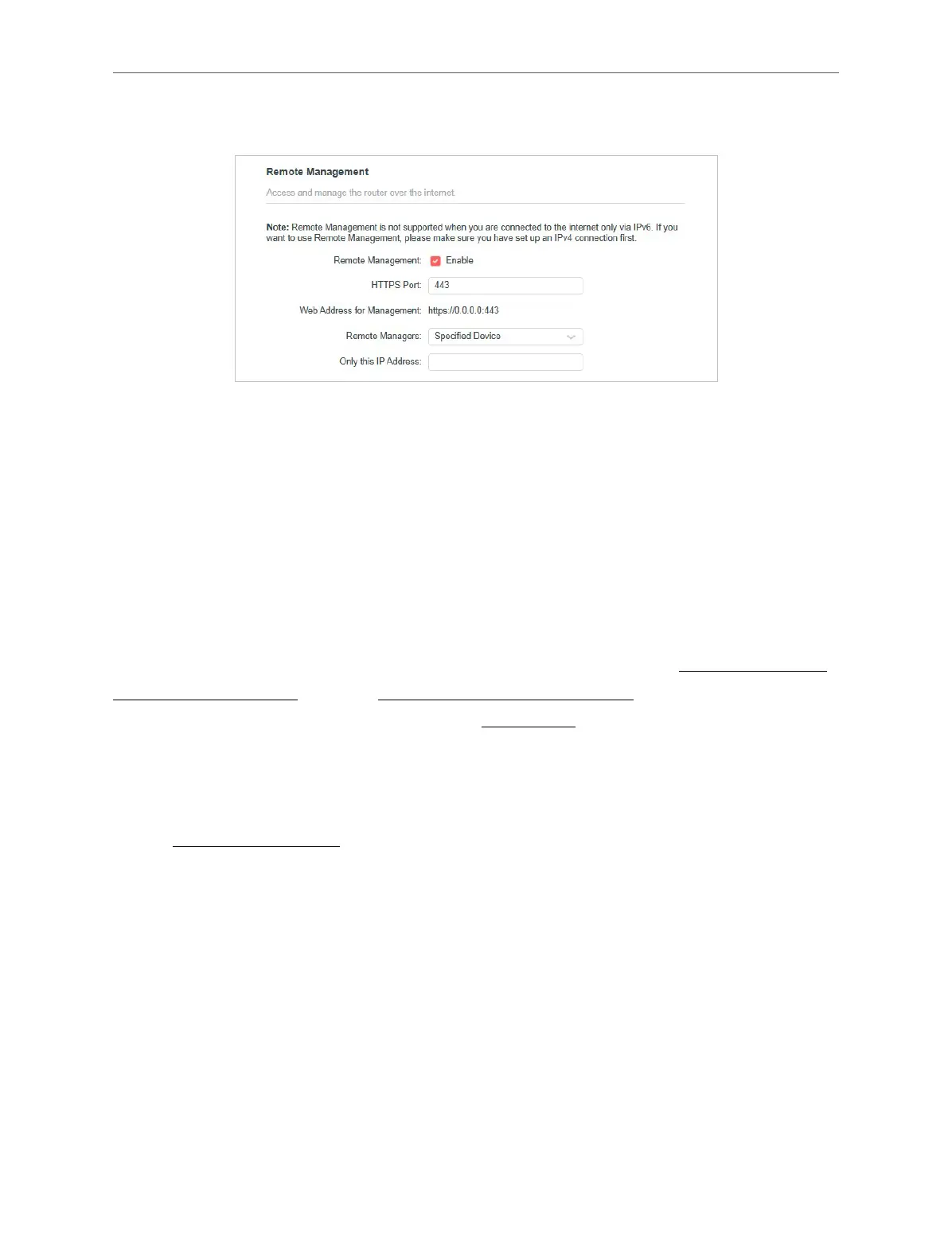
• Allow a specic device to manage the router remotely:
1. Tick the Enable checkbox of Remote Management.
2. Keep the HTTPS port as default settings (recommended) or enter a value between
1024 and 65535.
3. Select Specied Device for Remote Managers.
4. In the Only this IP Address eld, enter the IP address of the remote device to
manage the router.
5. Click SAVE.
Devices using this WAN IP can manage the router by logging in to https://Router’s
WAN IP:port number (such as https://113.116.60.229:1024).
Tips: The router’s WAN IP is usually a dynamic IP. Please refer to “Dynamic DNS” if you want to log in to the router through a
domain name.
4. 13. 7. System Log
1. Visit http://mwlogin.net, and log in with your Mercusys ID or the password you set
for the router.
2. Go to Advanced > System > System Log, and you can view the logs of the router.



 To Next Page