06
Chapter 2
Connect to the Internet
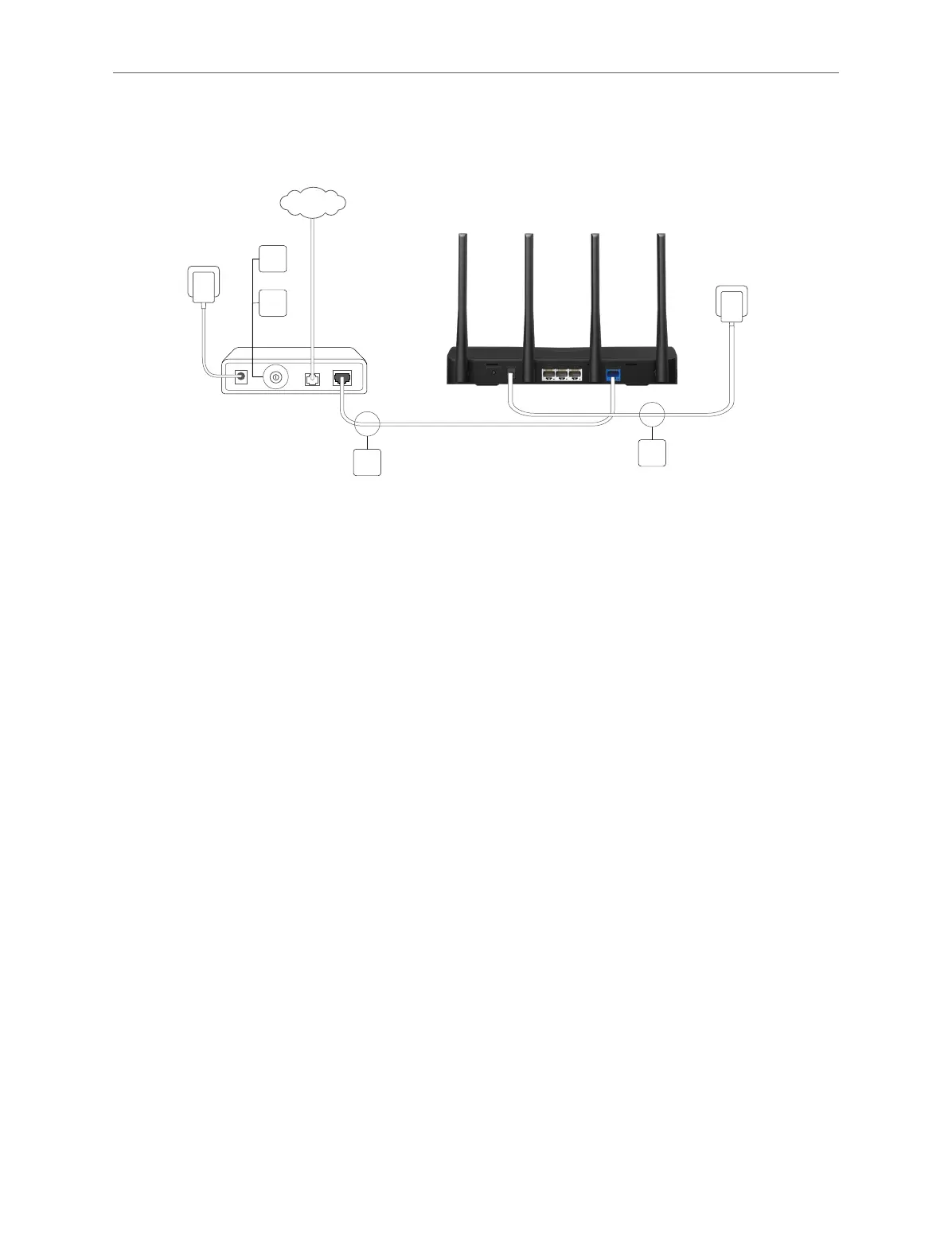
router’s Internet port, then follow sub step 4) to complete the hardware connection.
*Image may dier from actual product.
Modem
INTERNET
Router
Power adapter
1
Power adapter
2
3
4
1 ) Turn o the modem, and remove the backup battery if it has one.
2 ) Connect the modem to the router’s WAN port with an Ethernet cable.
3 ) Turn on the router, and then wait about 2 minutes for it to restart.
4 ) Turn on the modem.
2. 3. Set Up the Router
2. 3. 1. Method 1: Via Web Browser
Follow the steps below to log in to your router. Before you start, please set your
computer to Obtain an IP address automatically.
1. Connect your computer to the router.
• Method 1: Wired
Turn off the Wi-Fi on your computer and connect your computer to the router’s LAN port
using an Ethernet cable.
• Method 2: Wirelessly
1 ) Find the SSID (Network Name) and wireless password printed on the label at
the bottom of the router.
2 ) Click the network icon of your computer or go to Wi-Fi Settings of your smart
device, then select the SSID and enter the wireless password to join the



 To Next Page