84
Chapter 4 Congure the Router in Wireless Router Mode
for the router.
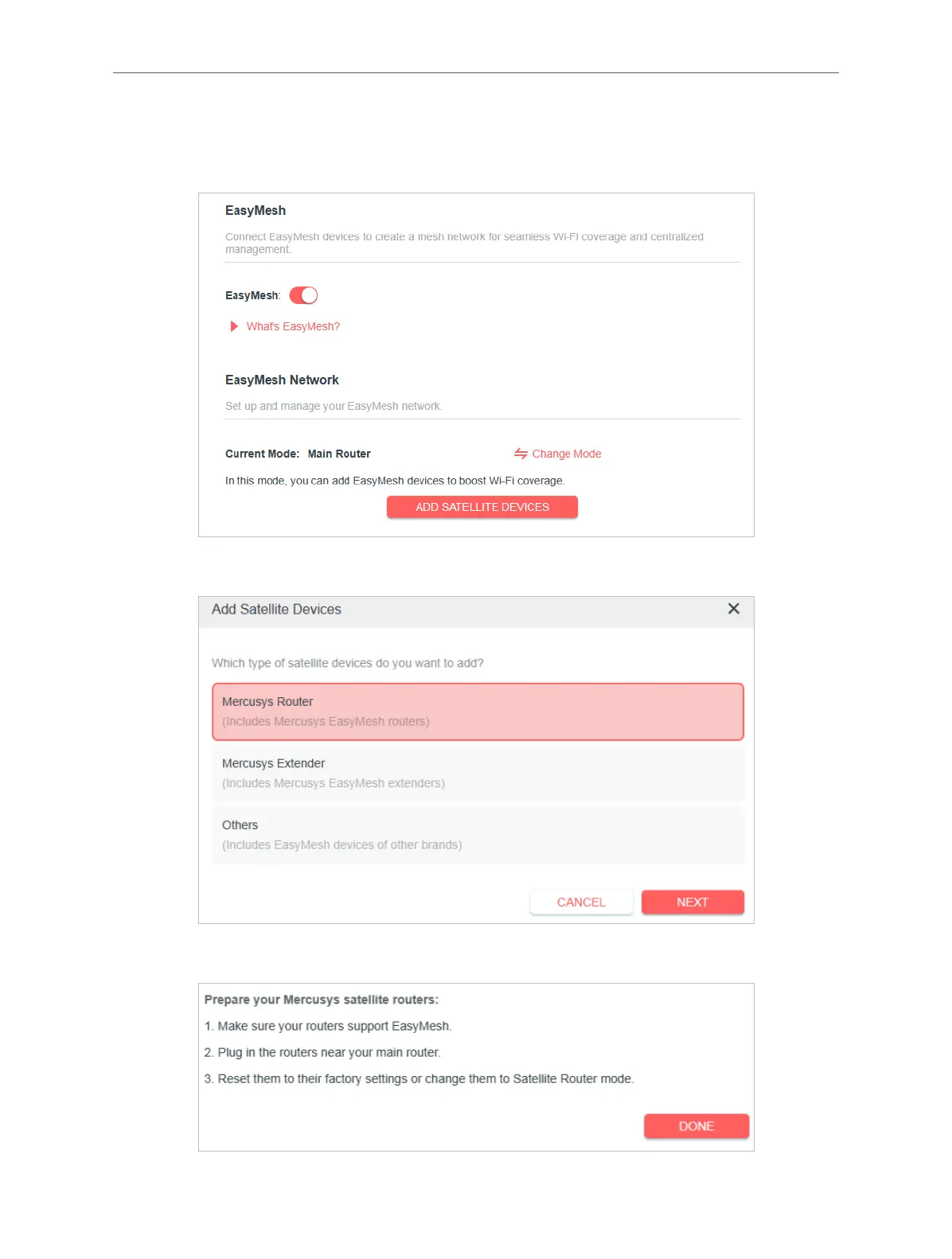
2. Go to Advanced > EasyMesh, and enable EasyMesh.
3. Click ADD SATELLITE DEVICES, select Mercusys Router, then click NEXT
4. Follow the page instructions to prepare your satellite router, then click DONE.



 To Next Page