35
Chapter 4 Congure the Router in Wireless Router Mode
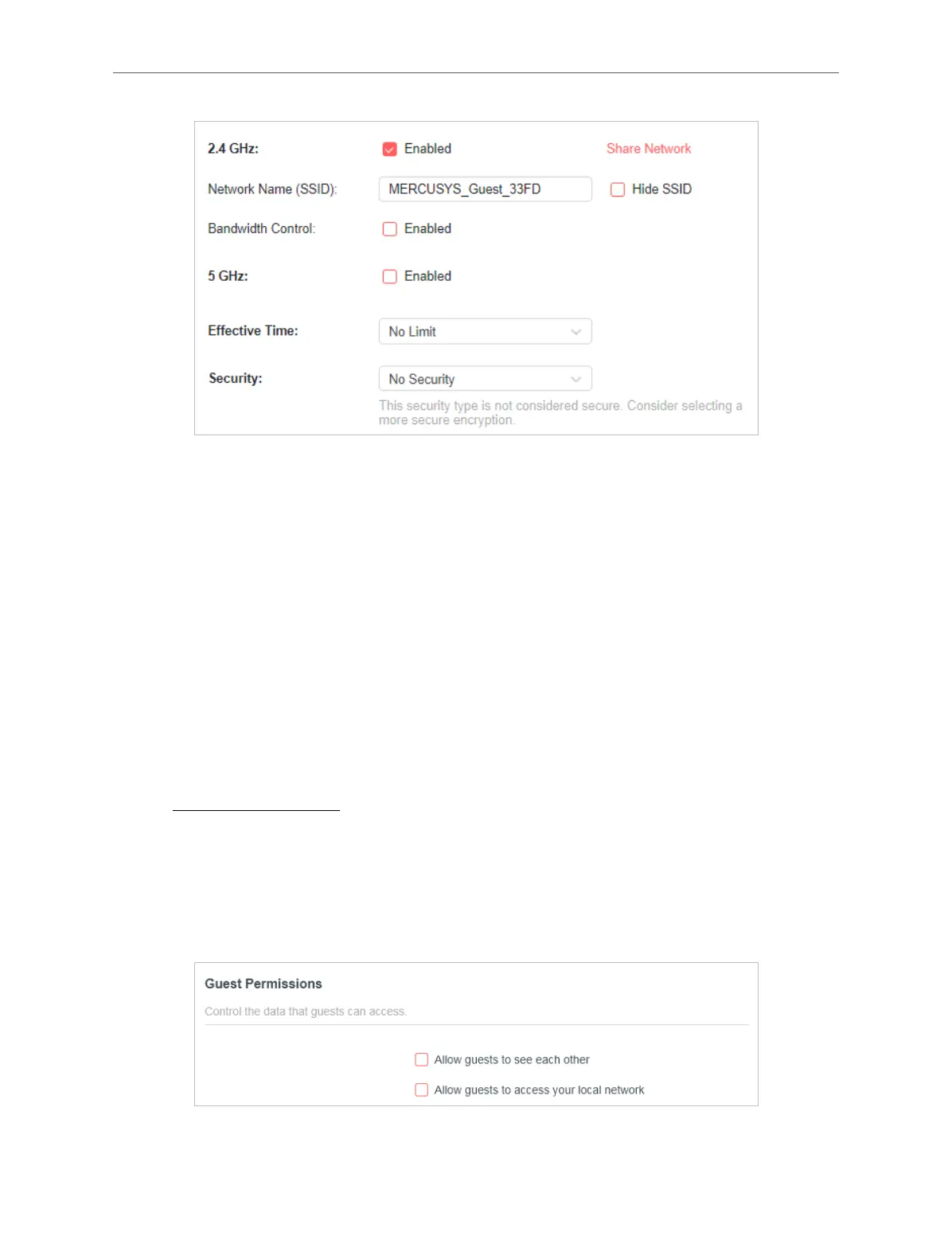
4. Customize the SSID. Don‘t select Hide SSID unless you want your guests to
manually input the SSID for guest network access.
5. Enable Bandwidth Control if you want to limit the network speed of your guests.
Then enter the limited bandwidth value.
6. Set the Eective Time to keep the guest network.
7. Select the Security type and customize your own password. If No security is
selected, no password is needed to access your guest network.
8. Click SAVE. Now you guests can access your guest network using the SSID and
password you set!
• Customize Guest Network Options
1. Visit http://mwlogin.net, and log in with your Mercusys ID or the password you set
for the router.
2. Go to Advanced > Wireless > Guest Network. Locate the Guest Permissions
section.
3. Customize guest network options according to your needs.
• Allow guests to see each other



 To Next Page