43
Chapter 4 Congure the Router in Wireless Router Mode
Router
WAN: 218.18.232.154
LAN
Home
Personal Website
1. Set your PC to a static IP address, for example 192.168.1.100.
2. Visit http://mwlogin.net, and log in with your Mercusys ID or the password you
set for the router.
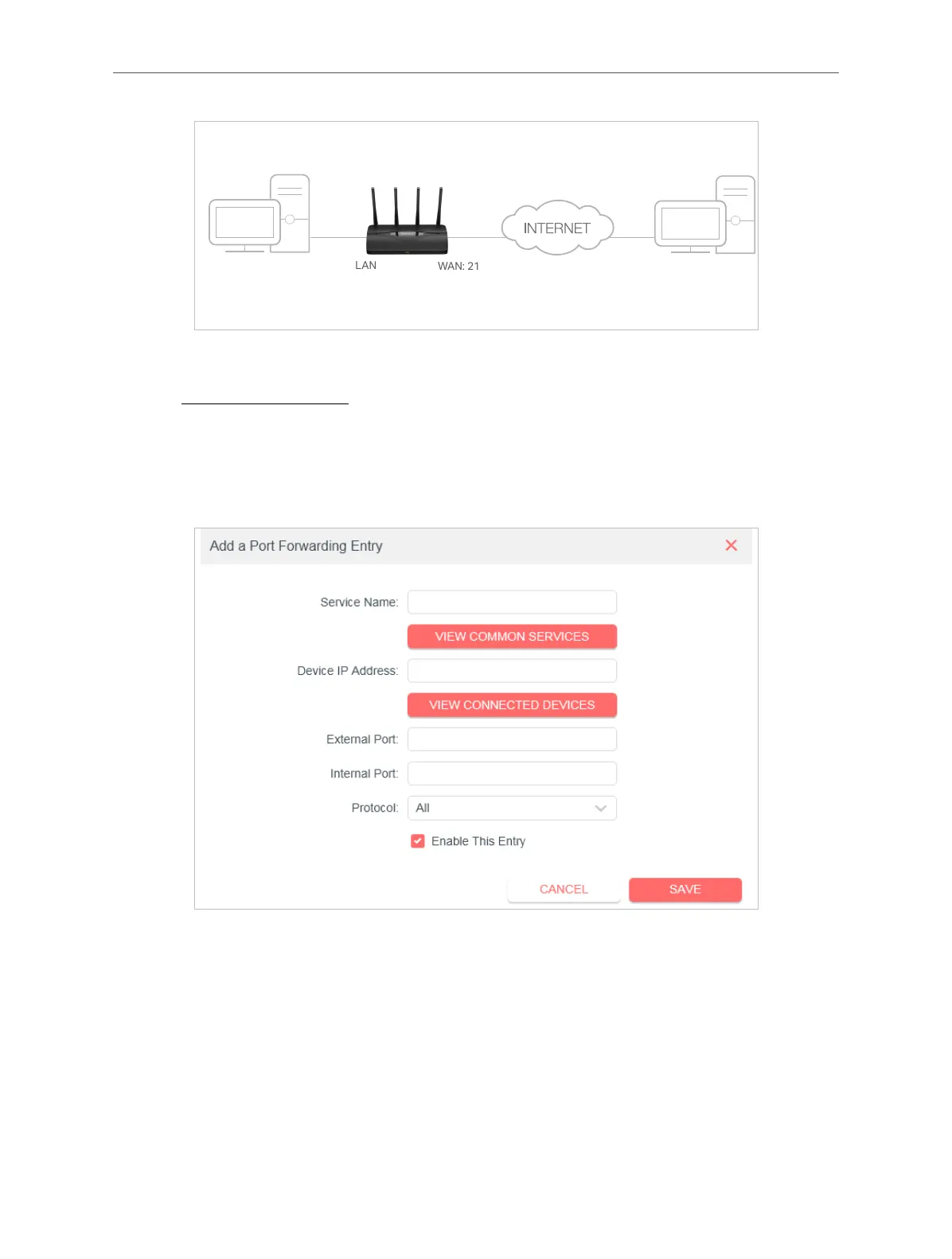
3. Go to Advanced > NAT Forwarding > Port Forwarding.
4. Click Add.
5. Click VIEW COMMON SERVICES and select HTTP. The External Port, Internal
Port and Protocol will be automatically lled in.
6. Click VIEW CONNECTED DEVICES and select your home PC. The Device IP
Address will be automatically lled in. Or enter the PC’s IP address
192.168.1.100 manually in the Device IP Address eld.
7. Click SAVE.
Note:
• It is recommended to keep the default settings of Internal Port and Protocol if you are not clear about which
port and protocol to use.



 To Next Page