65
Chapter 4 Congure the Router in Wireless Router Mode
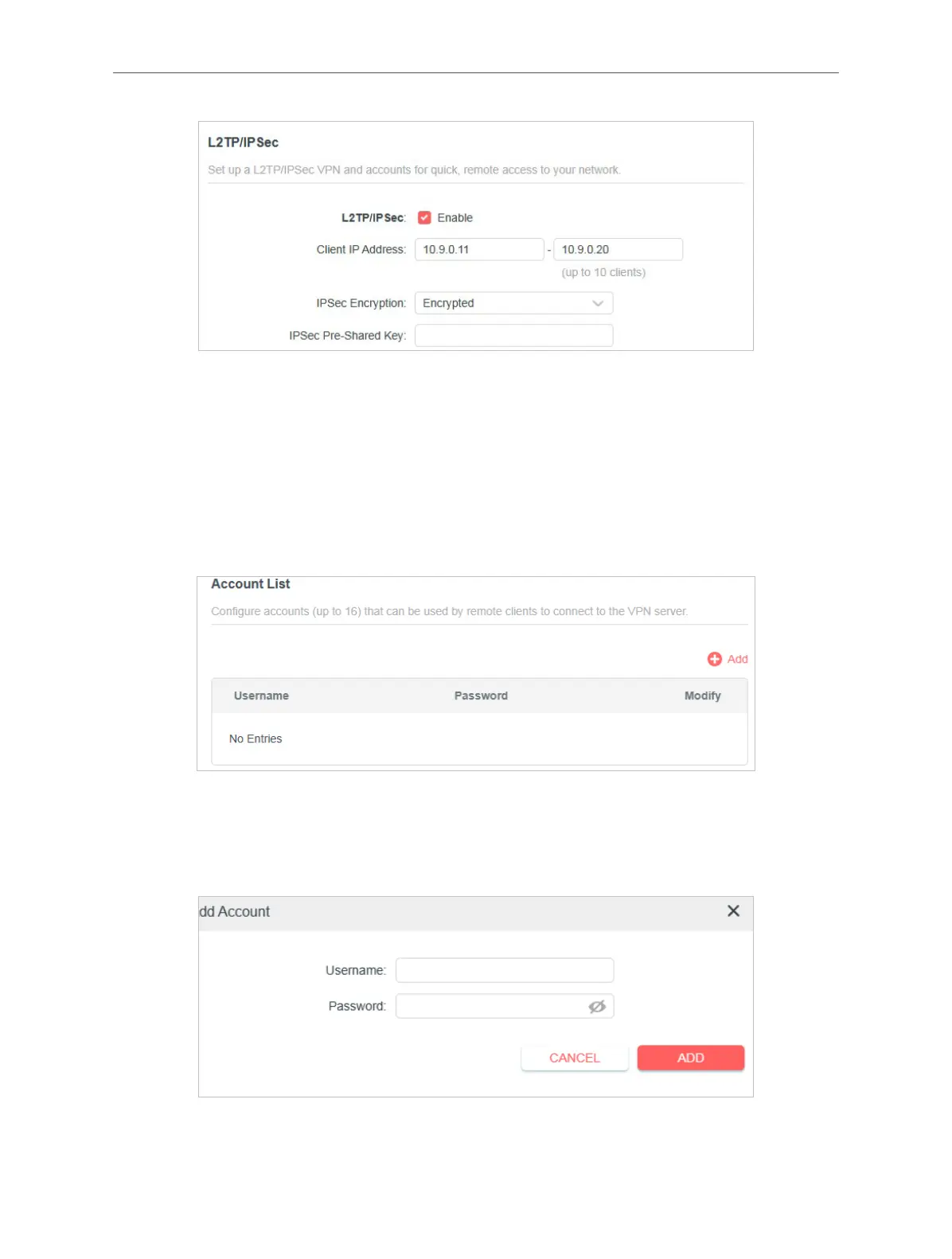
3. In the Client IP Address eld, enter the range of IP addresses (up to 10) that can be
leased to the devices by the L2TP/IPSec VPN server.
4. Keep IPSec Encryption as Encrypted and create an IPSec Pre-Shared Key.
5. Click SAVE.
6. Congure the L2TP/IPSec VPN connection account for the remote device. You can
create up to 16 accounts.
7. Click Add.
1 ) Enter the Username and Password to authenticate devices to the L2TP/IPSec
VPN Server.
2 ) Click ADD.



 To Next Page